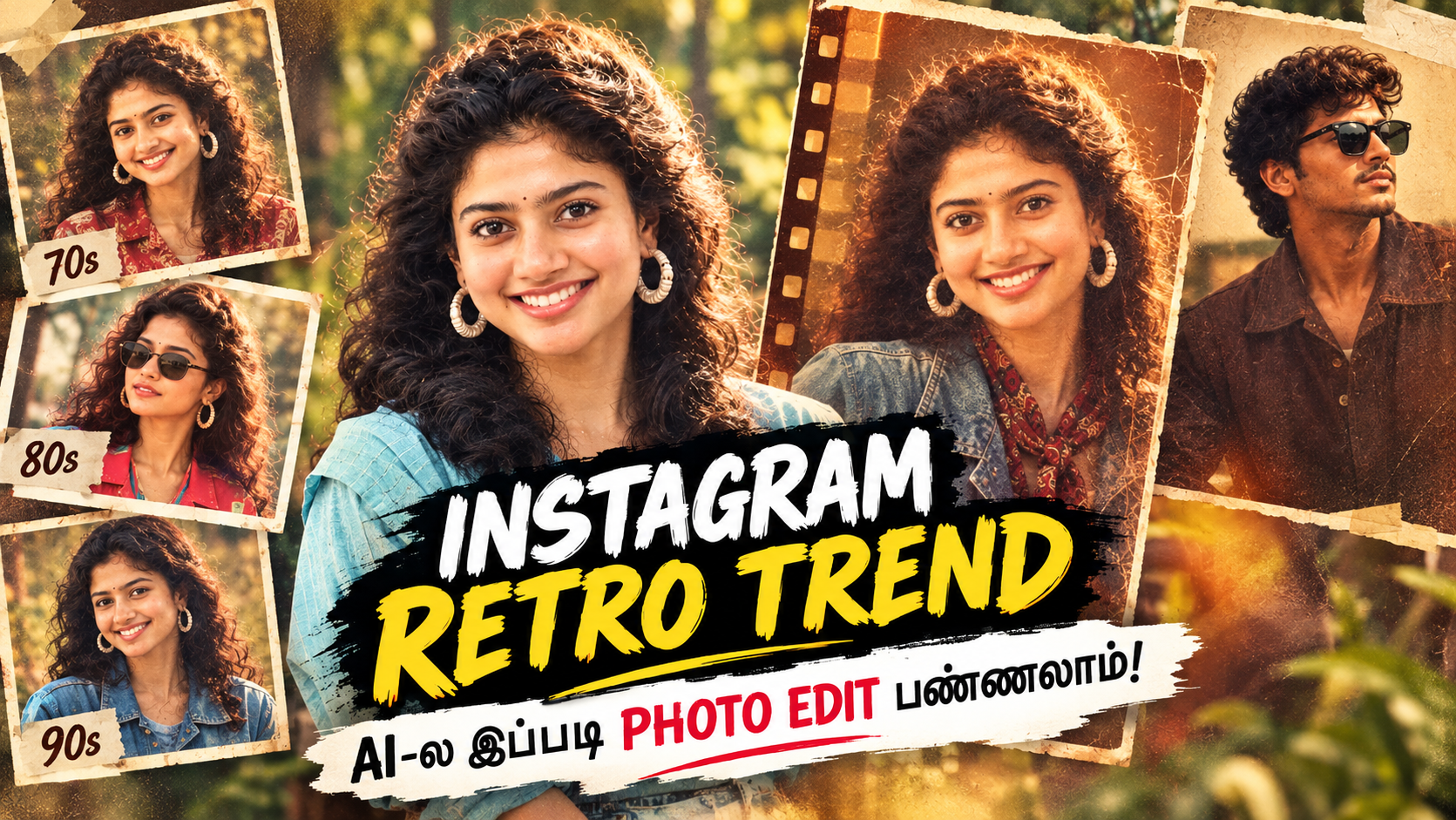
If you have recently opened Instagram and noticed photos that look like they were taken decades ago, you are definitely not alone. Retro and vintage-style AI photo editing is becoming one of the popular photo trends on Instagram in 2026.
From 70s-inspired portraits to colorful 80s fashion and nostalgic 90s photography, people are using AI image editing tools to transform their modern photos into classic-looking pictures.
The interesting part?
You don’t need to be a professional photographer or know Photoshop to create this look.
With a good photo and the right AI prompt, you can transform an ordinary selfie or portrait into a beautiful retro, vintage, cinematic and nostalgic photograph within minutes.
Recent social-media coverage has highlighted the renewed popularity of the 80s AI trend, with users recreating their modern photos using period-inspired hairstyles, clothing, lighting and backgrounds.
🔥 What Is the New Instagram Retro Photo Trend?
The latest trend is all about making modern photographs look as if they were captured several decades ago.
Instead of the ultra-sharp and highly polished photos we normally see today, retro edits introduce elements such as:
- 🎞️ Vintage film grain
- 📷 Old camera photography
- ☀️ Warm natural lighting
- 🌅 Faded and nostalgic colors
- 👗 Retro fashion
- 💇 Classic hairstyles
- 🏡 Old-style backgrounds
- ✨ Soft highlights
- 🎬 Cinematic color grading
- 📸 Analog camera texture
- 🕰️ 70s, 80s and 90s aesthetics
The result is a photograph that feels natural, nostalgic and timeless.
The current 80s trend has particularly gained attention on Instagram, where users are recreating the fashion, hairstyles and visual characteristics associated with that decade using AI.
🤖 How AI Makes Retro Photo Editing So Easy
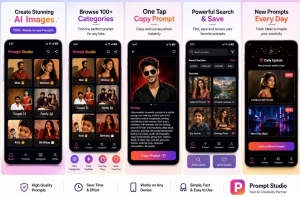
PROMPT STUDIO
INSTALL APP
Earlier, creating a convincing vintage photograph required Photoshop, Lightroom or professional photography skills.
You might have needed to manually adjust:
Brightness → Contrast → Saturation → Color Temperature → Grain → Blur → Shadows → Highlights → Color Grading
But AI photo editing has changed the process.
Now, you can simply upload your photograph and describe the style you want
The AI can then modify the overall visual appearance while attempting to preserve the main characteristics of the original person.
AI-generated retro images are currently being used to recreate everything from 70s disco photography to 80s portraits and 90s film aesthetics.
📸 How to Create an Instagram Retro Photo Using AI
Creating your own retro photo is surprisingly simple.
PROMPT STUDIO APP LINK
INTSTALL
Step 1: Choose a Good Photo
Start with a clear photograph where your face is visible.
A portrait, selfie or full-body photograph can work.
For the best results, choose an image with:
- Good lighting
- Clear facial details
- Minimal blur
- Natural expression
- Good image resolution
You can even use an ordinary photo taken outdoors.
Step 2: Upload Your Photo to an AI Image Editor
Open an AI image-generation or image-editing app that supports image-to-image editing.
Upload your original photograph.
The important thing is to use a tool that allows you to provide your own image as a reference.
Step 3: Add a Retro AI Prompt
Instead of simply typing:
“Make my photo retro”
give the AI a much more detailed description.
A detailed prompt can control the photography style, lighting, colors, clothing, background and film texture.
✨ Copy-Paste Retro AI Photo Prompt
PROMPT : 1
Use this prompt with your uploaded photo:
Transform my uploaded photo into a highly realistic nostalgic retro photograph inspired by classic Indian photography from the 1980s and early 1990s.

Keep the person's identity, facial structure, natural skin tone, eyes, nose, lips, face shape and overall facial features recognizable and consistent with the original photo.

Create an authentic vintage photography aesthetic with warm natural sunlight, soft highlights, subtle film grain, gentle analog texture, slightly faded colors, realistic skin texture and a beautifully nostalgic atmosphere.

Give the image the appearance of a photograph captured using an old analog film camera. Add subtle film imperfections, natural shadows, soft color fading and a slightly dreamy vintage tone.

Use authentic retro fashion, hairstyle and environmental details while keeping the overall image realistic and natural.

Avoid an artificial AI-generated appearance. Do not make the face look cartoonish or overly smooth. Preserve realistic facial details and natural proportions.

High-quality realistic photography, cinematic composition, authentic analog film texture, nostalgic Indian retro aesthetic, natural lighting, subtle grain, realistic colors, timeless vintage photograph.
🕰️ Try Different Retro Eras
One of the best things about AI photo editing is that you don’t have to stick to one particular decade.
You can experiment with different eras.
🟤 1970s Retro Style
Try:
Warm colors + vintage clothing + film grain + classic hairstyles + old Indian photography
This creates a strong old-school family-photo feeling.
🟠 1980s Retro Style
The 80s aesthetic is currently receiving a lot of attention on social media.
Think:
Big hairstyles + colorful outfits + statement accessories + warm film tones + vintage backgrounds.
The current Instagram trend specifically includes AI recreations of 1980s fashion and hairstyles.
🔵 1990s Vintage Style
For a 90s aesthetic, try:
Denim + simple fashion + muted colors + analog film grain + soft flash + nostalgic backgrounds.
This can give your photo the appearance of an old family album or classic Indian film photograph.
📷 Retro Flash Photography Is Also Trending
Another popular variation is the retro flash / old digital-camera look.
Instead of warm sunlight, this style uses strong direct flash, darker backgrounds, slightly blown highlights and visible grain.
It resembles photographs taken using early digital cameras or point-and-shoot cameras.
The style has been described as a viral Instagram aesthetic, particularly because it recreates the imperfect look of older camera photography rather than today’s highly polished smartphone images.
Retro Flash AI Prompt
Transform my uploaded photo into a realistic early-2000s retro digital camera photograph.

Preserve my original identity and facial features accurately. Use a direct on-camera flash, slightly overexposed highlights, realistic skin texture, subtle digital noise, visible film-like grain, dark background and authentic point-and-shoot camera characteristics.

Make the photograph feel candid and naturally imperfect rather than professionally retouched.

Add nostalgic early-2000s color tones, realistic shadows, slight softness and authentic old digital camera texture.

Do not change my identity or create an artificial-looking face.
💡 Why Are Retro Photos Becoming Popular Again?
One reason is simple:
People are getting tired of perfectly polished images.
Modern smartphone cameras produce extremely sharp images. AI tools can also create perfectly smooth skin and highly controlled lighting.
Retro photography does the opposite.
It introduces:
- Imperfection
- Grain
- Softness
- Natural colors
- Film texture
- Old-fashioned lighting
- Nostalgia
That makes the image feel more personal.
Instead of looking like a professionally generated advertisement, the photograph can feel like a memory from another time.
That nostalgic quality is one of the reasons vintage AI images continue to attract attention on social platforms.
❤️ You Can Transform Almost Any Photo
You don’t necessarily need an old photograph to create a retro image.
You can start with:
📱 A normal selfie
👫 A couple photo
👨👩👧👦 A family photo
👗 A fashion photo
🌴 An outdoor portrait
🏠 A casual home photograph
📸 An Instagram portrait
Upload the photo, describe the decade and photography style, and let the AI create the transformation.
For example:
Modern Photo → 1980s Portrait
Modern Selfie → 1990s Film Photo
Couple Photo → Vintage Cinema Scene
Outdoor Portrait → Old Indian Family Album
Night Photo → Y2K Digital Camera Flash
The possibilities are almost unlimited.
⚠️ One Important Tip for Better AI Results
Don’t use extremely short prompts.
Instead of:
“Make this vintage.”
Try:
“Create an authentic 1980s analog film photograph with warm tones, subtle grain, natural skin texture, vintage clothing, soft highlights, realistic shadows and nostalgic Indian photography aesthetics while preserving the person’s identity.”
The more clearly you describe the lighting, camera style, era, colors and texture, the more control you generally have over the final result.
Also, if preserving the person’s appearance is important, explicitly tell the AI to keep the original facial identity and facial structure unchanged.
🚀 Create Your Own Viral Retro Instagram Photo
The current Instagram retro trend shows how quickly AI is changing the way people create social-media content.
You don’t need an expensive camera.
You don’t need professional editing software.
You don’t need years of Photoshop experience.
All you need is a good photograph + the right AI tool + a well-written prompt.
Upload your photo, choose your favorite decade, add the prompt and experiment with different styles until you find the look you love.
Whether you prefer a 70s vintage look, colorful 80s aesthetic, nostalgic 90s photography or early-2000s retro flash, AI makes it much easier to experiment with these styles.
So, if your Instagram feed is already filled with retro photographs…
Why not create your own? 📸🔥