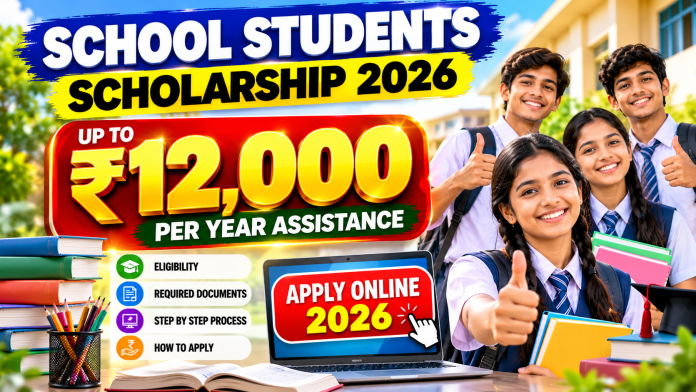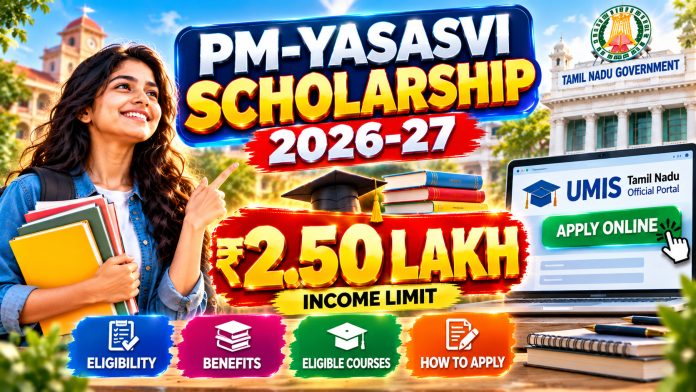
๐ Vidyadhan Scholarship 2026 โ Get Financial Support for Your Education!
Are you a Class 10 student with excellent academic performance but facing financial challenges? The Vidyadhan Scholarship Program, launched by the Sarojini Damodaran Foundation, offers deserving students the opportunity to continue their education without financial burden.
๐ What is Vidyadhan Scholarship?
The Vidyadhan Scholarship Program supports meritorious students from economically weaker families across India. Students are selected after completing Class 10 through a screening process, online test, and interview. Those selected receive financial assistance for Classes 11 and 12 and may continue receiving support for higher education based on academic performance.
โ Eligibility Criteria
Applicants must:
โ Pass Class 10 / SSLC with excellent academic scores.
โ Belong to a family with an annual income generally below โน2 lakh.
โ Meet the state-specific percentage or CGPA requirements.
โ Submit valid academic and income documents during the application process.
๐ฐ Scholarship Benefits
๐ Up to โน10,000 per year for Classes 11 and 12.
๐ Additional support for degree courses ranging from โน10,000 to โน75,000 per year, depending on the course, state, and performance.
๐ Selection Process
Online Application Submission
Academic Screening
Online Test / Interview
Final Selection
Only shortlisted candidates are invited for the test and interview process.
๐ Required Documents
Class 10 Marksheet
Passport-size Photograph
Income Certificate
Disability Certificate (if applicable)
Applications without proper documentation may be rejected.
Artificial Intelligence (AI) is transforming the way people search for jobs, learn new skills, and build careers. For unemployed individuals, AI is no longer just a technology trendโit is a powerful tool that can help them find employment opportunities, improve their qualifications, and even create new income streams.
In 2026, job seekers who understand how to use AI effectively have a significant advantage over those relying solely on traditional job-search methods.
How AI Helps Job Seekers
1. Create Professional Resumes in Minutes
Many AI-powered tools can generate professional resumes based on a person’s education, skills, and experience. These tools help job seekers create ATS-friendly resumes that increase their chances of getting shortlisted by employers.
Benefits include:
Professional formatting
Keyword optimization
Error-free content
Customized resumes for different job roles
2. Discover Job Opportunities Faster
AI job-search platforms can analyze a candidate’s profile and recommend suitable job openings automatically. Instead of spending hours searching manually, users receive personalized job suggestions based on their qualifications and interests.
AI can help job seekers:
Find relevant vacancies
Track new openings
Match skills with available positions
Apply to multiple jobs efficiently
3. Prepare for Interviews
Interview preparation is one of the most valuable uses of AI. Modern AI tools can simulate interviews, generate likely questions, and provide feedback on answers.
Candidates can practice:
HR interview questions
Technical interviews
Communication skills
Confidence-building exercises
4. Learn New Skills for Free
Many online learning platforms now use AI to create personalized learning paths. Job seekers can learn high-demand skills such as:
Artificial Intelligence
Data Analysis
Digital Marketing
Graphic Design
Programming
Content Creation
Learning new skills can significantly improve employability and open doors to better career opportunities.
AI tools can help users create content for social media, blogs, and professional platforms. Building an online presence allows job seekers to showcase their expertise and attract potential employers.
A strong personal brand can help individuals:
Gain visibility
Network with professionals
Demonstrate expertise
Access new career opportunities
6. Start Freelancing and Earn Income
Even before securing a full-time job, unemployed individuals can use AI-powered tools to offer freelance services.
Popular freelance opportunities include:
Content writing
Graphic design
Video editing
Social media management
Virtual assistance
Website development
AI helps beginners complete projects more efficiently and improve service quality.
Why Learning AI Is Important
Companies across industries are adopting AI technologies. Candidates who understand how to work with AI tools are becoming more attractive to employers.
AI skills can help job seekers:
Increase productivity
Improve problem-solving abilities
Adapt to modern workplaces
Stay competitive in the job market
Conclusion
Being unemployed does not mean opportunities are unavailable. With the right AI tools, individuals can search for jobs more effectively, learn valuable skills, prepare for interviews, and even create new sources of income.
The future belongs to those who embrace technology. By learning and using AI today, job seekers can improve their chances of finding meaningful employment and building a successful career.
Start learning AI, explore new opportunities, and take the first step toward a brighter future.
๐จ Transform Your Photos Into a Blockbuster Movie Poster!
Experience the power of next-generation AI photo editing with this stunning South Indian Cinematic Poster Style. โจ
This trending AI artwork style is inspired by:
๐ฌ Tamil Movie Posters ๐ Royal Traditional Looks ๐ Festival Cinematic Lighting ๐๏ธ Temple & Village Backgrounds ๐ Premium Color Grading ๐ธ DSLR Portrait Photography
Now you can turn your normal selfies or couple photos into a breathtaking cinematic artwork with:
โจ Ultra HD Face Enhancement โจ Natural Skin Detailing โจ Luxury Golden Glow โจ AI Background Effects โจ Realistic Traditional Styling โจ Professional Movie Poster Finish
A professional South Indian cinematic movie poster featuring a beautiful traditional village couple standing side-by-side with realistic and naturally matching facial features.
The woman is standing on the left side wearing a rich teal-blue silk saree with intricate gold zari borders, a deep magenta blouse, elegant gold temple jewelry, traditional bangles, and fresh jasmine flowers woven into her long curly braided hair. She has a warm smiling expression, glowing skin, soft makeup, and expressive eyes.
The man is standing on the right side with a stylish modern South Indian look, thick wavy black hair with subtle brown highlights, a neatly trimmed beard, attractive smile, and sharp facial features. He is wearing a crisp white formal shirt with folded sleeves, a traditional green towel (thundu) draped over his left shoulder, a gold chain, and a premium blue-dial wristwatch.
Center composition contains a large ornate 3D circular emblem with luxurious gold detailing and decorative floral engravings. Inside the emblem, bold Tamil typography reads: โเฎฎเฎฉเฏเฎตเฎฟ เฎคเฏเฎฃเฏโ in vibrant green and gold embossed cinematic lettering.
Below the title, a stylish golden ribbon banner contains the Tamil subtitle: โเฎเฎฐเฏเฎเฏเฎ เฎฎเฎฑเฏเฎฑเฎตเฎฉเฏ เฎคเฏเฎฃเฏ เฎเฎคเฎฑเฏเฎเฏโ
Background features a dramatic cinematic South Indian village atmosphere with temple architecture, sunset lighting, tropical trees, hanging lanterns, floral foreground blur, teal-and-gold textured grunge effects, floating particles, and warm golden sunlight.
Ultra-realistic skin texture, cinematic rim lighting, shallow depth of field, high contrast, rich teal-orange color grading, hyper-detailed, premium Tamil movie poster aesthetic, Canon EOS R5, 85mm prime lens, HDR, 16K quality, masterpiece composition, ultra sharp focus, realistic shadows, vibrant colors –ar 9:16
๐ PERFECT FOR EVERY OCCASION
๐ Wedding Posters ๐ Festival Wishes ๐ Couple Special Posts ๐ Birthday Poster Designs ๐ฌ Social Media Reels Covers ๐ฑ WhatsApp DP & Status ๐ผ๏ธ Website Banner Designs ๐ข Promotional Posters
โ A REAL Movie Poster Feel โ Rich South Indian Traditional Vibes โ Trending Social Media Look โ Professional Designer Finish โ Attractive Viral Appearance โ Eye-Catching Luxury Design
๐ฅ NEW TREND โจ AI MAGIC EDIT ๐ฌ MOVIE POSTER LOOK ๐ COUPLE SPECIAL ๐ธ FESTIVAL VIBES ๐ ROYAL EDITION ๐ PREMIUM QUALITY ๐ธ ULTRA HD ๐ VIRAL STYLE ๐จ AI GENERATED ๐ TRENDING DESIGN ๐ซ CINEMATIC GLOW ๐ MASTERPIECE EDIT ๐ญ SOUTH INDIAN LOOK ๐ข SOCIAL MEDIA TRENDING
Right now, one editing style is going massively viral across Instagram, YouTube Shorts, Facebook, and WhatsApp Status โ the AI Painting Style Portrait Edit.
Youโve probably seen those ultra-realistic portrait images with:
cinematic lighting,
smooth glowing skin,
realistic hair texture,
sharp eyes,
soft shadows,
and a digital painting finish.
The best part? You donโt need Photoshop skills or a high-end PC anymore.
Now anyone can create these stunning AI painting-style photos directly from their mobile phone using simple AI apps.
In this post, weโll cover:
What AI Painting Style is
Which apps to use
How to edit step-by-step
Best prompts to use
Tips for getting ultra-realistic results
How creators are using this trend for social media and websites
Letโs get started ๐ฅ
What is AI Painting Style?
AI Painting Style is a type of photo editing where artificial intelligence transforms a normal photo into a realistic digital artwork or cinematic painting.
Instead of looking like a regular photo, the image gets:
smooth skin texture,
detailed facial features,
artistic lighting,
realistic shadows,
vibrant colors,
and a premium cinematic look.
These edits are becoming extremely popular because they look professional and eye-catching.
You Donโt Need a PC Anymore ๐ฑ
One of the biggest reasons this trend exploded is because everything can now be done on mobile.
All you need is:
an Android phone or iPhone,
a clear portrait photo,
and an internet connection.
Thatโs it.
No advanced editing skills required.
Best Photos for AI Painting Edits
To get the best AI painting results:
Use a clear face photo
Avoid blurry images
Make sure lighting is good
Close-up portraits work better
Simple backgrounds help AI generate cleaner results
Even a normal selfie can work if the quality is decent.
PROMPT :
Ultra-detailed digital illustration portrait of a young South Indian man, smiling naturally, front-facing pose, thick curly black hair with soft volume, trimmed beard and mustache, expressive brown eyes, medium warm skin tone, wearing a clean white half-open shirt with a visible gold chain, small red tilak on forehead, smooth semi-realistic painting style, highly detailed facial shading and skin highlights, glossy hair texture, soft cinematic red rim light on left side of hair, minimal plain 9:16 ratio
Best Mobile Apps for AI Painting Edits
1. Remini
One of the most popular AI editing apps.
Features:
AI face enhancement
HD quality output
realistic skin texture
portrait enhancement
cinematic AI filters
Perfect for improving portrait quality instantly.
2. Bing Image Creator / Copilot
You can create AI painting-style images using prompts.
Just upload a reference image or type a detailed prompt and AI generates cinematic artwork automatically.
3. PicsArt AI
Great for:
AI filters
painting effects
cinematic color grading
background blur
glow effects
Very beginner-friendly.
4. Canva AI
Perfect for:
website thumbnails,
Instagram posts,
banners,
YouTube thumbnails,
and social media designs.
You can also add stylish text easily.
Step-by-Step: How to Create AI Painting Style Photos
Step 1:
Choose a clear portrait image.
Step 2:
Upload the photo into an AI editing app like Remini or PicsArt AI.
Step 3:
Select:
โAI Portraitโ
โPainting Styleโ
or โCinematic Effectโ
depending on the app.
Step 4:
Apply lighting enhancements and realistic filters.
Step 5:
Add background blur or glow effects for a professional cinematic look.
Step 6:
Export the final image in HD quality.
Done! ๐ฅ
Best AI Prompt for This Style
You can use prompts like this in AI tools:
Ultra realistic cinematic digital painting portrait of an Indian man, soft lighting, detailed hair texture, glowing skin, realistic eyes, sharp focus, warm cinematic background, professional color grading, hyper realistic, 8K quality
Applying for Employment Registration in Tamil Nadu is now very easy through the online portal. You can register from your home within a few minutes and download your Employment Registration Card instantly.
In this post, letโs see:
How to apply for a new Employment Registration
Required documents
How to renew the registration
Complete step-by-step process
What is Employment Registration?
Employment Registration is the process of registering your educational qualifications with the Employment Exchange Department.
Benefits of registering:
Receive government job updates
Maintain employment seniority
Useful for various government recruitment processes
Easy online renewal facility
Documents Required for Online Employment Registration
Before applying, keep these documents ready:
Aadhaar Card
SSLC / 10th Marksheet
12th Marksheet
Diploma / Degree Certificates
Community Certificate
Passport Size Photo
Mobile Number
Email ID
Step-by-Step Process to Apply Online
Step 1 โ Open the Official Website
Visit the official Tamil Nadu Employment Exchange portal:
Create Epic Cinematic Mythology Posters Using Your Own Photo!
โ๏ธ Normal Photo โ Mass Cinematic Warrior Poster โก Just Use Any AI App ๐ฌ Movie-Level Editing Now Possible on Mobile!
๐ค WHAT YOU CAN CREATE
โ Black & White Cinematic Look โ Mythological Warrior Background โ Divine Shadow Character Effect โ Lightning, Smoke & Fire Particles โ Ultra HD AI Movie Poster โ Dark Fantasy Tamil Cinema Style โ Realistic Face Preservation โ Cinematic Moonlight Atmosphere โ HDR Contrast & Glow Effects โ Powerful Hero Introduction Look
๐ AI EDIT FEATURES
๐ญ Accurate AI Face Styling โก Auto Cinematic Background Generation ๐ค Black Movie Color Grading ๐ Night Sky & Storm Effects ๐ฅ Volumetric Lighting & Aura Glow ๐ฌ Poster-Style Composition ๐ก๏ธ Weapon & Warrior Effects ๐จ Smoke + Ash Particle FX ๐ธ DSLR Depth Effect ๐๏ธ Animated Cinematic Feel
๐ฑ EASY MOBILE AI EDITING
โ๏ธ Upload One Photo โ๏ธ Paste AI Prompt โ๏ธ Generate Cinematic Output โ๏ธ No Photoshop Needed โ๏ธ Beginner Friendly โ๏ธ One-Click AI Editing Experience
PROMPT :
Create a highly realistic cinematic mythological poster in vertical 9:16 ratio.
A powerful South Indian man stands in the foreground in a calm but dominant warrior pose, exactly framed from a mid-range eye-level camera angle (NOT low angle). The camera should feel like it is positioned slightly above waist height, straight facing the subject with natural cinematic perspective exactly like a Tamil mass hero poster.
The man stands centered in the lower middle of the frame with feet apart and shoulders relaxed but powerful. He has rugged curly hair, thick beard, intense eyes, and a serious expression while looking slightly toward the left side of frame. He wears a fitted black half-sleeve shirt with black traditional veshti/dhoti. His right hand holds a long traditional aruval/sickle weapon pointed diagonally downward exactly like a village guardian warrior stance.
Behind him stands an enormous divine Karuppu Samy deity figure made completely from glowing white spiritual energy. The deity is massive, extending high into the sky and perfectly aligned behind the man like a protector spirit. Karuppu Samy holds a giant curved aruval raised upward in one hand exactly matching the reference composition.
The deity appearance:
glowing white outline body semi-transparent divine energy form sacred Tamil guardian god design intense holy aura glowing crown and ornaments visible earrings, arm bands, chest ornaments cosmic energy texture realistic mythological presence not cartoon or illustration
Background:
realistic dark night atmosphere star-filled sky cinematic fog and smoke near ground subtle mountains and distant lights floating ash particles and mist realistic depth and atmosphere slightly cloudy sky illuminated by divine glow
Lighting:
black and white monochrome cinematic grade strong white glow from deity soft rim light around the man realistic contrast and shadows volumetric god rays through fog cinematic exposure
Composition:
perfectly centered vertical composition man occupying lower center deity occupying full background both weapons clearly visible exact heroic Tamil folklore poster framing mid-shot cinematic perspective dramatic but realistic scale difference
๐ How to Edit Photos Like Youโre Watching a Cricket Match from the Stadium Using AI
โFeel Like Youโre Inside an IPL Stadium! ๐คฏ AI Stadium Edit Tutorial
โCreate Live Cricket Stadium Vibes with AI ๐๏ธโ
โTurn Your Normal Photo into an IPL Stadium Scene Using AI!โ
Want to make your photo look like youโre watching a live cricket match from inside a huge stadium? ๐ Now you can easily create cinematic IPL stadium-style edits using AI tools!
With AI, you can transform a normal photo into a realistic cricket stadium scene with:
Massive crowd atmosphere ๐๏ธ
Bright flood lights โจ
Live match vibes ๐ฅ
Jersey fan look ๐
Cinematic color grading ๐ฌ
DSLR-quality effects ๐ธ
โก How to Edit Using AI
Step 1:
Upload a clear, high-quality photo.
Step 2:
Open any AI photo editing app or website.
Step 3:
Use a cricket stadium AI prompt like this:
IMAGE PROMPT :
Image Prompt – Create a photorealistic 16:9 live Indian cricket broadcast screenshot of a young couple captured from far away by a stadium zoom camera during an IPL-style night match. Use the provided face reference image for the man and keep his facial features highly accurate: same face shape, eyes, nose, lips, beard/stubble pattern, skin tone, hairstyle volume, and natural expression. Do not beautify or change his identity. He should look like the same person from the reference, only seated in a cricket stadium. Use the provided woman reference for the woman, but make her realistic and human, not doll-like. Keep her attractive but grounded with natural skin texture, realistic eyes, subtle imperfections, believable facial proportions, and soft candid expression. Scene: The couple is sitting among a dense crowd inside a packed Indian cricket stadium during a night match. They are not posing for the camera. They look like they were unexpectedly picked up by the long-range broadcast camera installed in the stadium. The camera is far away and zoomed in, like real IPL audience reaction shots. Important camera style: This should NOT look like a camera is directly in front of them. This should NOT look like a close DSLR portrait or staged photoshoot. Make it look like a telephoto broadcast zoom shot from across the stadium. Use long-lens compression, slightly flattened perspective, medium-wide crowd framing, mild atmospheric haze, subtle broadcast softness, minor motion blur, slight digital zoom artifacts, realistic compression noise, and live TV sharpness. The couple should be visible clearly, but not overly crisp or perfectly lit. Composition: Frame them from the audience section, with other spectators partially blocking the foreground and background. Some heads, shoulders, flags, and jerseys should naturally overlap the frame, making it feel like the broadcast camera is peeking through the crowd. The couple should be seated in the middle rows, not isolated. Keep surrounding fans close to them so they feel integrated in the stadium crowd. Pose and emotion: The man has his arm naturally around the womanโs shoulder and holds a red-and-silver soda can in his other hand. He wears a light blue casual shirt or a light checkered shirt, matching the cool blue stadium vibe. The woman wears a blue summer dress. They are looking at each other with shy, warm, candid chemistry, as if they just realized they are on the big screen. Their expressions should be natural, slightly surprised, and sweet, not posed. Lighting: Use only ambient stadium lighting and weak spill light from the cricket field. No cinematic spotlight. No dramatic key light. No beauty lighting. The couple should blend into the crowd brightness naturally, like a real live match broadcast. Skin tones should have natural stadium-light shadows and slight unevenness. Background: Packed Indian cricket stadium, night match atmosphere, fans in blue jerseys, waving flags, LED ribbon boards, stadium seating, blurred crowd movement, lively but realistic environment. The crowd should feel dense and natural, not generated or empty. Broadcast overlay: Add a Star Sports-style Indian cricket broadcast presentation: – channel watermark in the top corner, inspired by Indian sports TV – LIVE tag – modern cricket scoreboard lower-third – fictional team names only – fictional score, overs, wickets – run rate or required run rate – batsman and bowler stats – small commentary ticker – clean layered TV graphics
Do not use real IPL team names, real player names, real sponsors, or real match details. Use fictional teams and fictional players. Quality: Ultra-photorealistic, authentic live sports telecast look, realistic human skin texture, natural fabric details, believable stadium zoom-camera perspective, subtle compression artifacts, slightly imperfect broadcast capture, candid audience reaction moment. Negative prompt: Do not make it look like a professional portrait photoshoot. Do not make the couple look directly into the camera. Do not use cinematic lighting. Do not isolate them from the crowd. Do not make the faces overly smooth or doll-like. Do not make the manโs face generic. Do not change the manโs identity from the reference image. Do not create fake plastic skin. Do not use real IPL team names or real player names. Do not make the scoreboard unreadable or messy. Do not make it look like a front-facing mobile photo.
VIDEO PROMPT :
Ultra-realistic IPL live broadcast crowd-cam animation, same boy and girl from uploaded image, exact same faces, outfits, hairstyle, glasses, proportions, and stadium seating position.
The camera slowly zooms in like a real cricket telecast audience camera. The boy and girl smile naturally at the stadium camera while both together make a heart symbol using their hands. After that, the girl gently turns toward the boy and gives him a soft kiss on the cheek. The boy reacts with a shy smile.
Natural candid couple behavior, subtle realistic movements, authentic live sports broadcast feeling, packed Mumbai Indians stadium in background, blue crowd jerseys, floodlights, shallow depth of field, realistic human expressions, cinematic telephoto lens look, slight handheld broadcast shake, JiCinema IPL live match aesthetic, ultra-realistic skin texture, emotional wholesome vibe, smooth simple animation, 16:9 aspect ratio.
Step 4:
Generate the image and adjust effects if needed.
Step 5:
Download and share your stadium-style AI edit! ๐ฅ
๐ฏ Best Caption
๐ Stadium vibes without going to the stadium! AI made this edit look like a real IPL match ๐๐ฅ
The latest AI photo editing trend taking over Instagram Reels, YouTube Shorts, and social media pages is the stunning Trisha-inspired blue saree transformation edit. Recently, actress Trisha Krishnan appeared in a beautiful soft sky-blue silk saree during a high-profile public event connected with Tamilaga Vettri Kazhagam (TVK) leader Vijayโs political ceremony appearance. Her elegant traditional styling immediately became viral among fans and content creators.
The luxurious saree look, rich golden zari details, diamond jewelry styling, jasmine flowers, and cinematic DSLR-like photography aesthetic have now become one of the most recreated AI editing trends online. Many creators are now converting their normal portrait photos into premium South Indian traditional event-style edits using AI tools and editing prompts.
Why This Trisha Saree Look Became Viral
The popularity of this edit trend comes from its classy traditional South Indian aesthetic mixed with modern AI cinematic editing. The soft blue saree combined with warm lighting and realistic portrait enhancement creates a premium celebrity-style appearance.
People especially love this trend because:
The look feels elegant and natural
The saree color is visually attractive for Instagram posts
AI tools can recreate the style realistically
The edit gives a professional DSLR camera feel
It matches current Tamil traditional fashion trends
The transformation from normal photo to celebrity-style portrait looks impressive
This trend is now widely used in:
Instagram Reels
YouTube Shorts thumbnails
AI editing tutorial videos
Traditional fashion pages
Tamil trending edit pages
Viral before-and-after transformation posts
What Makes the Blue Saree Edit Special
The edit mainly focuses on transforming a casual portrait into a cinematic traditional event photograph. The most important elements include:
Sky Blue Silk Saree
The soft sky-blue silk saree with glossy texture and golden zari border gives a rich traditional appearance. The fabric reflections and folds create a premium wedding-event feel.
Designer Blouse
The cream-gold embroidered blouse with floral detailing adds elegance and luxury to the overall portrait.
Jewelry Styling
Diamond choker necklace with ruby center stone, matching earrings, bangles, and subtle accessories make the portrait look realistic and celebrity-inspired.
Jasmine Flowers
Traditional jasmine flowers in the hair complete the authentic South Indian styling.
Cinematic Lighting
Soft warm lighting with DSLR-style depth effect gives the image a professional photography look.
Background Blur
The blurred crowd and event-style background create the impression of a real public ceremony or premium indoor event.
How AI Editing Apps Create This Transformation
Modern AI editing tools can now completely redesign portraits while maintaining realistic facial features and natural skin texture. Users simply upload a normal portrait image and provide a detailed AI prompt describing the saree style, jewelry, lighting, pose, and cinematic mood.
The AI then generates:
Traditional saree styling
Jewelry enhancement
Skin smoothing
DSLR portrait lighting
Background blur
Event atmosphere
Professional color grading
The final result looks similar to a celebrity event photograph captured using expensive cameras.
Best Type of Photos for This AI Edit
For the best results, users should upload:
Clear front-facing portraits
Natural daylight photos
High-quality camera images
Photos with visible face and hair
Medium close-up portraits
Avoid:
Blurry photos
Dark lighting
Extreme side angles
Low-resolution images
Heavy makeup filters
Good input photos help AI generate more realistic saree edits.
Use the uploaded reference image only for saree style, blouse design, jewelry, lighting, pose mood, camera angle, and traditional aesthetic reference. Use the second uploaded photo as the main identity reference and keep the personโs face, skin tone, hands, body structure, eyes, lips, nose, and overall appearance 100% naturally accurate and realistic. Recreate the same luxurious soft sky-blue silk saree with rich golden zari patterns, glossy silk texture, realistic folds, and the same cream-gold embroidered designer blouse with detailed floral embroidery. Add the same diamond choker necklace with ruby center stone, matching earrings, bangles, jasmine flowers, and subtle traditional makeup. Maintain a similar candid side-looking pose and DSLR camera perspective like the reference image, with cinematic lighting and soft event background blur. The final output should look like a real premium South Indian wedding/event photograph with natural skin texture, realistic hair details, authentic jewelry reflections, and seamless face blending. Avoid cartoon look, plastic skin, AI distortion, extra fingers, unrealistic body shape, or over-editing. TEXT ADDITION : At the bottom right corner of the final image, add clean small text: Prompt = NEEDKI .COM Text shouldย white BLOCK STROK or soft tone, clearly readable but not distracting.
Why This Trend is Dominating Social Media
The โNormal Photo โ Celebrity Traditional Lookโ concept has become extremely popular because viewers enjoy dramatic visual transformations. This Trisha-inspired blue saree edit trend combines:
Tamil celebrity fashion
Traditional aesthetics
AI technology
Viral transformation content
Cinematic photography style
Creators are using these edits to gain higher reach, reel engagement, and viral shares across platforms.
Popular Uses of This Edit Style
This AI edit trend is commonly used for:
Instagram profile photos
YouTube thumbnails
Reels cover images
AI editing tutorials
Traditional fashion content
Viral transformation videos
Wedding-style portraits
Festival posts
Many editing creators are also using before-and-after comparison thumbnails to showcase the AI transformation process.
Final Thoughts
The Trisha blue saree AI editing trend is currently one of the most viral traditional portrait styles online. Its elegant South Indian aesthetic, cinematic photography look, and premium celebrity-inspired styling make it highly attractive for social media creators.
With modern AI tools, anyone can now transform a simple normal portrait into a luxurious traditional event-style photograph within minutes. As AI editing continues growing rapidly, celebrity-inspired saree transformations like this are expected to dominate Instagram and YouTube trends even more in the coming months.
If you enjoy traditional Tamil fashion, cinematic portraits, and viral AI editing styles, this trending blue saree transformation is one of the best styles to try right now.
Want to create trending Instagram-style AI photo edits like this glowing Spotify / Apple Music cinematic effect? Now you can transform your normal photos into premium music-poster edits within minutes using AI editing apps and creative prompts โ no professional editing skills needed.
These futuristic floating music-card edits are currently going viral on Instagram Reels, Pinterest, and Threads because of their cinematic lighting, neon glow effects, depth blur, and premium aesthetic look. The best part? You can create these edits easily using AI-powered tools directly from your mobile phone.
What Makes This Edit Trendy? ๐ฅ
This style combines:
Floating Spotify / Apple Music UI cards
Cinematic golden lighting
Soft glow effects
Depth of field blur
Premium portrait enhancement
3D glassmorphism elements
AI-generated atmosphere
Futuristic music visual aesthetics
The result looks like a high-budget movie poster mixed with a digital music experience.
Apps You Can Use ๐ฑ
You can create this effect using:
ChatGPT AI
PicsArt
Canva
Photoshop
Lightroom
Remini
CapCut
Leonardo AI
Bing Image Creator
How to Create This Effect Easily โก
Upload your portrait photo
Use an AI image generator with a cinematic prompt
Add floating Spotify or Apple Music cards
Apply warm glow and depth blur
Enhance skin tones and lighting
Export in high quality for Instagram
Best Prompt Style for AI Editing โจ
Use cinematic keywords like:
PROMPT
BOYS,GIRLS AND COUPLES
A cinematic, dreamlike AR visual featuring a central surrounded by floating 3D Spotify/Apple Music interface cards. The cards orbit the subject at varying depths-some in the foreground obscuring the figure, others drifting behind. Style:
Translucent frosted glass with glowing borders and rounded edges. Lighting: naturaltones, Enhance the photo quality Includes depth of field (blurred background cards) and motion accents, highlighting [sai Abhyankkar]: (pavazha Malli)
โfloating music player cardsโ
โgolden glow lightingโ
โ3D glassmorphism UIโ
โcinematic portraitโ
โdepth of fieldโ
โsoft ambient particlesโ
โpremium Instagram editโ
โfuturistic music interfaceโ
These tech-based prompt words help AI generate more realistic and trending visuals.
Why This Style Goes Viral ๐
People love this editing style because:
It looks premium and futuristic
Perfect for music lovers
Highly engaging on Instagram Reels
Creates cinematic storytelling
Gives celebrity-style aesthetics
Works great for profile branding
Pro Editing Tips ๐ก
Use high-quality portrait photos
Keep background slightly dark for better glow
Add warm orange or golden tones
Use blur strategically for depth
Keep UI cards floating at different angles
Export in 4K for maximum Instagram quality
Perfect For ๐ฏ
Instagram Reels covers
Music posters
Couple edits
Celebrity fan edits
Aesthetic profile posts
YouTube thumbnails
Viral AI art content
AI photo editing is becoming the next big trend in social media content creation. With the right prompt and creative lighting, anyone can create stunning cinematic edits directly from their smartphone. Start creating your own viral AI music-card edits today and make your Instagram profile stand out like never before. โจ
AI photo editing is trending everywhere right now ๐ฅ From Instagram reels to YouTube thumbnails, creators are turning normal photos into cinematic poster edits using AI tools.
In this guide, youโll learn how to create these viral AI edits using simple websites and apps โ even if you donโt know Photoshop.
Use red-black textured backgrounds for dramatic effects.
Popular styles:
Red smoke
Dark cinematic
Black & white collage
Glow effects
Step 4 โ Create Multiple Portrait Layers
Duplicate the same photo:
Black & white versions
Side pose
Smiling pose
Sunglasses pose
Arrange them vertically behind the main image.
Step 5 โ Add Bold Text
Use stylish fonts like:
Bebas Neue
Anton
League Spartan
Popular text:
HOW TO EDIT
AI PHOTO EDIT
VIRAL EDIT
CINEMATIC LOOK
Step 6 โ Export In High Quality
Export in:
1080×1920 for Reels & Shorts
PNG or JPG format
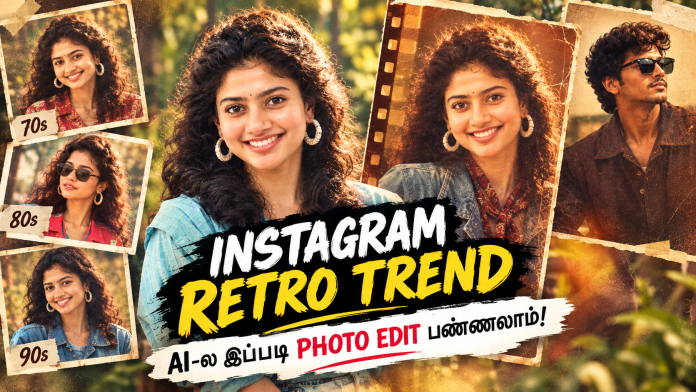
Create a dramatic tribute poster with a bold red monochrome background.”The background should feature a faint,large close-up of a man’s eyes blended into the red vaagai offxl for intensity. In the center, design a collage layout wirk five vertical rectangular panels showing black-and-white portraits of the same stylish man (reference image), in 250 different poses and expressions (serious, smiling, side profile, casual TEXT ADDITION : At the bottom right corner of the final image, add clean small text: Prompt = NEEDKI.com Text shouldย white BLOCK STROK or soft tone, clearly readable but not distracting.
Overlaying the panels in the foregroun place a larger, full-color cutout
Why These AI Edits Are Trending
These edits grab attention instantly because:
High contrast colors
Cinematic lighting
Professional poster look
Perfect for YouTube thumbnails
Instagram algorithm-friendly
Creators using these styles are getting more:
Views
Likes
Followers
Reel reach
Best AI Editing Apps For Mobile Users
App
Best Use
Canva
Beginner editing
PhotoRoom
Fast AI edits
Pixlr
Online editing
Adobe Express
Professional posters
Leonardo AI
Cinematic AI images
Final Words
You donโt need expensive software anymore. With AI tools, anyone can create viral cinematic photo edits directly from mobile or PC.
Try these websites and create your own trending Instagram-style AI posters today ๐ฅ
Turn Your Precious Memories Into a Stunning Cinematic Masterpiece โจ
This Motherโs Day, donโt just upload a normal photoโฆ Create something emotional, beautiful, and unforgettable for the most important person in your life โ your MOM โค๏ธ
Now you can transform:
๐ธ Your Photo + Your Motherโs Photo into a ๐ฅ Premium Cinematic AI Poster Edit ๐ฅ
With advanced AI editing, emotional effects, professional color grading, stylish backgrounds, and ultra-HD finishing, your simple photos will become a next-level masterpiece that looks absolutely magical โจ
Create an amazing Motherโs Day AI Edit using ๐ธ Your Photo + Your Momโs Photo in just a few seconds! โจ
๐ Beautiful AI Photo Editing ๐จ Cinematic & Trending Styles ๐ท HD Quality Posters โก Easy & Fast Editing
๐ฉโ๐ฆ Mother & Son ๐ฉโ๐ง Mother & Daughter ๐จโ๐ฉโ๐ง Family Style AI Edits Everything in one place! ๐
๐ Surprise your Mom with a special AI Photo Edit this Motherโs Day โค๏ธ
โ Just Upload 2 Photos ๐ค AI Automatically Creates the Edit ๐ฅ Ready in Seconds!
โจ Stylish Effects โจ Emotional Motherโs Day Designs โจ Viral AI Editing Looks
๐ WHY THIS EDIT IS SPECIAL?
A mother is not just a personโฆ She is love, sacrifice, care, support, strength, and emotion ๐
PROMPT :
USE THE UPLOADED PHOTO AS THE EXACT REFERENCE. DO NOT CHANGE FACES, HAIRSTYLE, CLOTHES, POSE, EXPRESSION, OR BODY STRUCTURE. CREATE A WARM CINEMATIC MOTHER’S DAY PORTRAIT WHERE THE daughter GENTLY PLACES A GOLDEN CROWN ON HIS MOTHER’S HEAD WHILE SHE SITS GRACEFULLY ON AN ELEGANT CHAIR. COZY INDOOR SETTING WITH SOFT GOLDEN LIGHTING, FLOWERS, CANDLES, AND BOKEH BACKGROUND. ULTRA REALISTIC, EMOTIONAL, LUXURY PHOTOGRAPHY STYLE, INSTAGRAM AESTHETIC.ADD ELEGANT TEXT: โHAPPY MOTHERโS DAYโ AND โTHANK YOU FOR BEING MY FIRST HOME.โ 4:5RATIO.
This edit is designed to capture:
โค๏ธ Mother & Son Bond โค๏ธ Mother & Daughter Memories โค๏ธ Emotional Family Moments โค๏ธ Childhood Memories โค๏ธ Loving Smiles & Beautiful Emotions
Every edit is made with care to create a heart-touching visual memory that you and your mom will cherish forever ๐ธ
โจ WHAT YOU WILL GET?
โ Ultra HD Quality Editing โ Cinematic AI Retouch โ Emotional Color Tone โ Trending Social Media Style โ Stylish Background Effects โ Professional Poster Design โ Smooth Skin Retouch โ Premium Lighting Effects โ Instagram & WhatsApp Ready Output โ Personalized Text & Name Additions
๐จ TRENDING EDITING STYLES
๐ฅ Cinematic Poster Style ๐ฅ Emotional Soft Tone Edit ๐ฅ Royal Luxury Design ๐ฅ Golden Light Effects ๐ฅ Dreamy Background Edit ๐ฅ Festival Theme Style ๐ฅ Vintage Memory Look ๐ฅ Viral Instagram Reel Poster Style
You can choose any style you want and we will create a customized masterpiece specially for you โค๏ธ
๐ PERFECT FOR:
โจ Motherโs Day Wishes โจ Instagram Posts โจ WhatsApp DP & Status โจ Reels & Stories โจ Birthday Surprise for Mom โจ Family Memories โจ Social Media Uploads โจ Emotional Gift Ideas
โค๏ธ MAKE YOUR MOM FEEL SPECIAL THIS YEAR
Flowers may fadeโฆ Chocolate may finishโฆ But a beautiful memory lasts forever ๐
Give your mother a priceless emotional surprise with a stunning customized AI photo edit that she will never forget ๐ธ
Donโt wait until the last minuteโฆ Create a beautiful memory with your mom today โจ
๐ธ HAPPY MOTHERโS DAY ๐
โA Motherโs Love Is The Purest Form Of Magic In This World.โ โจ
The Tamil Nadu 10th Public Examination Results 2026 can now be checked easily online using your smartphone or mobile device. Students no longer need to visit schools or browsing centers to know their marks. With just a few simple steps, you can instantly access your Higher Secondary Examination (HSE +2) results from anywhere.
What You Need to Check TN 10th Result Online
Before checking your result, make sure you have the following details ready:
Register Number / Roll Number
Date of Birth
Smartphone, Laptop, or Computer
Stable Internet Connection
Having these details prepared in advance will help you check your result quickly without any delay.
Official Websites to Check Tamil Nadu 10th Result 2026
Students are advised to use only the official government websites to avoid fake or slow-loading pages.
These websites are officially managed by the Tamil Nadu Directorate of Government Examinations.
Step-by-Step Guide to Check TN HSE 10 Result Online
Step 1 โ Open the Official Website
Visit the official Tamil Nadu result portal using your mobile browser like Chrome, Firefox, or Safari.
Step 2 โ Click on โTN HSE 10 Result 2026โ
On the homepage, you will see the result link for Higher Secondary Examination (HSE +2). Tap on it.
Step 3 โ Enter Your Details
Now enter:
Your Register Number
Your Date of Birth
Make sure the information entered is correct.
Step 4 โ Submit the Information
Click on the โGet Marksโ or โSubmitโ button to continue.
Step 5 โ View Your Result
Your Tamil Nadu 12th Result 2026 will appear on the screen with subject-wise marks, total marks, and pass status.
How to Download or Save Your Result
After viewing the result, students can:
Take a Screenshot for quick reference
Download the result as PDF
Print a copy for future use
Save the digital mark sheet on mobile or email
This online result can be useful during college admissions and counseling processes until the original mark sheet is issued by the school.
Important Instructions for Students
Always check results only on official government websites.
Do not share your Register Number with unknown websites.
If the server is busy, wait for a few minutes and try again.
Use a strong internet connection for faster loading.
Double-check your Date of Birth before submitting.
Benefits of Checking Results Online
Checking exam results online offers several advantages:
Instant access to marks
Easy to use on mobile phones
Saves time and travel
Available anytime and anywhere
Quick download and sharing options
Students and parents can conveniently access the results without standing in long queues.
What to Do After Getting Your Result?
After checking your marks, students can start planning for:
College Admissions
Engineering Counseling
Medical Courses
Arts & Science Applications
Scholarship Applications
Competitive Exam Preparation
Your 12th marks play an important role in shaping your higher education journey, so make sure to keep multiple copies of your mark sheet safely.
Final Words
The Tamil Nadu 10th Public Exam Results 2026 are one of the most important milestones for students. Thanks to online result services, students can now access their marks instantly through mobile phones without any hassle.
We wish all students the very best for their results and future careers. Stay confident and continue working towards your goals.
Want to create eye-catching, viral Instagram edits where people look tiny (like sitting on your hand)? ๐ฅ
The Miniature Effect is one of the most trending creative styles right now โ and this detailed guide will help you master it step by step!
—
โจ What is Miniature Editing?
Miniature editing is a visual trick where a person or object is made to look extremely small within a real-world scene.
๐ The goal is to make it look 100% realistic, not edited.
—
๐ Why This Trend is Viral?
– Unique & eye-catching visuals ๐
– Perfect for Reels & Shorts ๐ฌ
– High engagement & shareability ๐
– Looks complex but easy to create ๐ก
—
๐ ๏ธ Best Apps to Use
๐ฑ Mobile Apps:
– PicsArt (Best for beginners)
– Snapseed
– Lightroom
๐ป PC Software:
– Photoshop (Advanced editing)
—–
๐ฅ Step-by-Step Editing (Detailed)
PROMPT :
Create a stylized big-head miniature portrait of her. She appears as a tiny character with a slightly enlarged head and small body, sitting inside a large women hand. Pose: seated cross-legged, hands crossed,slightly pouty, angry but very cute expression. looking at the camera. Environment: blurred school classroom background with bokeh. Add a second hand gently pinching/ adjusting the person’s cheek for a playful effect. Also add some 3d mini chibi characters of her around, doing funny stuffs. Outfit: same as her 32 reference image. Lighting: soft cinematic light, shallow depth of fieldr high detail, ultra-realistic, clean focus 4:5 ratio without clevage
1๏ธโฃ Choose a Strong Background
Pick a background with depth like:
– Hand โ
– Table
– Street
– City lights ๐
๐ Background quality decides final output!
—
2๏ธโฃ Add & Cut Your Subject
– Use โAdd Photoโ
– Select your subject image
– Use Cutout Tool carefully
๐ก Tip: Zoom in and refine edges for clean cut
—
3๏ธโฃ Resize for Mini Effect
– Make the subject very small
– Place naturally on surface
๐ Avoid floating look โ placement must feel real
Create now a highly realistic political felicitation scene inside a Tamil Nadu Chief Minister office using the given base image as the main environment, ensuring the background remains exactly the same including the wooden desk, Tamil Nadu emblem, flags, wall portraits, lighting, and perspective. The person standing on the right side holding the bouquet must remain exactly the same without any changes, and the person standing on the left side must be completely removed. Then, take the newly uploaded personโs photo and place them naturally in the left position while maintaining correct body proportion, height, and perspective, matching lighting direction, shadows, and skin tone to the environment, ensuring natural blending with the background, matching camera angle and depth of field, and making sure both hands realistically hold the bouquet together with the Chief Minister. Follow the clothing rule such that if the inserted person is male, dress him in a clean white shirt and white pants in the same style as the original person, and if the inserted person is female, dress her in an elegant saree suitable for a formal political meeting with subtle colors and realistic fabric folds. Maintain 100% likeness of the new personโs face with a natural expression such as a slight smile and formal look, and ensure the face lighting matches the scene. The final output must be ultra-realistic with no distortion or blur, no extra people, a clean professional political photo look, and high resolution in 4K quality. TEXT ADDITION : At the bottom right corner of the final image, add clean small text: Prompt = NEEDKI.com Text shouldย white BLOCK STROK or soft tone, clearly readable but not distracting.
๐ How to Create Your Vijay CM Photo (Step-by-Step)
1๏ธโฃ Upload your photo 2๏ธโฃ Upload Vijayโs image 3๏ธโฃ Open any AI app mentioned above 4๏ธโฃ Paste this prompt ๐
๐ โCreate a realistic political felicitation scene inside Tamil Nadu Chief Minister office. Keep lighting, perspective, and background natural. The person should be standing beside Thalapathy Vijay and congratulating him with a bouquet.โ
5๏ธโฃ Generate the image ๐
Writing SEO blog posts ๐
Adding affiliate links ๐
Using Google AdSense ๐ต
Posting reels & YouTube Shorts ๐ฅ
๐ Viral + Emotional + Political content = High traffic potential ๐ฅ
โ ๏ธ Disclaimer
This content is created using AI for entertainment and creative purposes only. It does not represent real political events or official results.
๐ฏ Final Thoughts
This trend is growing fast across Tamil Nadu ๐ If you act early, you can gain traffic, engagement, and followers quickly ๐
๐ Start creating your AI image today ๐ Share it across social platforms ๐ Drive traffic to your website