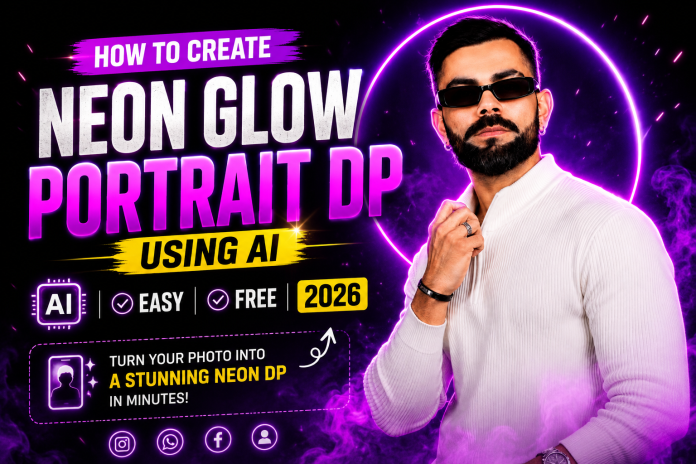
Jana Nayagan Style TVK Tattoo Photo Edit – Full Guide 🤩
After seeing the TVK tattoo on Thalapathy’s hand in Jana Nayagan, many people want to create the same look on their own photos. 😎
Now, with the help of AI apps, you can turn your normal photo into a mass cinematic edit. You can add a realistic “TVK” tattoo on your hand, stylish lighting, dramatic effects, and a movie-style look. 🔥
What Kind of Photo Should You Use? 📷
To get the best result, use a photo like this:
Your face should be clearly visible 👀
Your hand should be visible in the photo 💪
Use a photo with good lighting ☀️
Side pose or selfie pose works even better 😍
A simple background helps AI edit more accurately 🎯
Best AI Apps for This Edit 📱✨
1. Remini AI
Improves photo quality
Makes blurry photos clear
Gives an HD look
2. PicsArt AI
Add a TVK tattoo on your hand
Add movie-style effects
Easy to use glow, shadow, and cinematic colors
3. Bing Image Creator / Copilot AI
You can create a completely new image using a prompt 🤖
Example Prompt:
“A realistic South Indian man standing in a cinematic style, with a bold TVK tattoo on his hand, inspired by Jana Nayagan movie look, dramatic lighting, realistic skin texture, stylish pose, 4K quality”
4. Canva AI
Perfect for creating website thumbnails
Add text, glow effects, and poster-style designs
Great for YouTube thumbnails too
5. Adobe Firefly
Add only the tattoo realistically to an existing photo
Change the background
Create a cinematic movie-poster style look 🎬
Step-by-Step Editing Guide 🛠️
Step 1:
Upload your photo into Remini or PicsArt.
Step 2:
Use the AI erase/add option and select the area on the hand where you want the tattoo.
Step 3:
Type this prompt:
Convert the uploaded image into a realistic portrait of a person in a professional tattoo studio environment. Keep 100% accurate facial identity, skin tone, expression, and body proportions unchanged.
Add a bold, clean black tattoo on the left forearm, clearly visible to the camera (arm slightly raised or flexed). Tattoo should be sharp, well-defined, and naturally blended with skin texture (no take or sticker look).
Remove any watch, bracelet, or accessories from the wrist and forearm.
Enhance with:
natural studio lighting (solt key light subtle background blur)
ultra-detailed skin texture with pores
realistic shadows and depth
sharp focus on face and tattoo
professional DSLR quality
Background: modern tattoo studio with blurred equipment, ink bottles, and an artist working in the background.
Style: ultra-realistic, cinematic, high detail, 4K quality.
Step 4:
Adjust the lighting, contrast, and color grading.
Step 5:
Apply a cinematic filter and export the final image. 🔥
SEO Title: Jana Nayagan Leak Trending? Don’t Watch Online | Thalapathy Vijay Fans Alert 🚨
Meta Description: Jana Nayagan movie leak is trending on social media. Here’s why you should never click leaked movie links and why Thalapathy Vijay fans should support the film in theatres only.
Slug: jana-nayagan-leak-watch-in-theatre
Focus Keyword: Jana Nayagan Leak
⚠️ Jana Nayagan Leak Trending: Important Warning for Vijay Fans
The topic “Jana Nayagan Movie Leak” is currently going viral on social media. Many people are searching for:
Jana Nayagan Full Movie Download
Jana Nayagan HD Print
Jana Nayagan Telegram Link
Watch Jana Nayagan Online Free
But please remember one thing 👇
❌ Most of these links are FAKE.
❌ Clicking them can put your phone and personal data at risk.
📱 Why You Should Never Click Jana Nayagan Leak Links
Many websites and Telegram channels are sharing fake links claiming to show the full movie. But when you open them, you may face problems like:
🦠 Virus or malware on your phone
🔐 OTP theft and bank account scams
📲 WhatsApp or Instagram account hacking
⚠️ Unwanted ads and spam notifications
🚫 Fake movie download pages
In the end, you may not even get the movie. Instead, your phone and personal information could be in danger.
🎭 Real Vijay Fans Should Support the Movie
Thalapathy Vijay fans have always celebrated his movies in theatres. Jana Nayagan is one of the most talked-about films, and it deserves a proper theatre experience 🍿🔥
When a movie gets leaked:
💸 The producers lose money
🎬 The film team gets affected
🏢 Theatre owners face losses
😔 Fans miss the real experience
If you are a true Vijay fan, do not:
❌ Share leaked links
❌ Forward Telegram channels
❌ Download pirated versions
Instead, support the movie the right way ❤️
✅ How to Watch Jana Nayagan Safely
There are only 2 safe ways to watch Jana Nayagan:
🎟️ Watch it in theatres after release
📺 Wait for the official OTT release
If you see words like:
“Free HD Print”
“Full Movie Download”
“Watch Online Free”
…it is most likely fake 🚨
📢 Spread Awareness
Please tell your friends and family too:
Don’t click unknown movie links ❌
Don’t trust Telegram leak channels ❌
Don’t share pirated videos ❌
Support Tamil cinema in theatres ❤️🎬
🔥 Final Message
Jana Nayagan leak news may be trending everywhere, but don’t fall for it.
👉 Ignore the leak.
👉 Protect your phone.
👉 Support Thalapathy Vijay.
👉 Watch Jana Nayagan only in theatres! 🎥🍿
❓ FAQ
Is Jana Nayagan really leaked?
There are many posts and videos claiming that the movie has leaked. However, most links shared online are fake or scam websites.
Can I watch Jana Nayagan online for free?
No. Most “free movie” links are fake and unsafe.
When will Jana Nayagan release on OTT?
The official OTT release date has not been announced yet.
What happens if I click a leaked movie link?
You may face virus attacks, spam, OTP theft, bank fraud, or mobile hacking.
Suggested Tags: Jana Nayagan, Jana Nayagan Leak, Thalapathy Vijay, TVK, Tamil Cinema, Movie Leak, Piracy Awareness, Vijay Fans, Theatre Support, Telegram Scam, Tamil Movie News
Want to create a Tamilaga Vetri Kazhagam (TVK) political.style photo using AI? 🤖 Learn
how to make TVK poster edits with logo, flag colors, Tamil text, and cinematic effects on Android mobile.
TVK AI Photo Editing is Going Viral 🚀
Tamilaga Vetri Kazhagam (TVK) AI Photo Editing is now trending all over Instagram, WhatsApp, Facebook, and YouTube Shorts 📱🔥
Many users are creating stylish political poster edits with:
🟡 TVK Logo
🔴 Tamilaga Vetri Kazhagam text
🇮🇳 Political banner background
✨ Cinematic lighting effects
🎯 Leader-style look
📸 4K poster quality
If you upload your photo into an AI tool, you can turn it into a TVK political poster in just a few seconds.
Why is TVK Photo Editing Trending? 🤔
The popularity of Tamilaga Vetri Kazhagam and TVK-related political content is increasing rapidly. Because of that, many youngsters and fans are using AI tools to create their own TVK-style DP and poster.
Reasons why this trend is viral:
✅ Easy to create on Android mobile
✅ No editing skills needed
✅ Only one photo is enough
✅ Creates a professional political poster instantly
Select a clear front-face photo from your gallery.
For best results:
😀 Face should be clearly visible
💡 Use good lighting
🧍 Background should be simple
📷 HD photo gives better result
Step 2: Open an AI Editing App or Website 🤖
You can use any of these tools:
ChatGPT Image AI
Bing Image Creator
Canva AI
Pixlr AI
Remini AI
PhotoRoom AI
Best TVK AI Prompt in English ✍️🔥
Male Prompt
Create a 16K ultra-realistic cinematic portrait of a South Asian male/female using the uploaded image as face reference. Face must be 100% identical (no changes). Pose: torso slightly turned (10–15°), looking at the camera with confidence. Right hand raised, index finger pointing up with voting ink mark. Outfit: white shirt (open collar), black pants, red-yellow-red scarf, gold chain, ring, black smartwatch (left), silver bracelet (right). Background: red to yellow gradient, Tamil Nadu map in yellow, subtle government building illustration. Add top text in bold gold Tamil font: “தமிழக வெற்றிக் கழகம்” & “பிறப்போக்கும் எல்லா உயிர்க்கும்!”. Studio lighting, sharp focus, cinematic color grading, 9:16 portrait.
Female Prompt
Create a 16K ultra-realistic cinematic portrait of a South Asian male/female using the uploaded image as face reference. Face must be 100% identical (no changes). Pose: torso slightly turned (10-15°), looking at the camera with confidence. Right hand raised, index finger pointing up with voting ink mark. Outfit: Wearing Red saree,red-yellow-red scarf, gold chain, ring, black smartwatch (left), silver bracelet (right). Background: red to yellow gradient, Tamil Nadu map in yellow, subtle government building illustration. Add top text in bold gold Tamil font: “தமிழக வெற்றிக் கழகம்” & “பிறப்போக்கும ் எல்லா 2 ur&s (b!”. Studio lighting, sharp focus, cinematic color grading, 9:16 portrait.
Best Text Ideas for Your TVK Poster 📝
Add these lines to make your poster more attractive:
🔥 Tamilaga Vetri Kazhagam
🇮🇳 TVK
💪 Future of Youth
🌟 New Politics, New Change
🚀 Voice of the People
❤️ Beginning of Hope
🗳️ A New Path for Tamil Nadu
Best Color Combination for TVK Photo 🎨
Color
Use
🔴 Red
Background & Glow
🟡 Yellow
Highlight Text
⚫ Black
Poster Depth
⚪ White
Main Name & Logo
Where Can You Use This TVK AI Photo? 📲
After creating your TVK AI image, you can use it as:
WhatsApp DP 📱
Instagram Story 📸
Facebook Profile 👤
YouTube Thumbnail ▶️
Reels Cover 🎬
Political Fan Page Post 🗳️
Important Note ⚠️
These AI-generated TVK photos should be used only for fan edits and creative purposes. Please do not misuse political party names, symbols, or other people’s photos without permission.
Final Words 🎯
TVK AI Photo Editing is one of the biggest trending photo edit styles right now. With just one photo and a simple AI prompt, you can create an amazing Tamilaga Vetri Kazhagam political poster on your Android mobile in seconds ⚡📱
Try the prompts above and create your own stylish TVK AI photo today! 🔥
TVK AI Photo Editing
Tamilaga Vetri Kazhagam AI Photo
TVK Political Poster AI
TVK DP Maker
Tamil Political AI Photo
TVK Poster Editing Android
Tamilaga Vetri Kazhagam Photo Edit
TVK AI Prompt English
TVK Logo AI Photo
Political Poster AI Tamil Nadu
TVK, Tamilaga Vetri Kazhagam, TVK AI Photo Editing, TVK Poster, TVK DP, Tamil Political Party, TVK AI Prompt, Political Poster Editing, Android AI Photo Editing, Tamil Nadu Politics
Want to create viral mirror editing photos like Instagram trends? Learn the best Android apps, AI tools, websites, prompts, and video ideas to make beautiful mirror reflection photos easily. 🪞💙
What is Mirror Photo Editing? 🪞
Mirror photo editing is the latest viral trend on Instagram, Facebook, WhatsApp Status, and YouTube Shorts. In this style, you stand in front of a mirror, but inside the mirror you can show:
Your future partner ❤️
A smiling version of yourself 😊
A romantic couple look 💑
A cinematic blue dress reflection 💙
A dream version of your life ✨
Even a normal photo can become a professional cinematic image with AI editing apps. 📱
Things You Need 📋
A mobile phone camera 📱
A mirror 🪞
Blue dress or matching clothes 💙
Dark background 🌑
Good lighting 💡
AI photo editing app 🤖
Best Pose Ideas 📸
1. Mirror Side Pose 🪞
Stand slightly sideways in front of the mirror. Let only your face appear clearly inside the mirror.
2. Couple Reflection 💑
Take a single photo and edit a handsome man or beautiful girl inside the mirror.
3. Blue Dress Trend 💙
Wear a blue dress and keep the background dark. This gives the exact viral Instagram look.
Best Android Apps for Mirror Editing 📱🔥
1. AI Mirror App 🤖
Mirror reflection effect
Couple photo effect
Future husband / wife edit
Cinematic lighting
2. Picsart 🎨
Duplicate layer
Blur effect
Mirror reflection
Glow and beauty edit
3. Canva 🖌️
Create thumbnails
Add text and arrows
Reflection style editing
4. PhotoRoom ✂️
Remove background
Add dark black background
Create studio look
5. Snapseed 🌟
Face smooth
Brightness control
Add soft glow
6. CapCut 🎬
Perfect for making viral reels and shorts.
Zoom effect 🔍
Slow motion 🕊️
Mirror transition ✨
Romantic reveal effect ❤️
Best Websites for Mirror Editing 🌐
Pixlr 🖥️
Canva 🌈
Fotor AI 🤖
LightX ✨
These websites help you create mirror reflection photos online without downloading heavy apps.
Hyper-realistic cinematic portrait of a person standing in front of a mirror against a pitch-black background. Show only the body from the back/side, so the real face is not visible directly.The mirror reflection must show the EXACT SAME FACE as the uploaded reference image, with 100% identity preservation. Keep all original facial features exactly the same — hairstyle, skin tone, eyes, smile, beard/moustache if present, and face shape. Do not beautify, feminize, masculinize, or change anything.The body outside the mirror should naturally contrast with the reflected face, making it look like the mirror shows a different identity. The person is wearing a royal blue outfit with lace sleeve details, holding their hair, wearing a black smartwatch and a delicate necklace.The reflected face is looking slightly toward the viewer with a soft smile. Cinematic lighting, soft light on the reflected face, rim light on hair, ultra-realistic skin texture, accurate mirror alignment, perfect reflection physics, no distortion, DSLR style, 8K, ultra detailed, 9:16.
SINGEL GIRL PROMPT
A hyper-realistic portrait of a beautiful young woman looking into a mirror against a pitch-black background. She is wearing a royal blue top with intricate lace cutout patterns on the sleeves. The composition shows her form from the back/side, while her face is clearly visible in the mirror reflection, looking slightly towards the viewer with a gentle, soft smile. She is holding a strand of her long, dark brown hair with one hand. She is wearing a black smartwatch on her wrist and a delicate necklace. Cinematic lighting, dramatic rim lighting highlighting the edges of her hair, soft fill light on her face, 8K resolution, photography style. I want exact same face as uploaded image, no alteration, 100% same. Ratio 9:16.
Couple Prompt 💑
Use the upload my image A hyper-realistic cinematic portrait from a “behind-the-shoulder” perspective of a woman with long, wavy dark hair wearing a blue lace dress, looking into a large ornate mirror. The reflection shows a handsome South Asian man with a well-groomed beard and a warm, joyful smile, wearing a vibrant blue button-down shirt and a traditional necklace. Soft, professional studio rim lighting highlights their features against a dark, moody Shot on 85mm lens, f/1.8 aperture, DSLR quality, deep bokeh, 8k resolution, elegant and romantic atmosphere 100% exact
Reels Video Idea 🎬🔥
Show the normal photo first 📷
Slowly zoom into the mirror 🔍
Reveal the edited reflection ✨
Add emotional text:
“One day this will become real…” ❤️
“The mirror showed my future…” 🪞
“My dream love story…” 💑
Best Thumbnail Idea 🖼️
Left side = Original photo 📷
Right side = Edited mirror photo 🪞
Add a big arrow ➡️
Use blue glow 💙
Add text:
“1 Click Mirror Edit!” 🔥
“Create This Viral Photo!” ✨
“AI Mirror Trend 2026” 🚀
Best SEO Keywords 🔍
mirror photo editing tamil
mirror editing trend 2026
ai mirror app
mirror reflection photo
future husband photo edit
future wife mirror edit
blue dress mirror trend
ai photo editing app
viral instagram mirror photo
How to Earn Money From This Trend? 💸
You can make money using this trend by:
Google AdSense ads 💰
Affiliate links 🔗
Selling mirror prompts 🛒
Paid photo editing service 📸
YouTube videos ▶️
Telegram or WhatsApp groups 📲
Example:
₹49 Mirror Prompt Pack 💵
₹99 Couple Edit Service 💑
₹199 Premium Reels Template 🎬
Best Creator Ideas 🎥
Before vs After mirror edit 🔥
Single photo to couple photo ❤️
Future husband reveal 🪞
Future wife reveal 💖
Emotional mirror trend 😢
Best free app tutorial 📱
1-minute CapCut edit ⏱️
Conclusion ✨
Today, even a simple photo can become a beautiful cinematic mirror image with AI apps and editing tools. Use a blue dress 💙, dark background 🌑, and mirror reflection 🪞 to create viral content for Instagram, WhatsApp, Facebook, and YouTube.
Add download buttons, video tutorial, copy prompt button, and share button on your WordPress website to get more traffic and more income 🚀💰
Tamil Nadu parents can now apply for free admission under the Right to Education (RTE) Act for the 2026–27 academic year. Through this scheme, children from economically weaker families can get admission in private schools with 25% of seats reserved completely free.
If your child is eligible, you can apply online from your mobile phone or computer without visiting any office.
🏫 What is RTE Admission?
Under the Right to Education Act, all non-minority private schools in Tamil Nadu must reserve 25% seats in LKG and Class 1 for children from poor and disadvantaged families.
Selected students will get:
🎓 Free school admission
💸 No tuition fees
🏫 Admission in nearby private schools
🌟 Equal education opportunity
📅 Tamil Nadu RTE Admission 2026 Important Dates
Seat details published by schools: April 15, 2026
Online application starts: April 20, 2026
Last date to apply: May 18, 2026
Document verification: April 22 to May 19, 2026
Lottery / Selection date: May 22, 2026
Final result announcement: May 29, 2026
👨👩👧 Who Can Apply?
Your child can apply if:
Family annual income is below ₹2 lakh
Child belongs to economically weaker section or special category
Child is applying for LKG or Class 1
Family lives near the selected school
Age Limit
For LKG
Child should be born between August 1, 2022 and July 31, 2023
For Class 1
Child should be born between August 1, 2019 and July 31, 2020
Priority Categories
First priority will be given to:
Orphan children
Children affected by HIV
Children with disabilities
Transgender children
Children of sanitation workers
📄 Documents Required
Keep these documents ready before applying:
Child Aadhaar card
Birth certificate
Parent Aadhaar card
Ration card
Income certificate
Address proof
Passport size photo
Community certificate (if needed)
Disability certificate (if applicable)
📲 How to Apply for Tamil Nadu RTE Admission 2026
Open the official RTE website.
Click on “RTE Admission 2026–27”.
Register using your mobile number.
Enter child details carefully.
Select nearby schools.
Upload all required documents.
Submit the application.
Download or take a screenshot of the acknowledgement receipt.
🌐 Official Website
Parents can apply through:
rteadmission.tnschools.gov.in
🎯 Selection Process
If the number of applications is more than available seats, the government will conduct a lottery system.
Students selected in the lottery will receive SMS updates on their registered mobile number.
💡 Important Tips
Apply early to avoid website traffic.
Upload clear documents.
Check mobile number carefully.
Save acknowledgement number.
Choose more than one nearby school to increase chances.
✅ Conclusion
Tamil Nadu RTE Admission 2026 is a great opportunity for parents who want free education for their children in private schools. If your child is eligible, do not miss the application deadline. Complete the form before May 18, 2026 and keep all documents ready in advance.
Keywords: Tamil Nadu RTE Admission 2026, RTE Apply Online, Free School Admission Tamil Nadu, RTE 25% Reservation, LKG Admission 2026, Class 1 Admission Tamil Nadu
Petrol prices are increasing every month ⛽📈. Because of this, delivery workers, gig workers, courier staff, and online service workers are spending thousands of rupees every month on fuel.
To reduce this expense, the Tamil Nadu Government has announced a new subsidy scheme 🎉. Under this scheme, eligible people can get up to ₹20,000 subsidy to buy a new Electric Scooter.
If you are working in apps like Swiggy, Zomato, Amazon, Flipkart, Blinkit, Zepto, or Dunzo, this scheme may help you buy a scooter at a much lower price 🚀.
Who Can Get This ₹20,000 Subsidy? 👇
This scheme is mainly for Gig Workers and Delivery Partners.
Eligible people include:
Swiggy Delivery Partners 🍔
Zomato Delivery Boys 🍕
Amazon / Flipkart Delivery Staff 📦
Blinkit / Zepto Workers 🛒
Courier Workers 📬
App-based Gig Workers 📱
People registered in the Tamil Nadu Platform Based Gig Workers Welfare Board ✅
⚠️ Important: If you are not registered in the Welfare Board, you cannot get this subsidy.
Benefits of This Scheme 💰
With this scheme, you can save a lot of money.
You may get:
₹20,000 State Government Subsidy 🏛️
Additional Central Government subsidy if available 🇮🇳
No Road Tax 🚫
No Registration Charges 🚫
Very low charging cost 🔋
Huge savings on petrol every month ⛽➡️💸
In total, you may save around ₹25,000 to ₹30,000 while buying a new electric scooter 😍.
Eligibility Criteria 📋
To apply for this scheme, you must:
Be a resident of Tamil Nadu 🏠
Be above 18 years of age 🎂
Have a valid Two Wheeler Driving License 🪪
Be registered in the Tamil Nadu Gig Workers Welfare Board 📝
Be currently working in Swiggy, Zomato, Amazon, Flipkart, etc. 📲
Buy a brand new Electric Scooter 🛵
⚠️ Old scooters are not eligible.
Documents Required 📂
Keep these documents ready before applying:
Aadhaar Card 🪪
Ration Card 🍚
Voter ID / Address Proof 🏡
Driving License 🚦
Gig Worker ID / Job Proof 👨💼
Bank Passbook 💳
Passport Size Photo 📸
Welfare Board Registration Number 🔢
Electric Scooter Quotation 🛵
Mobile Number 📱
👉 Save all documents in PDF or JPG format before applying.
Step 1: Register in the Welfare Board 📝
Before applying for the subsidy, you must first register in the Tamil Nadu Platform Based Gig Workers Welfare Board.
How to Register?
After registration, use the official Welfare Board portal login page to apply for the subsidy: Apply for eScooter Subsidy
The official portal spe
Open the Tamil Nadu Unorganised Workers Welfare Board website 🌐
Click “New Registration”
Select “Platform Based Gig Worker”
Enter your name, Aadhaar number, mobile number, and address ✍️
Upload your delivery app ID card or screenshot 📷
Submit the form ✅
After submission, you will receive a Registration Number.
Step 2: Apply for the Electric Scooter Subsidy ⚡🛵
After registration, follow these steps:
Step-by-Step Process 👇
Login to the Welfare Board portal 🔐
Select “eScooter Subsidy for Platform Based Gig Workers”
Enter your details, bank account details, and scooter details 🏦
Upload all required documents 📂
Click Submit ✅
Save the Application Number 🧾
After verification, the subsidy amount will be sent directly to your bank account 💸.
How to Apply Using Android Mobile? 🤖📱
You can apply easily using your Android phone.
Steps:
Open Chrome Browser 🌐
Visit the Welfare Board website
Turn ON “Desktop Site” 🖥️
Login and fill the form
Upload documents and submit ✅
Useful Android Apps 📲
Chrome Browser
Adobe Scan 📄
DigiLocker 🔐
PDF Converter
Google Drive ☁️
Adobe Scan helps you scan documents into PDF.
DigiLocker helps you download Aadhaar, Driving License, and other documents easily.
How to Apply Using iPhone? 🍎📱
iPhone users can also apply easily.
Steps:
Open Safari Browser 🌐
Visit the Welfare Board website
Tap “Request Desktop Website” 🖥️
Login and fill the form
Upload your documents using the Files app 📂
Submit the application ✅
Useful iPhone Apps 📲
Safari Browser
Adobe Scan 📄
DigiLocker 🔐
Files App 📁
Google Drive ☁️
Best Electric Scooters You Can Buy 🛵🔥
These electric scooters are popular and affordable:
Ola S1 X
TVS iQube
Ather Rizta
Bajaj Chetak
Hero Vida V2
Ampere Magnus
With the subsidy, these scooters may become much cheaper 💥.
How Much Money Can You Save? 💸
If you use a petrol scooter:
Daily petrol cost = ₹150 to ₹200 ⛽
Monthly cost = ₹4,500 to ₹6,000 😓
If you use an electric scooter:
Daily charging cost = ₹15 to ₹30 🔋
Monthly cost = ₹500 to ₹900 😍
👉 You can save around ₹4,000 every month.
Important Points to Remember ⚠️
This scheme may be available only for the first 2,000 applicants 🏃♂️
Apply as soon as possible ⏳
Welfare Board Registration is compulsory 📌
Only new electric scooters are eligible 🛵
Keep your documents ready before applying 📂
Frequently Asked Questions ❓
1. Can everyone get this ₹20,000 subsidy?
No ❌. Only registered Gig Workers can get it.
2. I work in Swiggy. Am I eligible?
Yes ✅, if you are registered in the Welfare Board.
3. Can I apply using Android mobile?
Yes 📱. You can use Chrome Browser.
4. Can I apply using iPhone?
Yes 🍎. You can use Safari Browser.
5. When will I receive the money?
After your application is approved, the money will be sent directly to your bank account 💰.
Final Words ✨
This ₹20,000 Electric Scooter Subsidy Scheme is a great opportunity for delivery workers and gig workers in Tamil Nadu.
If you want to reduce petrol expenses and save more money every month, apply for this scheme immediately 🚀🛵.
Don’t miss this chance! Register in the Welfare Board and apply today 🔥.
Tamil Nadu Electric Scooter Subsidy 2026 – Get ₹20,000 to Buy a New EV 🛵
How to Apply for Tamil Nadu ₹20,000 Electric Scooter Subsidy Online 📱
₹20,000 Subsidy for Swiggy, Zomato & Delivery Workers in Tamil Nadu 🚚
Buy Electric Scooter at Low Price with Tamil Nadu Government Subsidy 💸
Meta Description
Tamil Nadu Government is giving ₹20,000 subsidy to buy a new electric scooter for gig workers and delivery partners. Check eligibility, documents, Android & iPhone application process, and full details here.
tamil nadu electric scooter subsidy, ₹20000 subsidy, electric scooter subsidy 2026, gig worker subsidy, swiggy subsidy tamil nadu, zomato delivery subsidy, electric scooter apply online, android mobile apply, iphone apply, tamil nadu welfare board, delivery partner scheme, electric scooter subsidy tamil nadu 2026
A Ration Card is an essential government document in Tamil Nadu. It is used to purchase subsidized food items and also works as a family identity proof. In this post, you will learn how to apply, add a name, remove a name, and make corrections easily.
📌 Types of Ration Cards in Tamil Nadu
🔹 PHH (Priority Household) – Rice at subsidized rate 🔹 NPHH – Non-Priority Household 🔹 NPHH-Sugar – Sugar option card 🔹 AAY (Antyodaya Anna Yojana) – For the poorest families
📝 Documents Required for Ration Card Application
📄 Aadhaar Card (All family members) 📄 Address Proof (EB Bill / Gas Bill / Rental Agreement) 📄 Passport Size Photo 📄 Mobile Number (Linked with Aadhaar) 📄 Income Certificate (If required)
💻 How to Apply Ration Card Online in Tamil Nadu
Follow these simple steps 👇
1️⃣ Visit the Tamil Nadu Public Distribution System (TNPDS) website 2️⃣ Click on “Smart Card Application” 3️⃣ Choose New Ration Card Application 4️⃣ Enter Mobile Number and verify OTP 5️⃣ Fill family details carefully 6️⃣ Upload required documents 📤 7️⃣ Submit the application ✅
📩 After submission, you will receive an Application Reference Number to track status.
📍 Visit your Nearest Taluk Office / Civil Supplies Office 📝 Collect the Ration Card Application Form 📎 Attach required documents 📤 Submit the form to the officer
➕ How to Add Name in Ration Card
You can add a new member (Marriage / Birth) easily 👶💍
🔹 Login to TNPDS portal 🔹 Select Add Member 🔹 Enter Aadhaar details 🔹 Upload proof (Birth Certificate / Marriage Certificate) 🔹 Submit request
➖ How to Remove Name from Ration Card
Name removal is required in case of death, marriage, or relocation.
🔹 Login to TNPDS portal 🔹 Choose Remove Family Member 🔹 Select the name 🔹 Upload supporting document 🔹 Submit application
✏️ How to Correct Name / Address in Ration Card
Mistakes happen 😅 — but correction is easy!
✔ Name correction ✔ Address change ✔ Mobile number update
📱 Visit TNPDS website 🔢 Enter Reference Number 👀 View status instantly
⭐ Benefits of Ration Card
🍚 Get subsidized food grains 🆔 Acts as Identity Proof 🏛 Required for many government schemes 🏠 Family proof document
⚠️ Important Tips
⚠️ Enter Aadhaar details correctly ⚠️ Upload clear documents ⚠️ Keep reference number safe ⚠️ Do not submit multiple applications
🎥 Watch Full Video Guide
👉 Watch our step-by-step video tutorial to apply Ration Card easily from your mobile (Android & iPhone).
📌 Final Words
Applying for a Tamil Nadu Ration Card is now simple and digital. Follow the steps carefully and complete your application without agents or extra fees 💯
👨👩👦✨ Create Viral Parent & Baby AI Photos: The New Instagram Trend Everyone Is Trying
If you are active on Instagram 📸, Facebook 👍, or YouTube Shorts ▶️, you have probably noticed a new family photo trend becoming popular everywhere 🔥
In these trending photos 👇
👨👧 Parent carries the child on shoulders
🤫 Both do the cute “shhh” pose
🌅 Warm golden cinematic background
🎨 Painting-style HD finish
The best part? 😍 You do not need professional editing skills. With AI apps 🤖, you can create this style in just a few minutes using your normal photo 📱
hyper-realistic digital painting of a smiling young South Indian father with his toddler son sitting on his shoulders. Both are making a “shh”gesture with fingers over their lips, looking playfully at the camera. The lighting is warm and cinematic, featuring a soft golden glow (rim lighting) behind their heads. The background is a textured, moody oil-painted canvas in shades of brown and amber
PROMPT 2 MOTHER
Hyper-realistic digital painting of a smiling young South Indian mother with his toddler son sitting on his shoulders. Both are making a “shh” gesture with fingers over their lips, looking playfully at the camera. The lighting is warm and cinematic, featuring a soft golden glow (rim lighting) behind their heads. The background is a textured, moody oil-painted canvas in shades of brown and amber. High detail on the mother dress linen and the child’s joyful expression
In today’s digital world, you no longer need a SIM card to make phone calls. With the help of internet-based calling apps, you can easily connect with anyone using just WiFi or mobile data. Whether you’re traveling, avoiding SIM charges, or simply want a second number, these apps make communication simple and affordable.
In this guide, we’ll explore the best apps to make calls without a SIM card, along with how they work and how you can use them effectively.
🤔 Can You Really Call Without a SIM Card?
Yes, absolutely. Modern apps use a technology called VoIP (Voice over Internet Protocol), which allows you to make calls using the internet instead of a traditional cellular network.
This means:
No SIM card required
Works with WiFi or mobile data
Free or low-cost calls
Available on both Android and iPhone
🔥 Top Apps to Make Calls Without SIM Card
1. TextNow
TextNow is one of the most popular apps for making free calls without a SIM card. It provides users with a free US or Canada phone number, which can be used for calling and texting.
Key Features:
Free phone number
Unlimited texting
Free calls (with ads)
Works on WiFi
How to Use:
Download the app, sign up, choose your free number, and start calling instantly.
2. Talkatone
Talkatone is another reliable app that allows you to make calls over WiFi. It’s simple, fast, and perfect for users who want a secondary number.
Key Features:
Free US number
WiFi calling
Cheap international calls
3. Dingtone
Dingtone offers a unique credit-based system where you can earn free calling credits by watching ads or completing tasks.
Key Features:
Earn free credits
Low-cost international calls
Caller ID options
4. Google Voice
Google Voice is a powerful app by Google that provides a professional calling experience with voicemail and number management.
Key Features:
Free US calls
Voicemail transcription
High-quality voice
5. Skype
Skype has been a trusted name in internet communication for years. It supports both voice and video calls globally.
Key Features:
Worldwide calling
Video calls
Call landlines & mobiles
6. WhatsApp
WhatsApp is widely used for internet-based calls. Although it requires a number for setup, it doesn’t need an active SIM afterward.
Key Features:
Free calls worldwide
HD voice & video
End-to-end encryption
7. Telegram
Telegram focuses on privacy and speed, offering secure voice calls over the internet.
Key Features:
Fast and secure
Encrypted calls
No ads
⚙️ How to Make Calls Without SIM (Step-by-Step)
Making internet calls is very simple. Follow these steps:
Making calls without a SIM card is no longer a complicated process. With the apps mentioned above, you can stay connected anytime, anywhere using just the internet.
If you want a free number, go for TextNow or Talkatone.
For international calls, Skype is a great choice.
For daily use, WhatsApp remains the easiest option.
A Voter ID (Elector Photo Identity Card – EPIC) is an official government document that allows Indian citizens to vote in elections 🗳️ and also serves as a valid identity proof.
With the help of an official mobile application or website, you can now:
✅ Apply for a new Voter ID ✅ Check application status ✅ Correct name, address & DOB ✅ Download digital Voter ID
All this can be done easily using Android 📱 or iPhone 🍎.
🚀 Who Can Apply for a Voter ID ? 👤
You can apply for a Voter ID if:
✔️ You are an Indian citizen ✔️ Your age is 18 years or above ✔️ Your name is not already in the voter list ✔️ You have valid address proof
👉 First-time voters can apply online without visiting any office.
📝 How to Apply for Voter ID Online (Step-by-Step)
📲 Method 1: Apply Using Mobile Application (Android & iPhone)
1️⃣ Download the official Voter Services app from Play Store / App Store 2️⃣ Open the app & select New Voter Registration 3️⃣ Fill personal details (Name, DOB, Gender) 4️⃣ Enter address details 5️⃣ Upload required documents 📄 6️⃣ Submit the application 7️⃣ Note your Application Reference / Order ID 🔍
✔️ Simple ✔️ Paperless ✔️ Mobile-friendly
🌐 Method 2: Apply Using Official Website
1️⃣ Open the official voter services website 2️⃣ Click Apply for New Voter ID 3️⃣ Fill Form carefully 4️⃣ Upload documents 5️⃣ Submit & track status online
📂 Documents Required for Voter ID Application 📑
You need to upload clear copies of 👇
🧾 Proof of Age (Birth Certificate / 10th Certificate) 🏠 Proof of Address (Aadhaar / Electricity Bill / Bank Passbook) 📸 Passport-size Photograph
⚠️ Make sure documents are clear & readable to avoid rejection.
Already have a Voter ID? You can still update details online 👇
✅ Name correction ✅ Address change ✅ Date of Birth correction ✅ Photo update ✅ Mobile number update
👉 No agent required ❌ 👉 Everything can be done inside the same app/website ✅
🔍 How to Check Voter ID Application Status
After applying, you can easily:
🔎 Track application status using Reference / Order ID 📌 Check whether application is Approved / Pending / Rejected 📩 See rejection reason (if any) 🔄 Re-apply after correction
📥 How to Download Digital Voter ID (e-EPIC)
Once approved 🎉:
📲 Login to the app / website 📥 Download Digital Voter ID (PDF) 📱 Save on your mobile 🖨️ Print if required
✔️ Valid everywhere ✔️ Accepted as identity proof
how to apply voter id online
voter id apply mobile app
new voter registration india
voter id online application
voter id status check
android government app
iphone utility app
online government services
identity verification online
digital india services
official mobile application
How to Apply Voter ID Online | Android & iPhone Complete Guide
Learn how to apply for a new Voter ID online using Android or iPhone. Step-by-step guide for voter registration, correction, status check & digital voter ID download.
voter id apply online, new voter registration, voter id mobile app, voter id correction, election id card apply
🔐 Is Online Voter ID Application Safe? ✅
✔️ Official government platform ✔️ Secure data encryption 🔒 ✔️ Transparent verification process ✔️ Trusted by millions of users
Your personal data is safe and protected 💯How to Apply for Voter ID Online – Complete Guide for Android & iPhone Users (2026)
A PAN Card (Permanent Account Number) is one of the most important financial documents in India 🇮🇳. It is required for opening bank accounts 🏦, applying for personal loans 💳, getting credit cards 💰, investing in the stock market 📈, and buying insurance 🛡️.
👉 You can now apply for a PAN card online using your mobile phone within minutes ⏱️.
🌐 Where to Apply PAN Card Online
You can apply through government-authorized platforms:
NSDL PAN Services
UTIITSL PAN Services
🔒 These platforms are secure and trusted.
🪪 Documents Required for PAN Card (2026 Updated Rules)
Aadhaar Card (Mandatory) 🆔
Passport Size Photo 📸
Signature ✍️
⚠️ Important Update (After April 1, 2026):
Aadhaar linking is compulsory
e-KYC verification is stricter 🔐
Additional address proof may be required
📝 Step-by-Step: Apply PAN Card Using Mobile 📱
1️⃣ Install official app (NSDL or UTI PAN) 2️⃣ Select “New PAN Application” 3️⃣ Enter your details (Name, DOB, Mobile, Aadhaar) 4️⃣ Upload photo and signature 📤 5️⃣ Pay application fee (₹100–₹110 approx) 💳 6️⃣ Complete e-KYC using OTP 🔐 7️⃣ Submit application ✅
📦 Your PAN card will be delivered within 7–15 working days.
💰 Why PAN Card is Important
Opening bank accounts 🏦
Applying for personal loans 💳
Getting credit cards 💰
Stock market investment 📈
Buying insurance 🛡️
👉 Without PAN, most financial services are not possible ❌.
Is it safe to apply PAN card online? 👉 Yes, it is safe using official platforms 🔒
How long does it take to get PAN card? 👉 7–15 working days ⏱️
Can I apply PAN using mobile only? 👉 Yes, full process can be done using mobile 📱
Is PAN required for loans and trading? 👉 Yes, PAN is mandatory ✅
🎯 Conclusion
Applying for a PAN card in 2026 is simple, fast, and fully online 🚀. You can complete the process using your smartphone and unlock access to banking, loans, trading, and insurance services easily 💼💰.
Losing a smartphone can be a stressful situation 😟. Our mobile phones contain personal data, photos, contacts, banking apps, and important documents. If your phone gets lost or stolen, it may feel impossible to recover it.
But the Government of India has launched a powerful digital platform called Sanchar Saathi that helps people track, block, and recover lost or stolen mobile phones using the device’s IMEI number. 🚀
Many people across India have already found their lost phones and recovered them successfully using this service. 📦📱
📡 What is Sanchar Saathi?
Sanchar Saathi is an official platform created by the Department of Telecommunications (DoT), Government of India 🇮🇳.
This platform provides several tools that help citizens protect their mobile phones and prevent fraud.
🔧 Main Tools Available in Sanchar Saathi
📍 CEIR (Central Equipment Identity Register) Helps you track and block lost or stolen mobile phones using IMEI number.
📊 TAFCOP (Telecom Analytics for Fraud Management and Consumer Protection) Allows you to check how many SIM cards are issued under your ID.
🛡 Chakshu Tool Helps people report suspicious fraud calls, spam messages, and cyber scams.
These tools together help protect mobile users across India.
🔢 What is IMEI Number?
IMEI stands for International Mobile Equipment Identity.
It is a unique identification number assigned to every mobile phone.
📌 Important things about IMEI:
✔ Every phone has a unique IMEI number ✔ It helps identify the exact device ✔ Even if the SIM card is changed, IMEI stays the same ✔ Authorities use IMEI to track and block stolen phones
📞 How to Check IMEI Number
Dial this code on your phone:
📞 *#06#
Your phone’s IMEI number will appear on the screen.
Always save your IMEI number safely.
📲 How to Track a Lost Mobile Phone
Follow these simple steps:
1️⃣ Open the Sanchar Saathi website 2️⃣ Click “Block Lost/Stolen Mobile” 3️⃣ Enter your details:
📧 Email ID 📱 Alternate Mobile Number 🔢 IMEI Number of lost phone 📍 Location where the phone was lost 📝 Upload police complaint copy (if available)
After submitting, the system will register your complaint and begin tracking the phone. 🔍
🚫 How to Block a Stolen Phone
If your phone is stolen, you can block the device immediately using Sanchar Saathi.
Once blocked:
❌ The phone cannot be used on any Indian telecom network ❌ Even if someone inserts another SIM card, it will not work ❌ The thief cannot easily sell or use the phone
This helps reduce mobile theft across the country.
📦 How Phones Are Recovered
When the stolen phone becomes active:
📡 The network detects the IMEI number 📍 Authorities identify the location of the phone 👮 Police may help recover the device
Recently, thousands of phones have been tracked and returned to their owners through this system. 🎉
⭐ Benefits of Sanchar Saathi
📱 Helps find lost or stolen phones 🔐 Blocks stolen mobile devices 📊 Shows SIM cards linked to your ID 🛡 Protects users from telecom fraud ⚡ Fast and easy online system
⚠️ Important Safety Tips
✔ Always save your IMEI number ✔ Keep your mobile purchase bill safe ✔ Report immediately if your phone is lost ✔ Register complaint quickly on Sanchar Saathi
The faster you report, the higher the chances of recovering your phone
Find Lost Mobile Phone Track Stolen Phone India Sanchar Saathi Portal CEIR IMEI Tracking Block Lost Mobile India Government Phone Tracking Tool Track Phone Using IMEI Number How to Find Lost Phone India Sanchar Saathi App Download Track Lost Mobile Online India
📢 Final Words
Smartphones have become an essential part of daily life. Losing them can be frustrating, but thanks to the Sanchar Saathi platform by the Government of India, you now have a powerful way to track, block, and recover your lost phone. 📱🔍
If your phone is lost or stolen, report it immediately through Sanchar Saathi to increase the chances of getting it back.
AI photo editing is now one of the biggest trends on Instagram, Facebook, and YouTube 🚀. If you’ve seen those cinematic traditional couple photos or HD studio-style edits, most of them are created using powerful AI tools. The best part is—you don’t need professional skills anymore. With just a few clicks, anyone can create viral-quality photos.
🤖 Why AI Photo Editing is Going Viral?
Photo editing has become extremely simple thanks to AI technology. Earlier, you needed advanced tools like Photoshop, but now everything is automated. AI can instantly enhance faces, adjust lighting, and even replace backgrounds.
👉 Key benefits of AI editing:
Automatic face enhancement
One-click background change
Cinematic color grading
No editing experience required
That’s why creators are using AI to produce high-quality content faster than ever 🔥.
🏆 Top 10 Best AI Photo Editing Apps
There are many AI tools available, but only a few deliver truly professional results. Below are the most popular and trending apps you should try in 2026.
✨ 1. Remini AI
Remini is one of the most powerful apps for enhancing photo quality. It can turn blurry images into sharp HD photos within seconds.
👉 Features:
AI face enhancement
HD quality output
Perfect for portraits
🎨 2. Lensa AI
Lensa is widely used for stylish edits and AI-generated avatars. It adds a cinematic and modern look to your photos.
👉 Features:
AI avatars
Artistic filters
Social media ready edits
🔥 3. PicsArt AI
PicsArt is an all-in-one editing app that gives full control over your design. It’s perfect for both beginners and advanced users.
👉 Features:
Background remover
Stickers and text tools
AI effects
🧠 4. Canva AI
Canva makes designing extremely easy, especially for thumbnails and social media posts. Its AI tools simplify editing.
👉 Features:
Drag-and-drop editing
Magic edit feature
Ready-made templates
🎯 5. Photoshop AI
Photoshop AI is best for professional editing. It offers advanced tools like generative fill for realistic edits.
A highly stylized studio portrait of the same man and woman from the original image, strictly preserving 100% natural
facial features without any modification. The man is seated confidently on a wooden chair, wearing a crisp white shirt (slightly unbuttoned at the top) and a traditional white vesti, accessorized with a gold chain and a gold watch. The woman stands gracefully beside the chair with folded hands, dressed in a traditional red pleated saree paired with a green blouse and minimal jewelry. The composition is symmetrical and well- balanced. The background features a bold vintage gradient studio backdrop with minimal elements. Lighting is soft, cinematic, and professional, with sharp focus and high detail. Editorial photography style, ultra-realistic, 4K resolution, 9:16 aspect
PROMPT 2 FAMLY
Create a highly stylised studio portrait using the uploaded image as reference. Strictly preserve 100% natural facial features of all individuals without any modification.
The composition should intelligently adapt based on the number of people in the uploaded image (single person, couple, or full family). Arrange all individuals in a balanced, elegant group portrait.
Men should be styled in traditional attire such as a crisp white shirt (slightly unbuttoned at the top) paired with a white vesti, accessorized with a gold chain and a gold watch. Women should be dressed in rich traditional sarees with complementary blouses, minimal elegant jewelry, and graceful posture.
If there are children, include them naturally in the composition (sitting on lap, standing beside parents, or held in arms), wearing colorful traditional outfits.
📸 6. Snapseed
Snapseed is a simple yet powerful app by Google. It’s great for color correction and fine adjustments.
👉 Features:
HDR effects
Color grading
Easy interface
🌟 7. Fotor AI
Fotor is perfect for quick editing with one-click enhancement. It improves lighting and skin tones instantly.
👉 Features:
One-tap enhancement
Skin retouch
Lighting adjustment
😎 8. FaceApp
FaceApp is a fun AI tool that can transform faces and create viral content easily.
👉 Features:
Face transformation
Age filters
Expression editing
💡 9. LightX AI
LightX is ideal for creative editing and background changes. It offers stylish effects for portraits.
👉 Features:
Background editing
Blur effects
Portrait enhancement
🚀 10. PhotoRoom
PhotoRoom is mainly used for clean and professional edits, especially for product and profile photos.
👉 Features:
Background removal
Studio-quality output
Clean design
🎬 How to Create Trending AI Photo Edits?
Creating a trending photo edit is actually very simple when you follow the right steps. You can recreate viral styles like traditional couple edits using just a few apps.
👉 Steps to follow:
Upload your photo
Enhance it using Remini
Change background using PhotoRoom or PicsArt
Apply cinematic color tones
Adjust lighting and shadows
Once done, your photo will look like a professional studio edit 🔥.
💡 Pro Tips for Viral Results
If you want your edits to stand out and go viral, you need to focus on small details. These tips can make a big difference in your final output.
👉 Important tips:
Use traditional outfits (high engagement)
Keep background clean and aesthetic
Always enhance face quality
Use warm cinematic tones
Add arrows/text for thumbnails
Using the right keywords can increase your website earnings significantly 💰. Below are some high CPC keywords you should include.
👉 Keywords: AI Photo Editing Apps Best AI Tools 2026 AI Image Enhancer Online Photo Editing Software Free AI Background Remover HD YouTube Thumbnail Maker Online Photo Editor AI Image Generator Best Editing Apps for Instagram HD Photo Editor
🔥 Final Words
AI photo editing has completely changed the way we create content. What used to take hours can now be done in minutes with the help of smart tools. Whether you are a beginner or a content creator, these apps can help you create stunning, viral-ready photos.
👉 Start using these AI tools today and take your editing to the next level 🚀
Are you unable to book your gas cylinder? 😟 Or your gas is not delivered even after booking? 🚫
👉 The REAL reason might be: KYC Not Completed ⚠️
💡 Without KYC: ❌ Gas booking may fail ❌ Delivery may be delayed ❌ Subsidy may be blocked 💸
🔐 Complete KYC Online Using Mobile Apps (No Office Visit)
Good news! 🎉 You can now complete KYC directly from your Android or iPhone 📱
👉 No need to visit gas office 👉 No waiting in long queues 👉 100% online process
👉 இப்போ நீ direct copy பண்ணி websiteல paste பண்ணிக்கலாம்
👉 இதை button / text link ஆக convert பண்ணினா perfect 💯
வேணும்னா நான் next stepல
🔥 “high converting button text + color + placement” கூட சொல்லிக்கொடுக்கிறேன் 👍
🛠️ How to Complete KYC in Gas App (Step-by-Step) ✅
1️⃣ Open the installed gas application 📲 2️⃣ Login using your registered mobile number 🔐 3️⃣ Go to KYC / Profile Section 4️⃣ Click on Update / Complete KYC 5️⃣ Upload Aadhaar / ID proof 🪪 6️⃣ Submit and wait for approval ⏳
🎉 Done! Your KYC will be updated successfully.
💰 Unlock Benefits After KYC
✔️ Easy gas booking ✔️ Fast delivery 🚚 ✔️ Get LPG subsidy 💸 ✔️ Avoid service interruption
⚠️ Completing KYC also helps in accessing these financial services securely.
📱 Android & iPhone Users – Don’t Miss This!
Whether you use: 📱 Android mobile 🍎 iPhone (iOS)
👉 KYC process is SAME & EASY
🔥 Pro Tips for Faster Approval
✔️ Use Aadhaar linked mobile number ✔️ Upload clear documents 📄 ✔️ Check app notifications 🔔 ✔️ Avoid multiple accounts
📢 Final Reminder
If your gas booking is not working, 👉 FIRST check your KYC status
💯 Complete it now using official apps and avoid delays!
gas booking online india, gas kyc update, lpg subsidy check, indane gas app download, hp gas app install, bharat gas kyc online, android apps download, iphone apps india, personal loan apps india, insurance plans india, online loan instant approval, best finance apps india, credit card apply online, mobile apps earning, online kyc verification