Have you ever wanted to check basic information about a car or bike using its vehicle registration number?
The Sampark app provides a vehicle search feature that allows users to enter a vehicle registration number and check the information available through its service.
In this guide, we will explain what the Sampark app is, how to search for a vehicle using its number plate, what information may be available, and how to download the app.
What Is the Sampark App?
Sampark is a vehicle-related platform designed to help vehicle owners and users communicate more easily.
One of its useful features is Vehicle Search, where users can enter a vehicle registration number and search for available vehicle information.
Sampark also focuses on privacy when users need to contact a vehicle owner. Its services can allow communication with a vehicle owner without publicly revealing the owner’s personal phone number.
How to Check Vehicle Details Using a Number Plate
You can follow these steps to search for a vehicle using Sampark.
Step 1: Download the Sampark App
First, install the Sampark application on your Android smartphone.
Sampark’s website currently indicates that users can access a limited free vehicle search service, including a free search within its stated usage limits.
However, app features, search limits, and pricing can change over time.
Therefore, check the latest information inside the official Sampark app or website before using the service.
Sampark Official Website
You can visit the official Sampark website to learn more about its vehicle-related services.
Avoid downloading APK files from unknown websites, especially when an official app-store listing is available.
Is It Safe to Use Vehicle Number Search?
Users should use vehicle information responsibly.
A vehicle registration number should not be used to:
Harass someone
Stalk someone
Threaten someone
Obtain someone’s private information
Invade another person’s privacy
Misuse personal information
Vehicle information should only be used for legitimate purposes.
Sampark vs mParivahan
Sampark and mParivahan are different services.
Sampark provides vehicle-related search and communication features.
NextGen mParivahan, on the other hand, is a Government of India transport application developed by the National Informatics Centre (NIC).
For government transport services and official vehicle-related information, users should prefer the official Parivahan/mParivahan services.
Frequently Asked Questions
Can I check a vehicle using its number plate?
Yes. Sampark provides a vehicle search facility where users can enter a vehicle registration number and check the information available through the service.
Does Sampark work for cars and bikes?
Sampark provides vehicle-related services that can be used for different types of vehicles, including cars and motorcycles, depending on the available records.
Can I find someone’s phone number using their vehicle number?
You should not expect to receive someone’s private mobile number through a vehicle-number search. Sampark’s communication features are designed to protect the owner’s phone number.
Can I use Sampark before buying a used vehicle?
A vehicle search can be useful as an additional verification step when checking a used car or bike.
However, you should also verify the original RC, insurance, seller details, and other relevant documents before purchasing a second-hand vehicle.
Is Sampark the official Government vehicle app?
No. Sampark is a separate vehicle-related platform. For official government transport services, use the Government of India’s Parivahan and mParivahan services.
Final Verdict
The Sampark app can be useful if you want to search for available vehicle information using a registration number.
It also provides privacy-focused communication features that can help users contact participating vehicle owners without publicly exposing their personal phone numbers.
If you want to try the service, use the official links below:
Disclaimer: Vehicle information availability may vary depending on the vehicle and the data available through the service. Do not use vehicle information to invade someone’s privacy, harass, stalk, or obtain private personal information without authorization.
The Tamil Nadu Government has increased the subsidy provided for purchasing a new two-wheeler by eligible Ulemas from ₹25,000 to ₹50,000 under the Ulemas and Employees Welfare Board.
However, this scheme is not a ₹50,000 bike subsidy for every Muslim citizen in Tamil Nadu. The benefit is specifically intended for eligible Ulemas who are registered with the Ulemas and Employees Welfare Board and are working in mosques in Tamil Nadu.
The official district administration announcements confirm that the subsidy amount was increased from ₹25,000 to ₹50,000 for eligible Ulemas between 18 and 60 years of age.
What is the ₹50,000 Two-Wheeler Subsidy Scheme?
The Tamil Nadu Government has introduced financial assistance to help eligible Ulemas purchase a new two-wheeler for carrying out their duties.
Previously, the assistance was ₹25,000. Under the revised scheme, the subsidy has been increased to ₹50,000.
The scheme comes under the Ulemas and Employees Welfare Board and is implemented through the district-level Backward Classes and Minorities Welfare / Minorities Welfare offices.
According to the official government announcement, applications were invited from Ulemas working in mosques throughout Tamil Nadu.
Who Can Get the ₹50,000 Bike Subsidy?
The scheme is mainly for eligible Ulemas working in mosques.
The official announcement specifically mentions categories such as:
Pesh Imams
Alims
Arabic Teachers
Arabic Teachers (Female)
Other eligible Ulemas working in mosques
The applicant must also be a registered member of the Ulemas and Employees Welfare Board and must be between 18 and 60 years of age.
Important: This Is Not for Every Muslim Person
One of the biggest misunderstandings about this scheme is that every Muslim person can receive ₹50,000 to buy a bike.
That is not correct.
The ₹50,000 assistance is connected to the Ulemas and Employees Welfare Board and is intended for eligible Ulemas working in mosques.
Therefore, simply being a Muslim citizen does not automatically make someone eligible for this subsidy.
How Much Subsidy Is Available?
Under the revised scheme:
Maximum subsidy: ₹50,000
The Tamil Nadu Government increased the assistance from:
₹25,000 → ₹50,000
This increase has been officially announced by district administrations in Tamil Nadu.
What Are the Main Eligibility Conditions?
Applicants should check the official conditions before submitting an application.
The key conditions mentioned in the government announcements include:
The applicant should be an eligible Ulema.
The applicant should be registered with the Ulemas and Employees Welfare Board.
The applicant should be between 18 and 60 years of age.
The applicant should be working in a mosque in Tamil Nadu.
The applicant should possess the required documents.
The applicant must obtain government approval before purchasing the two-wheeler.
The official announcement clearly states that the beneficiary should purchase the two-wheeler only after receiving approval.
Where Can Eligible Applicants Apply?
According to the official government press release, the application form can be obtained through the District Collector’s Office, particularly from the district-level Backward Classes and Minorities Welfare Officer / Minorities Welfare Officer.
The completed application along with the required documents has to be submitted to the concerned district welfare office.
Therefore, applicants should not blindly submit their details through unofficial websites, WhatsApp links or private agents.
It is better to contact the concerned District Backward Classes and Minorities Welfare Office / District Minorities Welfare Office for the latest application status.
Documents Required
The exact document list can vary according to the district’s application instructions. Applicants should confirm the current requirements with the concerned district office.
Commonly relevant documents may include:
Aadhaar Card
Address / Nativity proof
Age proof
Ulemas and Employees Welfare Board registration details
Proof of employment as an Ulema
Mosque-related employment/verification documents
Valid Driving Licence
Passport-size photographs
Bank account details
Application form
Other documents requested by the district welfare office
Important: Do not assume that submitting these documents automatically guarantees the subsidy. The application has to be verified and approved by the concerned authorities.
Should You Buy the Bike Before Getting Approval?
No.
This is an important condition.
The official government announcement states that the beneficiary should purchase the two-wheeler after obtaining approval for the subsidy.
Therefore, eligible applicants should first submit the application, complete the verification process and wait for the required approval.
Buying a bike first and then expecting the government to automatically reimburse ₹50,000 may not be accepted under the scheme.
Is the ₹50,000 Subsidy Available to All Muslims?
No.
This is the most important clarification.
The correct information is:
Muslim citizen → Not automatically eligible
Registered eligible Ulema working in a mosque → May be eligible, subject to the scheme conditions
The official Tamil Nadu district announcements specifically identify Ulemas, including Pesh Imams, Alims and Arabic teachers, as beneficiaries.
What Was the Application Deadline in 2026?
Several district-level announcements invited applications with a deadline of 30 June 2026.
For example, the Tenkasi district announcement instructed eligible applicants to submit completed applications with the required documents by 30 June 2026.
The Nilgiris district subsequently published an announcement extending its deadline by 15 days from 30 June 2026.
Therefore, as of September 2026, applicants should not assume that the original 2026 application window is still open.
If the government announces a fresh application window or a new round of applications, eligible applicants should follow the latest announcement from their district administration.
Where to Check the Official Announcement?
Applicants should rely on official Tamil Nadu Government and district administration websites for the latest information.
The Nilgiris District Administration published the official announcement confirming the ₹50,000 two-wheeler subsidy and the eligibility of registered Ulemas aged 18–60.
The Tenkasi District Administration also published an official press release confirming the ₹50,000 subsidy for eligible registered Ulemas.
Official Government Sources
Tamil Nadu Government / District Administration websites
District Backward Classes and Minorities Welfare Office
Yes, the ₹50,000 two-wheeler subsidy is a genuine Tamil Nadu Government scheme.
But it is important to understand the eligibility correctly.
This is not a general ₹50,000 bike subsidy for all Muslims. It is a financial assistance scheme for eligible Ulemas registered with the Ulemas and Employees Welfare Board, including eligible Pesh Imams, Alims and Arabic teachers working in mosques.
The subsidy was increased from ₹25,000 to ₹50,000, and the official government announcements confirm the scheme.
For the 2026 application cycle, district announcements generally specified 30 June 2026 as the deadline, with some district-specific extensions. Since the current date is September 2026, applicants should check their district administration for any fresh notification before attempting to apply.
Important Warning
Do not pay money to anyone claiming that they can guarantee the ₹50,000 subsidy.
Do not share Aadhaar OTP, bank OTP, ATM PIN, UPI PIN or other sensitive information with unknown persons.
Always verify the latest application notification through the official Tamil Nadu Government or district administration website.
The Tamil Nadu Government is implementing schemes under which eligible beneficiaries can receive a Free Motorized Sewing Machine to support self-employment and livelihood opportunities.
If you have recently seen social media posts claiming that the Tamil Nadu Government has announced a new scheme offering free motorized sewing machines to everyone, it is important to verify the information before applying.
The Free Motorized Sewing Machine scheme is genuine, but eligibility depends on the particular department and category of beneficiary.
For BC, MBC and DNC beneficiaries, the Directorate of Backward Classes Welfare officially lists a Supply of Free Motorized Sewing Machine scheme.
Who Can Apply for the Free Motorized Sewing Machine?
According to the official Tamil Nadu Backward Classes Welfare Department website, the following eligibility conditions apply to the BC/MBC/DNC category:
The applicant should belong to the BC, MBC or DNC community.
The annual family/parental income should not exceed ₹1,00,000.
The applicant should have tailoring knowledge.
The age should be between 20 and 45 years.
Widows and deserted women can apply.
Both male and female applicants are eligible.
A person who has already benefited under this scheme may be eligible for a subsequent benefit only after the prescribed period, as mentioned by the department.
What Do You Get Under This Scheme?
Eligible beneficiaries can receive a motorized sewing machine free of cost under the applicable government scheme.
The objective is to help eligible people start or improve their tailoring-related self-employment activities.
Documents Required
Applicants may be required to provide documents such as:
Aadhaar Card
Family/Ration Card
Community Certificate
Income Certificate
Age Proof
Tailoring Training/Skill Certificate
Passport-size photographs
Widow/Deserted Woman certificate, if applicable
The exact documents required may vary depending on the department and the applicant’s category. Therefore, applicants should confirm the current document requirements with the concerned government office before submitting their application.
How to Apply for Free Motorized Sewing Machine?
Step 1: Check Your Eligibility
First, check whether you meet the eligibility requirements such as community category, age, income limit and tailoring knowledge.
Step 2: Visit the Official Government Scheme Page
For the BC/MBC/DNC Free Motorized Sewing Machine Scheme, visit the official Tamil Nadu Backward Classes Welfare Department website below:
You can check the eligibility conditions and scheme details on this official government page before proceeding with your application.
Step 3: Contact the Concerned Government Office
The scheme information is provided by the Directorate of Backward Classes Welfare. Applicants should contact the concerned district-level Backward Classes Welfare office to know whether applications are currently being accepted and to obtain the required application procedure.
Do not pay money to unofficial websites or individuals claiming to provide guaranteed approval.
Step 4: Submit the Application
Fill in the required details, attach the necessary documents and submit the application through the procedure instructed by the concerned government department/office.
Make sure that the information provided in the application is correct.
Step 5: Keep the Acknowledgement
After submitting the application, keep the acknowledgement/receipt or other proof of submission safely for future reference.
Free Motorized Sewing Machine Scheme for Differently Abled Persons
There is also a separate Tamil Nadu Government scheme for Differently Abled Persons.
According to the Commissionerate for Welfare of the Differently Abled, motorized sewing machines are provided free of cost to eligible:
Hearing-impaired persons
Persons with locomotor disabilities
Persons with mild intellectual disabilities
Mothers of severely intellectually disabled persons
The eligibility criteria and documentation are specified by the department.
For this category, the official information states that the applicant should generally be above 18 years of age, and a National Identity Card for Differently Abled Persons and Tailoring Certificate are required. The application is handled through the District Differently Abled Welfare Officer.
The important point is that the Free Motorized Sewing Machine scheme itself is genuine and officially listed by the Tamil Nadu Government.
However, applicants should not assume that every social-media post claiming “New 2026 Free Sewing Machine Scheme – Everyone Can Apply” is genuine.
The official BC Welfare website currently lists the eligibility criteria for the scheme, and its FAQ page was updated on 27 August 2026.
Therefore, always verify the eligibility and application procedure through the official government websites before submitting any application or paying any fee.
Is There an Online Apply Link?
At present, the official information does not provide a universal direct online application form for this BC/MBC/DNC sewing-machine scheme.
So, if a website asks you to pay money or enter sensitive information through an unofficial “Apply Now” page, be careful.
The safest option is to first visit the official government scheme page and then follow the application instructions provided by the concerned department.
Frequently Asked Questions
Is the Free Motorized Sewing Machine Scheme real?
Yes. The Tamil Nadu Government officially lists Free Motorized Sewing Machine schemes for eligible beneficiaries.
Can everyone apply?
No. Eligibility depends on the specific scheme. For the BC/MBC/DNC scheme, applicants must satisfy the department’s community, age, income and tailoring-skill requirements.
Can men apply?
Yes. The BC Welfare Department states that both male and female beneficiaries are eligible under the scheme, subject to the other conditions.
Can widows apply?
Yes. Widows and deserted women can apply under the BC/MBC/DNC scheme, subject to the scheme conditions.
Is there a direct online application link?
The official scheme information does not currently show a universal direct online application form. Applicants should follow the procedure provided by the concerned government office.
Where can I verify the scheme?
You can verify the scheme directly through the official Tamil Nadu Government department websites linked above.
Conclusion
The Free Motorized Sewing Machine Scheme in Tamil Nadu is a genuine government welfare initiative, but it is not correct to claim that a newly announced scheme is automatically available to everyone.
If you belong to the BC/MBC/DNC category, have tailoring knowledge and meet the age and income requirements, you can check your eligibility through the official Backward Classes Welfare Department website.
Differently Abled Persons may also have a separate route to obtain a free motorized sewing machine through the Commissionerate for Welfare of the Differently Abled.
Always use the official Tamil Nadu Government websites and the concerned district government office for the latest application instructions.
Disclaimer: Scheme eligibility, application procedures, document requirements and implementation may change. Please verify the latest details with the concerned Tamil Nadu Government department before applying.
If you are an unemployed youth in Tamil Nadu and planning to start your own small business, the Unemployed Youth Employment Generation Programme (UYEGP) can provide financial assistance through a bank loan along with a government capital subsidy.
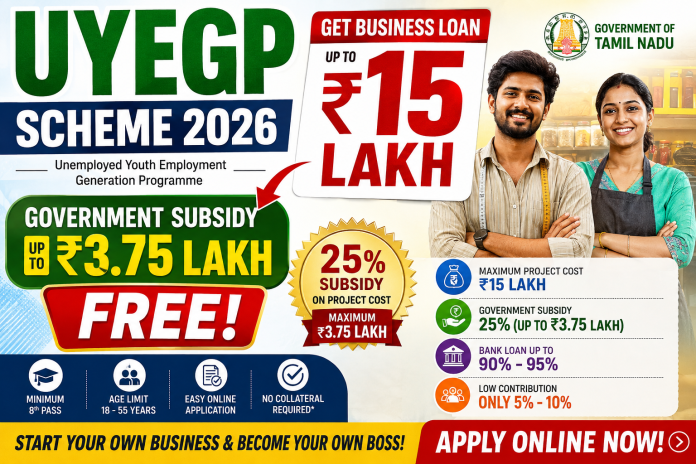
Under the UYEGP Scheme, eligible applicants can set up business activities with a maximum project cost of ₹15 lakh. The Tamil Nadu Government provides a capital subsidy of 25% of the project cost, subject to a maximum subsidy of ₹3.75 lakh.
This is a loan-linked government scheme, which means the applicant does not receive ₹15 lakh as free money. The major portion is provided as a bank loan, while the eligible government subsidy reduces the financial burden of the project.
The scheme is implemented by the Micro, Small and Medium Enterprises Department, Government of Tamil Nadu.
UYEGP Scheme 2026 – Key Highlights
Particular
Details
Scheme Name
Unemployed Youth Employment Generation Programme
Short Name
UYEGP
Implementing Department
MSME Department, Government of Tamil Nadu
Maximum Project Cost
₹15 Lakh
Government Subsidy
25% of Project Cost
Maximum Subsidy
₹3.75 Lakh
General Category Contribution
10%
Special Category Contribution
5%
Bank Loan
Approximately 90%–95% of Project Cost
Minimum Education
8th Standard Pass
General Age Limit
18–45 Years
Special Category Age Limit
Up to 55 Years
Loan Repayment
Generally 5 Years
Application Mode
Online
The above details are based on information published by the Tamil Nadu Government’s MSME Department.
What is the UYEGP Scheme?
UYEGP stands for Unemployed Youth Employment Generation Programme.
It is a Tamil Nadu Government-sponsored self-employment scheme designed to help unemployed and economically weaker youth start their own business enterprises.
Instead of providing the entire project cost as a grant, the scheme combines bank finance with government capital subsidy.
The official UYEGP portal currently allows applicants to check eligibility, view the filing procedure, submit a new application, upload documents and download the filed application.
How Much Loan Can You Get Under UYEGP?
Under the current UYEGP scheme, the maximum project cost for eligible business activities is ₹15 lakh.
The bank can finance approximately 90% to 95% of the project cost, depending on the applicant’s category and contribution.
The Tamil Nadu Government provides a capital subsidy of 25% of the project cost, with the maximum subsidy capped at ₹3.75 lakh.
Example: ₹15 Lakh Project
Suppose your approved business project cost is ₹15 lakh.
The maximum eligible subsidy calculation would be:
25% of ₹15,00,000 = ₹3,75,000
Therefore, the maximum subsidy can be ₹3.75 lakh.
However, applicants should understand that this does not mean everyone automatically receives ₹3.75 lakh. The subsidy depends on the eligible project cost and approval under the scheme.
Is the ₹3.75 Lakh Subsidy Really Free Money?
The ₹3.75 lakh amount should not be described as an immediate cash payment to the applicant.
It is a government capital subsidy linked to the approved project and bank loan.
The applicant still has to meet the scheme conditions, contribute the required promoter contribution, obtain bank sanction and establish the approved business.
Therefore, people should not interpret UYEGP as:
“Government gives ₹15 lakh free money.”
Instead, it should be understood as:
“Eligible applicants can obtain bank finance for a business project up to ₹15 lakh, with government capital subsidy of 25% up to ₹3.75 lakh.”
Who Can Apply for UYEGP?
According to the current eligibility information published on the Tamil Nadu MSME Department’s official portal, applicants must satisfy the following basic requirements:
1. Educational Qualification
The applicant should have passed at least 8th Standard.
2. Age Limit
For the general category, the age requirement is generally:
18 to 45 years
For eligible special categories, the age relaxation extends up to:
55 years.
Special categories include groups such as women, minorities, BC/MBC, SC/ST, ex-servicemen, differently abled persons and transgender persons, subject to the scheme rules.
3. Family Income
The current UYEGP eligibility page states that the applicant’s family income should be below ₹5 lakh per year.
Applicants should verify their eligibility on the official portal before submitting the application because eligibility rules and portal requirements can be updated by the department.
4. Residency Requirement
The official eligibility page states that the applicant must have been a resident of the area of application for at least three years.
5. Individual Applicant
UYEGP is intended for individual beneficiaries. The scheme FAQ states that an individual alone is eligible rather than a partnership application.
What Type of Business Can Be Started?
UYEGP is primarily intended to support eligible business/trading activities.
The official Tamil Nadu MSME information describes the scheme as providing financial assistance for setting up business enterprises, with the maximum project cost of ₹15 lakh.
Before selecting a business, applicants should check whether their proposed activity is eligible under the latest UYEGP guidelines.
How Does the UYEGP Loan Work?
The basic process can be understood like this:
Applicant → Online Application → District-Level Screening → Bank Processing → Loan Sanction → Business Setup → Subsidy Process
The beneficiary is selected through the District Task Force Committee headed by the General Manager of the District Industries Centre, after which the project is considered by the financing bank.
The bank assesses the project based on its techno-economic viability and applicable banking norms.
How to Apply for UYEGP Online?
Applicants can submit the application online through the official Tamil Nadu MSME UYEGP portal.
Step 1: Open the Official UYEGP Website
Go to the Tamil Nadu MSME Department’s official UYEGP portal:
Applicants should have a clear business idea and prepare the required project details.
The project report should explain:
Business activity
Project cost
Equipment or assets required
Working capital requirement
Expected income
Expected expenses
Employment generation
Business location
Other relevant project information
The official UYEGP website also provides guidance and project templates for applicants.
Step 4: Submit the New Application
Go to the UYEGP portal and select:
Apply Online → New Application
Fill in the applicant details, business details and project information carefully.
Step 5: Upload Required Documents
After completing the application, upload the documents requested by the official portal.
Applicants should keep their documents ready in digital format before starting the application.
The portal provides a separate Document Upload option.
Step 6: Application Verification
After submission, the application goes through the prescribed selection and verification process.
The District Task Force Committee and concerned officials examine the application and project.
Step 7: Bank Processing
If the application is recommended, the project is forwarded for bank processing.
The bank evaluates the project and decides whether to sanction the loan according to its lending norms.
Step 8: Loan Disbursement and Subsidy
After bank sanction and completion of the required formalities, the loan can be disbursed.
The government subsidy is processed according to UYEGP rules.
The official UYEGP dashboard shows applications moving through stages such as application received, TFC recommended, bank sanctioned, loan disbursed and subsidy disbursed.
What Documents May Be Required?
The exact documents can vary depending on the applicant and project.
Applicants should check the Documents to be Uploaded section of the official UYEGP portal before applying.
Commonly relevant documents may include identity, address/residency, educational qualification, community/category certificates where applicable, project-related documents and other documents requested by the department or bank.
Do not upload documents based only on information from third-party websites. Always follow the latest document requirements shown on the official portal.
Is Collateral Required?
The original UYEGP government guidelines state that no collateral is required under the scheme.
However, applicants should understand that the final bank loan approval remains subject to the bank’s applicable lending rules and project assessment.
What Is the Interest Rate?
UYEGP does not mean that the entire loan is interest-free.
The official information states that the loan carries the normal bank rate of interest, subject to applicable banking/RBI guidance.
Therefore, applicants should ask the concerned bank about the applicable interest rate before accepting the loan.
What Is the Repayment Period?
The official UYEGP information states that the repayment period is generally 5 years, subject to applicable bank/RBI guidelines.
The actual repayment schedule should be confirmed with the bank that sanctions the loan.
Can Someone Who Already Received Another Government Subsidy Apply?
According to the UYEGP FAQ, a beneficiary who has already obtained a loan/subsidy under another Central or State Government scheme may not be eligible to obtain another benefit under UYEGP for the same purpose, subject to the applicable rules.
Therefore, applicants should disclose previous government scheme benefits honestly.
Important Things to Remember Before Applying
Before submitting your UYEGP application:
Make sure you meet the age requirement.
Make sure you have the required educational qualification.
Check the family-income requirement.
Verify the residency requirement.
Select an eligible business activity.
Prepare a realistic project report.
Keep your own contribution ready.
Do not assume that the maximum ₹3.75 lakh subsidy is automatically guaranteed.
Remember that the ₹15 lakh amount is a maximum project/loan assistance limit, not free cash.
Loan approval depends on the bank and project viability.
Use only the official Tamil Nadu MSME website for application.
Do not pay money to unofficial agents promising guaranteed approval.
UYEGP Scheme 2026 – Official Application Link
Eligible applicants can use the official Tamil Nadu MSME UYEGP portal to check eligibility and start the online application.
The portal currently shows UYEGP applications for FY 2026–27, confirming that the scheme is actively being processed. As of 26 August 2026, the official dashboard shows applications received, TFC recommendations, bank sanctions, loan disbursements and subsidy disbursements for the current financial year.
Frequently Asked Questions
Is UYEGP a real government scheme?
Yes. UYEGP is an official self-employment scheme implemented by the Government of Tamil Nadu, Micro, Small and Medium Enterprises Department.
Can I get ₹15 lakh free under UYEGP?
No. ₹15 lakh is the maximum project/loan assistance limit. It is not a free government grant.
How much subsidy is available?
The government subsidy is 25% of the eligible project cost, subject to a maximum of ₹3.75 lakh.
Do I have to repay the subsidy?
The subsidy is a government capital subsidy linked to the approved project and scheme conditions. It should not be treated as immediate cash in the applicant’s hands. Applicants must comply with the scheme conditions.
What is the minimum education qualification?
The current official eligibility page states 8th Standard Pass as the minimum educational qualification.
What is the maximum age?
The general category age limit is 18–45 years, while eligible special categories can have relaxation up to 55 years.
Can women apply for UYEGP?
Yes. Women are included among the special categories eligible for age relaxation and lower promoter contribution, subject to the scheme conditions.
Where should I apply?
Apply only through the official Tamil Nadu MSME UYEGP portal:
The information about UYEGP providing loan/project assistance up to ₹15 lakh and government subsidy up to ₹3.75 lakh is genuine.
However, it is important to understand the scheme correctly: ₹15 lakh is not free money, and ₹3.75 lakh is the maximum subsidy—not a guaranteed cash payment for every applicant.
If you meet the eligibility conditions and have a viable business plan, you can apply through the official Tamil Nadu MSME UYEGP portal.
Always verify the latest eligibility conditions and document requirements on the official website before submitting your application.
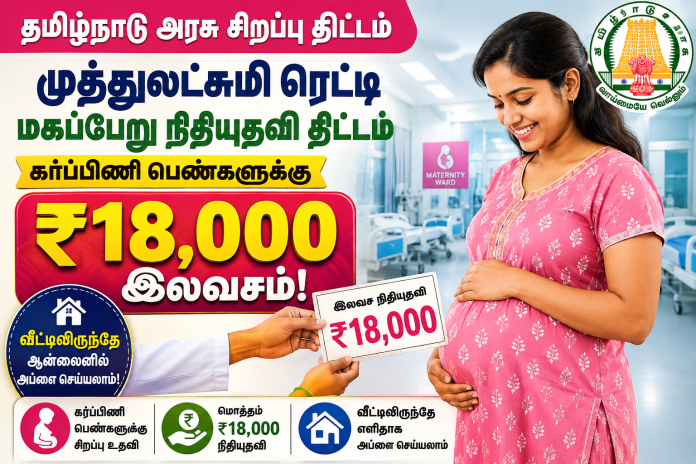
The Dr. Muthulakshmi Reddy Maternity Benefit Scheme (MRMBS) is a genuine maternity welfare scheme implemented by the Government of Tamil Nadu to provide financial assistance to eligible pregnant women and mothers.
Under the scheme, eligible beneficiaries can receive benefits worth ₹18,000. The scheme is intended to support poor pregnant women and mothers with maternity-related expenses and nutritional needs.
The ₹18,000 benefit amount under the scheme has been officially confirmed by the Government of Tamil Nadu.
What is the Dr. Muthulakshmi Reddy Maternity Benefit Scheme?
The Dr. Muthulakshmi Reddy Maternity Benefit Scheme is a maternity assistance programme of the Tamil Nadu Government.
The scheme provides financial support to eligible pregnant women, particularly from economically weaker families, to help meet expenses related to pregnancy, nutrition and childbirth.
The official Chennai District Government website lists this scheme under the Health and Family Welfare Department and confirms that the scheme is applicable for the first and second deliveries subject to eligibility conditions.
How Much Money Will Pregnant Women Get?
Eligible beneficiaries can receive benefits worth ₹18,000 under the scheme.
The scheme amount was enhanced from ₹12,000 to ₹18,000 by the Government of Tamil Nadu. This increase is officially recorded in the Government Order issued by the Health and Family Welfare Department.
Therefore, the claim that the Dr. Muthulakshmi Reddy Maternity Benefit Scheme provides ₹18,000 in benefits is genuine.
Who Can Apply for This Scheme?
The scheme is not automatically available to every pregnant woman. Applicants must satisfy the eligibility conditions prescribed by the Tamil Nadu Government.
According to the official government information, the scheme includes conditions such as:
The benefit is applicable for the first and second deliveries.
Financial assistance is intended for eligible poor pregnant women, including women from Below Poverty Line (BPL) families.
The pregnant mother should have completed 19 years of age.
The pregnancy should be registered through the appropriate government health system.
A PICME/RCH number is provided as part of the pregnancy registration process.
The beneficiary should have a savings bank account in her name, subject to the applicable rules.
Aadhaar and bank account details may be required.
The exact eligibility and documentation requirements should be confirmed with the local government health facility or the official PICME portal before applying.
Can You Apply Online?
Yes.
The Government of Tamil Nadu’s official PICME portal provides an online facility related to the Dr. Muthulakshmi Reddy Maternity Benefit Scheme / PMMVY Application Form.
If you have not already registered, use the available Self Registration facility and complete the required pregnancy/RCH registration details.
Step 3: Obtain Your PICME/RCH Number
After the registration process, the pregnant woman will receive the required PICME/RCH identification number.
Step 4: Open the Maternity Benefit Scheme Section
On the official PICME website, look for:
Dr. Muthulakshmi Reddy Maternity Benefit Scheme / PMMVY Application Form
The official portal currently displays this application option.
Step 5: Enter the Required Details
Provide the required personal, pregnancy, Aadhaar, bank and other information accurately.
Step 6: Submit the Application
Check all the details carefully before submitting the application.
Documents Required
Depending on the applicable rules and verification process, applicants may be asked to provide documents/details such as:
Aadhaar Card
Bank Passbook
PICME/RCH Number
Pregnancy registration details
Bank account details
Other documents required by the government health department
The Chennai District Government website specifically lists Aadhaar Number with Bank Passbook among the required documents for the scheme and mentions the PICME number as part of the registration process.
Is the ₹18,000 Given to Every Pregnant Woman?
No.
This is an important point.
The scheme should not be understood as a programme where every pregnant woman automatically receives ₹18,000.
The beneficiary must satisfy the eligibility requirements specified by the Government of Tamil Nadu. The number of deliveries, age, economic eligibility, pregnancy registration and other applicable conditions may be considered.
Therefore, applicants should verify their eligibility through the government health authorities or the official PICME portal.
Is This a Genuine Government Scheme?
Yes. The Dr. Muthulakshmi Reddy Maternity Benefit Scheme is a genuine Government of Tamil Nadu scheme.
The scheme is listed on official Tamil Nadu Government websites, including the Chennai District Government portal.
The Government of Tamil Nadu has also officially recorded the increase of the beneficiary amount from ₹12,000 to ₹18,000.
The Tamil Nadu Budget Highlights for 2026-27 also report that ₹4,042 crore had been disbursed to 34,40,550 women under the Dr. Muthulakshmi Reddy Maternity Benefit Scheme.
Important: Beware of Fake Websites
Pregnant women and their families should be careful while applying for government schemes.
Always use the official Tamil Nadu Government/PICME website rather than unknown third-party websites.
Do not share your OTP, ATM PIN, UPI PIN, internet banking password or other confidential banking information with anyone.
If someone asks you to pay money to “release” the ₹18,000 benefit, verify the information with your nearest government health centre before making any payment.
Always check the latest eligibility rules and application requirements on the official government portal before submitting your application.
Disclaimer: This article is for informational purposes only. Government scheme rules, eligibility criteria, payment procedures and application processes may change. Please verify the latest information through the official Government of Tamil Nadu/PICME portal or your nearest government health facility before applying.
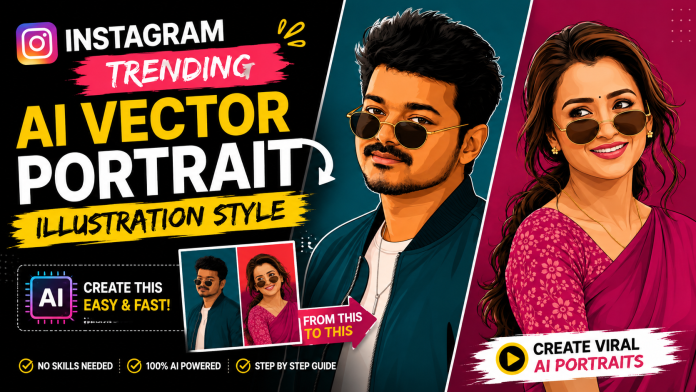
Instagram Trending AI Vector Portrait Illustration Style
Instagram is constantly introducing new photo-editing trends, and one of the styles getting a lot of attention right now is the AI Vector Portrait Illustration Style.
You may have seen portraits on Instagram where a normal photograph has been transformed into a clean, stylish digital illustration. The face still looks recognizable, but the entire image has a professional illustrated appearance with smooth outlines, detailed hair, realistic facial proportions, layered shading, and a clean background.
This is not simply a normal cartoon filter.
Instead, AI can analyze your original photograph and recreate the entire portrait as a digital vector-style illustration.
The best part is that you don’t need professional Photoshop skills or advanced graphic-design knowledge to try this style. With a good photo, a suitable AI editing tool, and the right instructions, you can create a similar-looking portrait directly from your mobile phone.
What Is the Instagram Trending AI Vector Portrait Illustration Style?
The style can be described as:
AI Vector Portrait Illustration Style
It is also commonly described using terms such as:
AI Digital Portrait
Vector Portrait Illustration
Semi-Realistic Vector Portrait
Digital Vector Artwork
AI Portrait Illustration
Flat Digital Portrait
Poster-Style Digital Illustration
The main idea is to transform a real photograph into a polished digital artwork while maintaining the important visual characteristics of the original person.
Instead of simply applying a cartoon filter over the photo, the AI recreates the portrait using digital illustration techniques.
The final result can look like a professionally designed digital portrait rather than an ordinary edited photograph.
Why Is This Style Trending on Instagram?
Social media users are always looking for new ways to make their profile pictures, posts, Reels covers, and personal photos look different.
A normal selfie can look very ordinary.
But when the same photo is transformed into a stylish digital portrait, it immediately gets a completely different visual appearance.
The strong colors, clean outlines, detailed hair, smooth facial shading, and simple background make this style especially suitable for social-media content.
It can be used for:
Instagram Profile Pictures
Instagram Posts
Instagram Stories
Reels Covers
YouTube Thumbnails
WhatsApp DP
Facebook Profile Pictures
Posters
Personal Branding
Fan Art
Digital Invitations
Because the artwork looks clean even at smaller sizes, it can work particularly well for profile pictures and social-media thumbnails.
What Makes This Vector Portrait Style Different?
There are several visual characteristics that make this editing style different from a regular photo filter.
1. Recognizable Facial Features
One of the most important parts of the style is maintaining the person’s recognizable appearance.
The AI should use the original photograph as a subject reference and preserve important characteristics such as:
Face shape
Eyes
Eyebrows
Nose
Lips
Jawline
Hairstyle
Facial hair
Skin tone
Overall facial proportions
The goal is not to turn the person into a completely different cartoon character.
Instead, the photograph should be transformed into an illustrated version of the same portrait.
2. Clean Digital Linework
Another major feature is the clean linework.
The face, hair, clothing, glasses, jewellery, and other elements are represented using smooth digital outlines.
This creates a polished vector-art appearance.
The lines should look intentional and clean rather than rough pencil strokes or traditional hand-drawn sketch marks.
3. Semi-Realistic Digital Shading
The style is not completely flat.
Different layers of digital shading can be used to create depth around the face, cheeks, nose, neck, hair, and clothing.
This creates a balance between:
Realistic Portrait + Digital Illustration
That is why the final result can look more premium than a simple cartoon filter.
4. Detailed Hair
Hair is another important part of this style.
Instead of representing the hair as one solid color, the AI can create individual digital strokes, highlights, shadows, and layered shapes.
This works especially well for:
Curly hair
Wavy hair
Long hair
Short hair
Messy hairstyles
Modern hairstyles
Detailed hair can make the entire illustration feel much more sophisticated.
5. Natural Skin Tone
Maintaining a natural skin tone is also important.
An AI-generated portrait can sometimes change the person’s complexion too much.
For a better result, the original skin tone should remain consistent while subtle digital highlights and shadows are added.
This helps the portrait retain the overall appearance of the original photograph.
6. Sunglasses and Accessories
Sunglasses, earrings, chains, watches, and other accessories can also become part of the illustration.
A good AI-generated result should make these elements look like they were digitally illustrated together with the portrait.
They should not look like separate objects copied from the original photograph and pasted onto a colored background.
This Is More Than a Photo Filter
One of the biggest differences between this trend and traditional editing is the way the image is transformed.
A traditional filter might work like this:
Original Photo → Filter → Color Adjustment → Final Photo
The photograph remains essentially the same.
AI Vector Portrait Illustration works differently:
Original Photo → AI Analysis → Facial Feature Reconstruction → Hair & Clothing Illustration → Digital Shading → Vector-Style Rendering → Final Artwork
The entire portrait is recreated as a digital illustration.
This is why the final image can look like a professional digital artwork instead of a normal photograph with an effect applied.
How Easy Is It to Create This Style?
The process can be surprisingly simple.
You don’t necessarily need:
Photoshop
Illustrator
Advanced drawing skills
Professional graphic-design knowledge
Instead, you can use an AI image-editing or image-generation application that supports image references.
The basic process is:
Step 1: Choose a Good Photo
Start with a clear, high-quality portrait.
A photo where the face is clearly visible generally gives the AI more information to work with.
Try to avoid extremely blurry, heavily compressed, or very dark photographs.
Step 2: Upload Your Photo
Upload the photograph to an AI image-editing tool that supports image references.
The uploaded photo should be treated as the subject or identity reference.
Step 3: Specify the Illustration Style
PROMPT :
Create this as a 9:16 vertical portrait image. Using the attached reference photo, recreate the person’s face with high precision — exact facial structure, eyes, nose, lips, jawline, beard/facial hair (if any), and skin tone matching the reference photo closely, side-profile or three-quarter angle as shown. Style: bold flat vector illustration, clean smooth linework, minimal shading, poster-art aesthetic — no painterly texture, crisp digital vector finish. Pose: head turned slightly to the side in a relaxed three-quarter profile, one shoulder forward, warm charming smile — natural, confident, slightly playful, eyes gently engaged. Hair styled neatly matching the reference (textured, swept back, or tousled as shown). Outfit: sharp casual-formal look — a solid-color bomber jacket or structured shirt in a single bold monochrome tone (deep teal, burnt orange, or charcoal — pick one saturated color), plain fitted t-shirt or collared shirt underneath in a lighter contrasting shade, minimal accessories (thin chain necklace or wristwatch), round or square vintage-style sunglasses pushed slightly down the nose. Background: solid bold monochrome color matching the outfit’s color family, completely flat with no texture or gradient, high contrast, poster-style minimalism. Composition: subject positioned in the lower two-thirds of the frame with headroom above, generous negative space around the head, fully filling the 9:16 vertical frame, clean poster-quality layout. Style: flat vector illustration, bold saturated color palette, minimal linework, high-fashion editorial poster quality, confident, charming, and stylish mood.
PROMPT :
Create this as a 9:16 vertical portrait image. Using the attached reference photo, recreate the person’s face with high precision — exact facial structure, eyes, nose, lips, and skin tone matching the reference photo closely, side-profile or three-quarter angle as shown. Style: bold flat vector illustration, clean smooth linework, minimal shading, poster-art aesthetic — no painterly texture, crisp digital vector finish. Pose: head turned slightly to the side in a relaxed three-quarter profile, one shoulder forward, subtle confident expression, hair styled in soft loose waves pulled into a low ponytail with a few face-framing strands. Outfit: elegant traditional saree in a single bold monochrome color family (deep teal, burnt orange, or rich magenta — pick one saturated tone), with a delicate floral-print blouse in a contrasting lighter shade of the same color family, small dainty flower-shaped stud earring, thin gold chain necklace, round vintage-style sunglasses pushed slightly down the nose. Background: solid bold monochrome color matching the outfit’s color family, completely flat with no texture or gradient, high contrast, poster-style minimalism. Composition: subject positioned in the lower two-thirds of the frame with headroom above, generous negative space around the head, fully filling the 9:16 vertical frame, clean poster-quality layout. Style: flat vector illustration, bold saturated color palette, minimal linework, high-fashion editorial poster quality, confident and stylish mood.
Step 4: Tell the AI to Recreate the Entire Image
If you want the result to look like a genuine illustration, make it clear that the entire portrait should be digitally recreated.
The face, hair, clothes, accessories, and other visible elements should belong to the same illustration style.
This helps avoid a common problem where the AI simply keeps the original photograph and adds a colored background.
Step 5: Choose the Correct Aspect Ratio
For Instagram Stories and Reels, a 9:16 vertical format works very well.
For Instagram posts, different aspect ratios can be used depending on the design.
For YouTube thumbnails and website graphics, a 16:9 landscape format may be more appropriate.
The illustration style itself does not need to change. Only the composition and canvas ratio need to be adjusted.
Why the Reference Image Is Important
Reference images can make a significant difference when creating this type of artwork.
If you have a particular illustration style that you like, you can use it as a visual style reference while using your own photograph as the subject reference.
This gives the AI two different types of information:
Style Reference:
Shows the AI how the artwork should look.
Subject Reference:
Shows the AI who or what should be recreated.
This approach can be particularly useful when you want a consistent illustration style.
Don’t Ask for a Simple Cartoon Effect
This is one of the most important tips.
If you simply tell an AI:
“Make my photo a cartoon.”
the result may look completely different from the modern vector portrait style.
You may get:
Exaggerated facial features
Large cartoon eyes
Simplified hair
Heavy outlines
Unwanted colors
A generic cartoon appearance
Instead, describe the visual characteristics of the artwork you actually want.
Terms such as:
vector portrait, semi-realistic illustration, clean linework, digital shading, detailed hair, natural facial structure, crisp digital artwork, poster-art finish
can help communicate the intended direction more clearly.
How to Make the Portrait Look More Premium
If you want a professional-looking result, pay attention to the small details.
Keep the Background Simple
A clean solid-color background can make the portrait stand out.
Avoid unnecessarily complicated backgrounds unless they are specifically part of the design.
Keep the Face Natural
The more natural the facial proportions are, the more recognizable the final portrait will be.
Preserve the Hairstyle
Hair contributes significantly to a person’s overall appearance.
If the original hairstyle is important, make sure the AI retains its general shape and characteristics.
Keep Clothing Consistent
If the person is wearing a jacket, saree, shirt, traditional outfit, or any other clothing, the clothing should also be recreated as part of the illustration.
Maintain Consistent Lighting
The highlights and shadows should look like they belong to the same digital artwork.
This helps prevent the image from looking like separate elements were combined together.
Can You Create This Style on a Mobile Phone?
Yes.
One of the reasons this trend is becoming popular is that users can experiment with AI image editing directly from their smartphones.
The general workflow is simple:
Take or select a photo → Upload it to an AI tool → Add the style instructions → Generate → Review the result → Refine if necessary
You may need to try more than once to get the exact result you want.
AI image generation is not always perfect on the first attempt.
Sometimes the face, hairstyle, clothing, accessories, or composition may need additional instructions.
Common Problems You May Face
Even with a good prompt, AI-generated portraits can sometimes have problems.
The Face Looks Different
The AI may slightly change facial proportions.
If this happens, reinforce the instruction to preserve the recognizable facial structure and important facial features from the reference photo.
The Result Looks Like a Filter
If the original photograph is still clearly visible and only the colors have changed, the AI has not fully recreated the artwork.
Ask for the entire portrait to be digitally illustrated, rather than simply applying a filter.
The Skin Tone Changes
If the skin tone becomes noticeably different, specify that the original natural complexion should be maintained.
Hair Becomes Too Different
If the hairstyle changes too much, emphasize that the original hairstyle should remain recognizable.
Background Becomes Too Complicated
If the AI adds unnecessary objects, colors, or scenery, request a clean, minimal background.
Best Uses for AI Vector Portrait Illustrations
Once you create the portrait, there are many ways to use it.
Instagram Profile Picture
A vector portrait can give your profile a more unique and creative appearance.
Instagram Reels Cover
Use the portrait as a visual element in your Reel cover design.
YouTube Thumbnail
An illustrated version of yourself can be useful for creating a recognizable visual identity across thumbnails.
WhatsApp DP
Replace a standard photograph with a personalized digital portrait.
Social Media Branding
Creators can maintain a consistent illustrated identity across multiple social platforms.
Posters and Designs
The portrait can also be incorporated into posters, invitations, banners, birthday designs, and promotional artwork.
9:16 AI Vector Portrait Trend
If your main goal is Instagram Reels or Stories, creating the artwork in a 9:16 vertical format is a good option.
A vertical portrait gives enough space for:
Head and shoulders
Upper-body composition
Clothing details
Background space
Text placement
It also works well for full-screen mobile content.
Can the Same Style Be Used for Men and Women?
Yes.
The AI Vector Portrait Illustration Style is not limited to one type of portrait.
It can be adapted for:
Male portraits
Female portraits
Traditional outfits
Casual outfits
Fashion portraits
Couple portraits
Professional portraits
Creative profile pictures
The style can remain consistent while the clothing, hairstyle, accessories, pose, and background are adapted to the individual photograph.
Why This AI Editing Trend Is Useful for Creators
For content creators, one of the biggest advantages is consistency.
Once you have a particular illustration style that represents you, you can use similar artwork across different platforms.
For example:
Instagram DP → YouTube Profile → Reels Cover → Thumbnail → Website → Social Media Poster
This can create a recognizable personal visual identity.
Instead of using a different photograph everywhere, you can build a consistent illustrated identity.
Final Thoughts
The Instagram Trending AI Vector Portrait Illustration Style is a simple and creative way to transform ordinary photographs into stylish digital artwork.
Unlike a traditional cartoon filter, this style focuses on recreating the complete portrait with clean vector-like outlines, semi-realistic facial details, layered digital shading, detailed hair, natural skin tones, and a polished poster-art finish.
The process can be done with AI tools without requiring advanced Photoshop or professional illustration skills.
The most important things are a good-quality reference photo, a clear description of the desired illustration style, and instructions that tell the AI to recreate the entire portrait rather than simply applying an effect.
If you want to try this trend yourself, you can use the AI Vector Portrait Illustration Prompt provided below this article.
Upload your photo, add the prompt, generate the artwork, and experiment with different backgrounds, poses, colors, and aspect ratios to create your own unique Instagram-style AI portrait.
Your normal photo can become a stylish digital artwork with just a few AI steps.
Try the AI Vector Portrait Trend Today
Choose your favorite portrait, upload it to a suitable AI image-editing tool, use the prompt provided below, and create your own Instagram Trending AI Vector Portrait Illustration.
The result can be used as your Instagram DP, Reel cover, WhatsApp profile picture, YouTube artwork, or simply as a creative digital version of your favorite photograph.
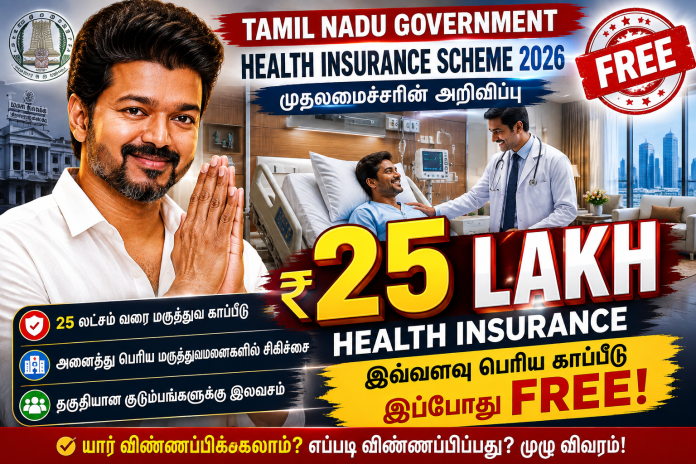
Tamil Nadu Government ₹25 Lakh Free Health Insurance Scheme
Tamil Nadu Government ₹25 Lakh Health Insurance Scheme 2026 is the latest major update for eligible families under the Chief Minister’s Comprehensive Health Insurance Scheme (CMCHIS).
The Tamil Nadu Government has announced that the annual medical insurance coverage under CMCHIS will be increased from ₹5 lakh to ₹25 lakh. This is an important development for eligible families who may face high medical expenses for major treatments and surgeries.
However, it is important to understand that ₹25 lakh is not cash that will be deposited into the beneficiary’s bank account. It refers to the maximum insurance coverage available under the scheme, subject to the scheme’s eligibility criteria, approved treatments, package rates and other applicable rules.
In this article, we explain the ₹25 lakh health insurance update, eligibility, documents required, benefits, application process and how to check CMCHIS details online.
What is the Tamil Nadu ₹25 Lakh Health Insurance Scheme?
The Chief Minister’s Comprehensive Health Insurance Scheme (CMCHIS) is a Tamil Nadu Government health insurance scheme designed to provide medical treatment benefits to eligible families.
Under the latest announcement, the annual insurance coverage limit is being increased from:
₹5 Lakh → ₹25 Lakh
This higher coverage limit is expected to provide additional financial protection for eligible families who require expensive medical treatment.
The scheme provides treatment benefits through hospitals that are empanelled under CMCHIS, subject to the applicable rules and approved treatment packages.
Is ₹25 Lakh Given Directly to Beneficiaries?
No.
The ₹25 lakh amount should not be understood as a cash benefit.
The amount represents the insurance coverage available for eligible medical treatments under the scheme.
For example, if an eligible beneficiary requires an approved treatment under CMCHIS, the treatment expenses may be covered according to the applicable package and scheme rules.
The actual amount covered depends on factors such as:
The treatment required
Approved CMCHIS package
Hospital
Eligibility of the beneficiary
Scheme guidelines
Applicable package limits
Therefore, people should not assume that ₹25 lakh will be transferred directly to their bank account.
Who is Eligible for CMCHIS?
CMCHIS is primarily intended to provide health insurance benefits to eligible families in Tamil Nadu.
According to the existing official CMCHIS eligibility information, families generally need to satisfy the prescribed income criteria.
The current eligibility requirements include an annual family income of less than ₹1.20 lakh, along with the required supporting documents.
Applicants should verify the latest eligibility rules before applying because government scheme guidelines can be updated from time to time.
Basic Eligibility Requirements
Generally, applicants may need to satisfy the following requirements:
The family should be eligible under the CMCHIS rules.
The applicant should be a resident of Tamil Nadu.
The family should meet the prescribed annual income limit.
A valid family/ration card may be required.
Aadhaar and identity documents may be required.
The required income certificate should be available.
The applicant and family members must pass the official eligibility verification process.
Important: The final eligibility decision is based on the latest official CMCHIS rules and verification process.
Documents Required for CMCHIS
Applicants should keep the necessary documents ready before starting the enrollment process.
Commonly required documents may include:
Tamil Nadu Family/Ration Card
Aadhaar Card
Income Certificate
Details of family members
Identity proof
Other documents requested during enrollment
Applicants should verify the latest document requirements through the official CMCHIS portal or an authorised enrollment centre.
How to Apply for Tamil Nadu ₹25 Lakh Health Insurance Scheme 2026?
Eligible applicants can use the official CMCHIS enrollment system to check eligibility and complete the enrollment process.
Step 1: Visit the Official CMCHIS Website
Go to the official CMCHIS website.
Step 2: Open the Enrollment Section
Select the relevant Enrollment / Apply option available on the official website.
Step 3: Check Your Eligibility
Enter the required family details and verify whether your family is eligible under CMCHIS.
Step 4: Keep Your Documents Ready
Keep your Family Card, Aadhaar, income certificate and other required documents ready.
Step 5: Complete Verification
The required documents and beneficiary details will be verified through the official enrollment process.
Step 6: Complete Enrollment
After successful verification, eligible applicants can complete their CMCHIS enrollment according to the official procedure.
Applicants can also approach an authorised CMCHIS enrollment centre if they need assistance.
How to Get Treatment Under CMCHIS?
CMCHIS beneficiaries should preferably choose a hospital that is empanelled under the CMCHIS scheme.
Before taking treatment, beneficiaries can check whether the hospital is included in the CMCHIS network.
At the hospital, the beneficiary’s details and eligibility can be verified before the treatment is processed under the applicable CMCHIS package.
The coverage and treatment availability depend on the scheme’s rules and the specific treatment package.
What Treatments Are Covered?
CMCHIS provides coverage for various approved medical treatments through empanelled hospitals.
Depending on the applicable scheme packages, coverage can include certain:
Major surgeries
Cancer-related treatments
Specialised medical procedures
Hospitalisation
High-cost medical treatments
Other approved procedures
The exact list of treatments and package amounts can change according to government guidelines.
Therefore, beneficiaries should verify the specific treatment with the CMCHIS help desk or empanelled hospital before proceeding.
Can Everyone Get ₹25 Lakh Coverage?
No.
The ₹25 lakh coverage is not automatically available to every person living in Tamil Nadu.
The applicant must satisfy the eligibility conditions of CMCHIS.
In addition, the treatment must fall under the applicable scheme coverage and approved packages.
The coverage is subject to the official rules of the scheme.
What About Existing CMCHIS Beneficiaries?
People who are already enrolled under CMCHIS should check their beneficiary details through the official portal.
After the new ₹25 lakh coverage announcement becomes operational, existing beneficiaries should follow the updated instructions issued by the Tamil Nadu Government and CMCHIS authorities.
Beneficiaries should not unnecessarily apply again or pay money to unofficial agents unless the government officially requires a new enrollment or update.
Important Things to Remember
Before applying for or using CMCHIS, keep the following points in mind:
₹25 lakh is insurance coverage, not direct cash.
The scheme is available only to eligible beneficiaries.
Treatment must comply with the applicable CMCHIS rules.
Coverage depends on approved treatment packages.
Use authorised/empanelled hospitals.
Keep your family card and identity documents ready.
Verify the latest eligibility rules before applying.
Do not pay unofficial agents for guaranteed approval.
Always use the official CMCHIS website for important updates.
Official CMCHIS Website
Applicants should use the official Tamil Nadu CMCHIS website for enrollment, eligibility verification and other scheme-related information.
Always verify the latest information from the official website before submitting an application.
Frequently Asked Questions (FAQ)
1. What is the Tamil Nadu ₹25 lakh health insurance scheme?
It refers to the increased annual medical insurance coverage under the Tamil Nadu Chief Minister’s Comprehensive Health Insurance Scheme (CMCHIS), with the announced coverage limit increasing from ₹5 lakh to ₹25 lakh.
2. Is ₹25 lakh deposited into my bank account?
No. The ₹25 lakh is insurance coverage for eligible medical treatments. It is not a direct cash payment.
3. Who can apply for CMCHIS?
Eligible families who satisfy the scheme’s prescribed eligibility and income requirements can apply.
4. What is the current income eligibility mentioned for CMCHIS?
The existing official eligibility information specifies an annual family income of less than ₹1.20 lakh. Applicants should verify the latest rules before applying.
5. Can I use CMCHIS in any hospital?
Treatment benefits are available through hospitals empanelled under the scheme and for approved treatments.
6. What documents are required?
Common documents include the Family/Ration Card, Aadhaar, income certificate and other documents required during the enrollment process.
7. How can I check my CMCHIS eligibility?
You can use the official CMCHIS website and its beneficiary/enrollment services to check your eligibility and related details.
8. Do existing CMCHIS beneficiaries need to apply again?
Not necessarily. Existing beneficiaries should wait for and follow the latest official instructions regarding the implementation of the increased ₹25 lakh coverage.
Final Words
The announcement to increase the CMCHIS annual health insurance coverage from ₹5 lakh to ₹25 lakh is an important development for eligible families in Tamil Nadu.
The increased coverage could provide greater financial protection against expensive medical treatments and surgeries.
However, beneficiaries should remember that the ₹25 lakh amount is not free cash. It is medical insurance coverage that can be used only according to the scheme’s eligibility conditions, approved treatments, package rates and other applicable rules.
Before applying or taking treatment, always check the latest information through the official CMCHIS website or an authorised enrollment/hospital facility.
Disclaimer: This article is for general informational purposes only. Government scheme eligibility, coverage limits, treatment packages, documents and application procedures may change. Readers should verify the latest official information on the CMCHIS website before applying or taking treatment.
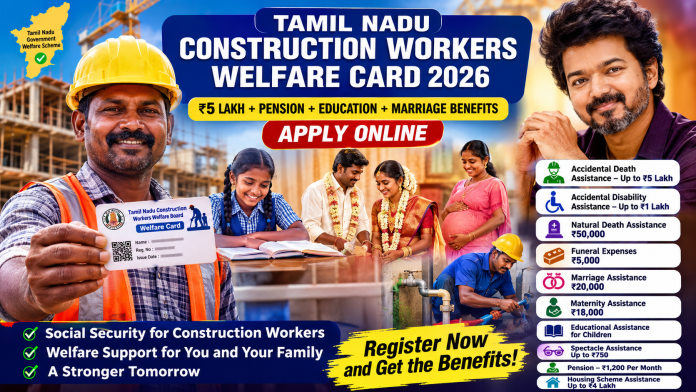
The Tamil Nadu Construction Workers Welfare Board provides social security and welfare assistance to eligible construction workers across Tamil Nadu. Workers who are registered with the Welfare Board can receive various benefits related to education, marriage, maternity, accident relief, natural death, funeral expenses, pension, housing assistance and other welfare schemes.
The Tamil Nadu Government has introduced several welfare measures for construction workers and their families. According to the 2025–26 Policy Note of the Labour Welfare and Skill Development Department, the Construction Workers Welfare Board provides a wide range of financial assistance to registered workers, subject to the eligibility conditions of each scheme.
This article explains the Tamil Nadu Construction Workers Welfare Card 2026, including eligibility, age limit, required documents, online registration process, welfare benefits, claim process and official application links.
What is the Tamil Nadu Construction Workers Welfare Card?
The Construction Workers Welfare Card is the registration/identity record associated with a worker registered under the Tamil Nadu Construction Workers Welfare Board.
Eligible construction workers can register with the Welfare Board and apply for different welfare assistance schemes when they meet the conditions prescribed for each benefit.
The official Tamil Nadu Unorganised Workers Welfare Board portal provides facilities for:
New Registration
Renewal
Welfare Scheme Claims
Application Status
Amendment
Transfer
Housing Scheme
Pension-related services
Pensioner’s Life Certificate
Other welfare services
The official portal also states that there is no fee for registration, renewal, claim submission and related services.
Who Can Apply for the Construction Workers Welfare Card?
Construction workers engaged in eligible construction-related occupations can apply for registration with the Welfare Board.
Examples of construction-related workers may include:
Mason
Construction Helper
Carpenter
Painter
Plumber
Electrician
Welder
Building Worker
Construction Labourer
Road Construction Worker
Workers involved in construction and maintenance activities
Other eligible workers engaged in construction-related manual work
The exact occupation must fall under the category covered by the Construction Workers Welfare Board.
What is the Age Limit?
Generally, a person seeking registration as a construction worker should be 18 years of age or above and below 60 years of age, subject to the applicable rules of the Welfare Board.
Pension applications are handled separately after completion of 60 years for eligible registered members. The official claim portal specifically states that a registered member who has completed 60 years can apply for pension.
Therefore, workers should not wait until retirement age to register. Eligible workers should complete their Welfare Board registration while they are within the registration age limit.
Eligibility for Tamil Nadu Construction Workers Welfare Card
Before applying, the worker should make sure that the following basic conditions are satisfied:
The applicant should be an eligible construction worker.
The applicant should satisfy the applicable age requirement.
The applicant should provide valid personal and family details.
The applicant should provide proof of employment/work in the construction sector.
The applicant should provide valid identity and address-related documents.
The applicant should provide bank account details.
Aadhaar and family/ration card details should be entered correctly.
Nominee details should be provided as required.
The information submitted in the application should be genuine and accurate.
The official registration portal specifically asks applicants to enter correct family-member details and ages because age can be an important factor when applying for benefits such as education and marriage assistance.
Documents Required for New Registration
Applicants should keep the following documents ready before starting the online registration.
1. Employment Certificate
An employment certificate confirming that the applicant is working in the relevant construction occupation is required.
The official portal lists several authorised sources from whom the prescribed employment certificate can be obtained, including:
President/General Secretary of the registered trade union concerned
Labour Assistant Inspector
Village Administrative Officer (VAO)
Revenue Inspector in Chennai District
Registered Contractor
Government organisations engaged in construction
Employer engaged in construction work
The prescribed format should be used and uploaded through the official portal.
2. Identity Proof
The official registration portal lists documents such as:
Driving Licence
School Certificate
Voter ID
Certificate from a registered medical practitioner
Certificate from an appropriate government hospital medical officer
as acceptable identity-related documents, subject to the prescribed requirements.
3. Family Card / Smart Ration Card
The applicant needs to provide the family card / Smart Ration Card details required by the registration portal.
4. Bank Passbook
The first page of the bank passbook should be uploaded so that the correct bank account details are available for welfare assistance.
5. Aadhaar Card
Aadhaar details are required as part of the registration process.
6. Nominee Details
Nominee-related documents/details may also be required.
The official portal provides specific instructions regarding nominee details depending on whether the nominee is a family member or a person outside the family.
How to Apply for Tamil Nadu Construction Workers Welfare Card Online?
The Tamil Nadu Unorganised Workers Welfare Board provides an online registration facility.
Step 1: Visit the Official Website
Go to the official Tamil Nadu Unorganised Workers Welfare Board website:
The official portal provides the New Registration option.
Step 2: Select New Registration
Choose New Registration from the official website.
Step 3: Enter Your Mobile Number
Enter the mobile number that you regularly use.
An OTP will be sent to the registered mobile number.
Step 4: Enter Ration Card / Smart Card Number
Enter your Family Card / Smart Card number as requested by the portal.
Step 5: Complete OTP Verification
Enter the OTP received on your mobile phone and continue with the registration.
Step 6: Enter Personal Details
Fill in your:
Name
Date of Birth
Address
Mobile Number
Family Details
Other required personal information
Make sure the information matches your official documents.
Step 7: Enter Family Member Details
Enter the details of eligible family members carefully.
The official portal warns applicants to provide complete and correct family-member information because age is relevant to several welfare benefits.
Step 8: Enter Employment Details
Select the appropriate construction-related occupation and provide the required employment/work details.
Step 9: Upload Documents
Upload the required documents, including:
Employment Certificate
Identity Proof
Family Card
Aadhaar
Bank Passbook
Nominee-related document
Other documents requested by the portal
Step 10: Submit the Application
After checking all the details, submit the application.
Once the application is submitted, an Application Number is sent to the registered mobile number.
The application may then be verified by the concerned officials.
If the application is approved, a Permanent Registration Number is issued and the registration certificate can be downloaded through the portal.
Is There Any Registration Fee?
No.
The official Tamil Nadu Unorganised Workers Welfare Board registration portal states that there is no fee for registration, renewal, claim submission and related services.
Therefore, eligible workers should use the official government portal and avoid paying unnecessary money to middlemen.
Benefits of Tamil Nadu Construction Workers Welfare Card
Registration with the Construction Workers Welfare Board can provide access to several welfare schemes.
However, registration does not mean that every benefit is automatically paid.
Each welfare scheme has its own eligibility conditions and documentation requirements.
The major benefits listed in the Tamil Nadu Government’s 2025–26 Policy Note include the following.
1. Accidental Death Assistance – Up to ₹5 Lakh
For an accidental death occurring at the worksite during the course of employment, assistance of up to ₹5,00,000 is provided under the Construction Workers Welfare Board scheme.
The government policy note also indicates that worksite accident death assistance can cover registered and unregistered construction workers, subject to the applicable scheme conditions.
2. Accidental Disability Assistance – Up to ₹1 Lakh
Financial assistance of up to ₹1,00,000 is available for accidental disability, depending on the extent and applicable rules.
3. Natural Death Assistance – ₹50,000
The current 2025–26 government policy note lists ₹50,000 as natural death assistance for the Construction Workers Welfare Board.
4. Funeral Expenses Assistance – ₹5,000
Funeral expense assistance of ₹5,000 is available subject to the applicable conditions.
5. Marriage Assistance – ₹20,000
Marriage assistance is one of the important welfare benefits available to eligible Construction Workers Welfare Board members.
The 2025–26 Tamil Nadu Government Policy Note lists:
Marriage Assistance for Women – ₹20,000
Marriage Assistance for Men – ₹20,000
The assistance may also be available for the marriage of the registered member’s son or daughter, subject to the applicable rules and limits.
For a marriage claim, documents such as:
Marriage Registration Certificate or authorised marriage certificate
Marriage hall/temple receipt
Marriage invitation
Marriage photograph
Age proof of bride and groom
Employment/verification certificate
may be required depending on the claim requirements.
The official portal states that the groom should have completed 21 years and the bride should have completed 18 years for the marriage claim.
6. Maternity Assistance – ₹18,000
Eligible registered female members can receive ₹18,000 maternity assistance under the Construction Workers Welfare Board.
For miscarriage or Medical Termination of Pregnancy, the policy note lists assistance of ₹3,000.
The official claim portal states that:
Only a registered female member can apply for maternity assistance.
Pregnancy-related assistance can be claimed only twice based on the required proof.
A pregnancy certificate from an appropriate government hospital medical officer is required.
The certificate should indicate whether it is the first or second baby, as applicable.
7. Educational Assistance for Children
Education assistance is available for eligible children of registered workers.
The 2025–26 policy note lists assistance for different educational levels, including:
6th to 9th Standard
₹1,000
Girl Child Studying 10th Standard
₹2,400
10th Standard Passed
₹2,400
Girl Child Studying 11th Standard
₹3,000
Girl Child Studying 12th Standard
₹3,000
12th Standard Passed
₹3,000
Higher education assistance is also available for eligible courses, including regular degree, postgraduate, professional degree, professional postgraduate, ITI and Polytechnic courses, with amounts varying according to the course and hostel status.
The official portal also currently provides specific options for educational assistance for children of registered construction workers studying PhD, as well as certain Diploma courses in Nursing/Catering and Services.
Important Education Assistance Rule
If both husband and wife are registered members of the Welfare Boards, only one of them can apply for educational assistance.
The official claim portal states that only two children of a registered member are eligible to receive education assistance.
8. Spectacle Assistance – Up to ₹750
Eligible registered members can receive reimbursement of spectacle costs up to ₹750, subject to the applicable conditions.
The government policy note lists reimbursement of spectacles up to ₹750.
9. Pension – ₹1,200 Per Month
A registered member who has completed 60 years of age can apply for pension, subject to the applicable eligibility conditions.
The 2025–26 Tamil Nadu Government Policy Note lists:
Pension / Disability Pension – ₹1,200 per month
The official claim portal also specifically states that a registered member who has completed 60 years can apply for pension.
10. Family Pension – ₹500 Per Month
Family pension is available under the Construction Workers Welfare Board for eligible family members of a pensioner, subject to the applicable rules.
The 2025–26 government policy note lists:
Family Pension – ₹500 per month
11. Housing Scheme Assistance – Up to ₹4 Lakh
Housing assistance is another important benefit available under the Construction Workers Welfare Board.
The 2025–26 Policy Note lists:
Housing Scheme Assistance – Up to ₹4,00,000.
The actual amount and eligibility depend on the applicable housing scheme conditions and verification.
The official portal also provides a separate Housing Scheme service.
12. Critical Illness Assistance
The Construction Workers Welfare Board provides assistance for certain major illnesses.
The government policy note includes conditions such as:
Heart Surgery
Kidney Transplant
Dialysis
Cancer
Asthma
Silicosis
Paralysis
The listed assistance is ₹12,000 per year for up to 3 years, subject to the applicable conditions.
13. Assistance to Transport the Dead Body to Native Place
Financial assistance is available for transporting the dead body of a deceased construction worker to their native place/state in eligible cases.
The 2025–26 policy note lists assistance of up to:
₹1,00,000
This provision also covers eligible inter-state migrant construction workers under the applicable scheme conditions.
14. Sports Assistance
Financial assistance is also available in certain circumstances for participation in national and international-level sports competitions.
The applicable amount and conditions depend on the scheme rules.
How to Apply for Welfare Scheme Benefits?
Getting the Construction Workers Welfare Card does not mean that welfare assistance will automatically be credited.
Whenever an eligible event occurs, the registered member generally needs to submit a separate Claim for the relevant welfare benefit.
For example:
Marriage → Apply for Marriage Assistance
Child’s education → Apply for Educational Assistance
Childbirth → Apply for Maternity Assistance
Completion of 60 years → Apply for Pension
Accident → Submit Accident/Relief Claim
Eligible housing requirement → Apply under Housing Scheme
The official portal provides a dedicated Claim section for these applications.
How to Submit a Claim Online?
Step 1
Visit the official Claim portal.
Step 2
Enter your:
Registration Number
Registered Mobile Number
Step 3
Verify the OTP.
Step 4
Select the required welfare assistance.
For example:
Educational Assistance
Marriage Assistance
Maternity Assistance
Spectacle Assistance
Natural Death/Funeral Assistance
Pension
Other applicable benefits
Step 5
Upload the documents required for that particular claim.
Step 6
Submit the claim and save the application/reference number.
The official portal lists different forms and documents for different welfare claims.
How to Check Application Status?
After submitting a new registration or welfare claim, applicants can check the status online.
Use the official Application Status page and enter:
Application Number
Mobile Number used during registration
Captcha
The official portal provides this facility.
Forgot Your Application Number or Registration Number?
If you have forgotten your application or registration number, the official website provides a Know Your Application Number / Registration Number facility.
You can use the mobile number that was used during registration.
How to Renew the Welfare Board Registration?
Registered workers should keep their Welfare Board membership active.
The official portal provides a Renewal facility.
Workers can use the renewal service according to the renewal date shown in their registration details. The official renewal page advises members to apply for renewal when the renewal period is approaching.
Keeping the registration active is important because certain welfare claims require the registration to be live at the relevant time.
For example, the official education claim instructions state that the applicant’s registration must be live during the examination period.
Important: Does the Card Automatically Give Money?
No.
Simply obtaining a Construction Workers Welfare Card does not mean that money will automatically be credited for every scheme.
Each welfare benefit has its own:
Eligibility conditions
Age requirements
Document requirements
Claim form
Time limit/claim conditions
Number of times the benefit can be claimed
Therefore, members should apply separately for the welfare scheme for which they are eligible.
How is the Welfare Assistance Paid?
Eligible welfare assistance is generally processed through the government system and credited to the beneficiary’s bank account according to the applicable procedure.
Therefore, it is very important to provide accurate bank account information during registration.
Important Official Links
Official Tamil Nadu Unorganised Workers Welfare Board Portal
The Tamil Nadu Construction Workers Welfare Card 2026 is an important registration facility for eligible construction workers.
After registration, eligible members can apply for various welfare benefits according to the rules of the respective schemes.
Some of the major benefits include:
Up to ₹5 lakh for eligible worksite accidental death
Up to ₹1 lakh for accidental disability
₹50,000 natural death assistance
₹5,000 funeral expenses
₹20,000 marriage assistance
₹18,000 maternity assistance
₹3,000 for miscarriage/medical termination, subject to conditions
Educational assistance for children
Up to ₹750 spectacle reimbursement
₹1,200 per month pension
₹500 per month family pension
Up to ₹4 lakh housing assistance
₹12,000 per year for up to 3 years under the listed critical illness assistance
Up to ₹1 lakh for eligible dead-body transportation assistance
Other welfare and special assistance schemes
The exact eligibility, amount and documents can vary depending on the specific welfare scheme. Therefore, applicants should always verify the latest requirements on the official Tamil Nadu Government portal before submitting an application.
Disclaimer: This article is provided for general informational purposes. Welfare scheme amounts, eligibility conditions, documents and government rules may be revised from time to time. Applicants should use the official Tamil Nadu Government websites for the latest information and online applications.
🇮🇳 Create Stunning August 15 AI Photos Using Your Own Photo! 🔥
Want to create a stylish Independence Day AI photo using your own photo? 😍🇮🇳
This August 15, you can turn your normal photo into a cinematic Indian Independence Day portrait using an AI photo editing application. ✨📸
You don’t need professional photo-editing skills. Just upload your photo, copy the prompt below, and let AI create the magic! 🤩🔥
📸 How to Create Your August 15 AI Photo
1️⃣ Choose Your Photo
Select a clear, high-quality photo where your face is clearly visible. 🧑🦱📷
For the best result, use a photo with good lighting and a clear face.
2️⃣ Open an AI Photo Editing App 🤖
Open your preferred AI photo editing or image-generation application and upload your photo.
Then copy and paste the prompt below. 👇
3️⃣ Copy This AI Prompt 🔥
PROMPT 1
Use the uploaded image as the exact person and identity reference. Preserve the person’s exact facial features, face shape, skin tone, hairstyle, beard, mustache, body proportions, and natural appearance without changing, beautifying, or regenerating the identity. Create a vibrant, cinematic patriotic portrait of the same person standing tall in a confident three-quarter pose, with the torso slightly angled to the right, shoulders naturally pulled back, and the head gently tilted upward toward the upper left. Give him a genuine, radiant smile with visible upper teeth and a hopeful, proud expression. Style his hair with a voluminous, slightly messy textured appearance while maintaining the original hair characteristics, and keep the full, well-groomed dark beard and defined mustache natural. Add a classic silver loop earring to the left ear. Dress him in a crisp plain white cotton button-down shirt with the top buttons casually unfastened and the sleeves neatly rolled up to the forearms. Add a long vibrant Indian tricolor scarf draped naturally around the neck, with rich saffron-orange and vivid green sections, and place a metallic-rimmed patriotic rosette featuring a blue Ashoka Chakra over the left chest. Keep the accessories realistic and naturally integrated. Behind him, create an abstract cinematic background made of dense, billowing swirling smoke in vibrant saffron orange, clean white, and lush green, arranged dynamically like the Indian national tricolor. Add subtle floating embers, tiny glowing particles, and soft light specks throughout the atmosphere. Use a low-angle three-quarter camera perspective looking slightly upward to create a heroic and iconic presence. Simulate a Sony A7 IV camera with an FE 85mm f/1.4 GM lens at approximately f/2.0, with razor-sharp focus on the eyes and smile, realistic skin texture, creamy depth of field, and softly blurred shoulders, scarf ends, and background smoke. Illuminate the face with a soft broad studio key light from the front-left, subtle warm rim lighting around the shoulders and hair, and natural catchlights in the eyes. Use rich cinematic color grading with highly saturated saffron, green, and white tones, warm golden skin tones, strong subject-background separation, deep clean shadows, realistic highlights, premium editorial photography quality, and an uplifting Independence Day atmosphere. Make the final image photorealistic, ultra-detailed, natural, cinematic, professional, and high-end, with a 3:4 vertical composition.
PROMPT 2
A powerful cinematic patriotic portrait of a above Woman looking at camera with pride, confidence, and hope. He is dressed in a crisp, elegant white shirt, complemented by a flowing Indian tricolor scarf in saffron, white, and green, along with a detailed Ashoka Chakra badge pinned to his chest. Behind him, dramatic swirling smoke in the colors of the Indian flag creates a vibrant and powerful backdrop.3:4 ratio
PROMPT 3
Cinematic full-body patriotic poster photograph of the above young boy standing proudly and confidently on textured dark rocky ground. He is dressed in a bright saffron-orange long-sleeve crewneck sweatshirt, relaxed-fit white cargo pants with drawstring and side flap pockets, and clean white sneakers. His right hand holds a tall wooden flagpole upright, with the vibrant Indian national flag billowing naturally behind him. He looks directly toward the camera with a calm, cheerful, age-appropriate expression and a natural gentle smile. His dark hair is neatly styled, with realistic natural skin texture and authentic childlike facial features. The background features a dramatic yet uplifting swirl of saffron, white, and green atmospheric smoke, subtle warm glowing embers, and cinematic backlighting. Strong patriotic poster composition, inspiring and wholesome mood, realistic fabric movement, natural proportions, soft commercial studio key light with subtle rim lighting, true HDR, authentic color science, ultra-detailed 8K photorealism, Sony A1, 85mm lens, sharp focus, cinematic depth of field.
PROMPT 4
@Create image A full-length cinematic patriotic poster photograph of a young girl standing confidently on dark, rugged terrain, proudly holding a tall flagpole with the Indian national flag waving in the wind. She is dressed in a modest saffron-orange long-sleeve crewneck sweatshirt, comfortable white cargo trousers, and clean white sneakers. She looks toward the camera with a bright, natural, cheerful smile, with long wavy dark hair flowing naturally around her shoulders.The background features dramatic but age-appropriate swirling smoke plumes illuminated in saffron, white, and deep forest green, with subtle golden light particles in the air. Create an inspiring Independence Day atmosphere with a sense of pride, courage, and celebration.Captured as a professional cinematic photograph with an 85mm portrait lens, crisp subject focus, natural child-appropriate appearance, realistic hair and fabric texture, authentic clothing folds, dramatic rim lighting, balanced high dynamic range, realistic environmental detail, and premium ultra-realistic commercial poster quality. No glamour posing, no sensual styling, no revealing clothing, and no adult themes.
🇮🇳 Perfect for Everyone!
This AI photo editing idea can be used by kids, students, boys, girls, men, women and families. 👨👩👧👦❤️
👦 Kids: Create cute Independence Day portraits with a tricolour background. 🇮🇳✨
👧 Girls: Create stylish portraits with a white outfit and tricolour scarf. 🧡🤍💚
👨 Men: Create a powerful patriotic look with a white shirt and tricolour scarf. 🔥🇮🇳
👩 Women: Create an elegant Independence Day portrait with a beautiful tricolour dupatta or scarf. ✨🇮🇳
👨👩👧👦 Family: Create a beautiful family Independence Day photo using your family picture. ❤️🇮🇳
📱 Use Your AI Photo Everywhere!
Once you create your AI photo, you can use it on:
📲 WhatsApp Status
📸 Instagram Story
🎬 Instagram Reels
▶️ YouTube Shorts
📘 Facebook Story
🖼️ Facebook Post
💬 WhatsApp DP
📺 YouTube Community Post
Create your photo in 9:16 format if you want to use it for Reels, Shorts and WhatsApp Status. 📱🔥
🎬 Turn Your AI Photo Into a Video
You can also turn your AI-generated photo into a short video. 🤩
Try this style:
📸 AI Photo → ✨ Animation → 🇮🇳 Tricolour Smoke → 🎥 Slow Zoom → 🎵 Patriotic Music
This can create an attractive Independence Day Reel or Short for August 15. 🔥🇮🇳
✨ Tips for a Better AI Result
For a more realistic result, include instructions such as:
These instructions can help the AI maintain a more natural and recognizable appearance. 📸✨
🇮🇳 Celebrate Independence Day With Your Own AI Photo!
This August 15, don’t just post a normal photo! 😍
Create your own AI Independence Day Photo using your photo, the tricolour theme and the prompt above. 🇮🇳🔥
Share your creation with your friends and family on WhatsApp, Instagram, Facebook and YouTube and celebrate India’s Independence Day in a creative new way. ❤️🇮🇳
Try it now, create your photo and share it with everyone! 🎉🇮🇳✨
🇮🇳 August 15 AI Photo Editing: Create Independence Day AI Photos Using Your Own Photo
Create stunning August 15 Independence Day AI photos using your own photo. Use this AI prompt to create a cinematic tricolour portrait for WhatsApp Status, Instagram Reels and more. 🇮🇳📸
August 15 AI Photo Editing, Independence Day AI Photo, AI Photo Editing, Independence Day Photo Editing, August 15 Photo Editing, AI Photo Prompt, Tricolour AI Photo, Independence Day AI Prompt, AI Photo Editing App, WhatsApp Status Photo, August 15 Status, Independence Day Status, AI Photo Editing Prompt, Indian Independence Day AI Photo, AI Image Generato
Are you unable to book your gas cylinder? 😟 Or your gas is not delivered even after booking? 🚫
👉 The REAL reason might be: KYC Not Completed ⚠️
💡 Without KYC: ❌ Gas booking may fail ❌ Delivery may be delayed ❌ Subsidy may be blocked 💸
🔐 Complete KYC Online Using Mobile Apps (No Office Visit)
Good news! 🎉 You can now complete KYC directly from your Android or iPhone 📱
👉 No need to visit gas office 👉 No waiting in long queues 👉 100% online process
👉 இப்போ நீ direct copy பண்ணி websiteல paste பண்ணிக்கலாம்
👉 இதை button / text link ஆக convert பண்ணினா perfect 💯
வேணும்னா நான் next stepல
🔥 “high converting button text + color + placement” கூட சொல்லிக்கொடுக்கிறேன் 👍
🛠️ How to Complete KYC in Gas App (Step-by-Step) ✅
1️⃣ Open the installed gas application 📲 2️⃣ Login using your registered mobile number 🔐 3️⃣ Go to KYC / Profile Section 4️⃣ Click on Update / Complete KYC 5️⃣ Upload Aadhaar / ID proof 🪪 6️⃣ Submit and wait for approval ⏳
🎉 Done! Your KYC will be updated successfully.
💰 Unlock Benefits After KYC
✔️ Easy gas booking ✔️ Fast delivery 🚚 ✔️ Get LPG subsidy 💸 ✔️ Avoid service interruption
⚠️ Completing KYC also helps in accessing these financial services securely.
📱 Android & iPhone Users – Don’t Miss This!
Whether you use: 📱 Android mobile 🍎 iPhone (iOS)
👉 KYC process is SAME & EASY
🔥 Pro Tips for Faster Approval
✔️ Use Aadhaar linked mobile number ✔️ Upload clear documents 📄 ✔️ Check app notifications 🔔 ✔️ Avoid multiple accounts
📢 Final Reminder
If your gas booking is not working, 👉 FIRST check your KYC status
💯 Complete it now using official apps and avoid delays!
gas booking online india, gas kyc update, lpg subsidy check, indane gas app download, hp gas app install, bharat gas kyc online, android apps download, iphone apps india, personal loan apps india, insurance plans india, online loan instant approval, best finance apps india, credit card apply online, mobile apps earning, online kyc verification
The Vettri Veedu Scheme Tamil Nadu is gaining attention among families looking for Government housing scheme updates. 🏡
Applicants should wait for the official Tamil Nadu Government notification to confirm the final eligibility rules, benefits, required documents and online application process. This guide helps you stay prepared and apply safely through the official Government app or portal when applications open. 📱
ℹ️ What Is the Vettri Veedu Scheme?
The Vettri Veedu Scheme is being discussed as a Tamil Nadu Government housing initiative for eligible families seeking housing-related support.
The final scheme guidelines, beneficiary categories, benefit amount and application date must be checked only through official Government announcements. ✅
🚫 Do not trust unofficial apps, fake websites or agents who promise guaranteed approval.
✅ Vettri Veedu Scheme Eligibility
The official eligibility criteria will be announced by the Tamil Nadu Government. Applicants may need to check details such as:
🏠 Tamil Nadu residence requirement
💰 Family income category or income limit
🏡 Existing house ownership status
👨👩👧 Priority beneficiary category, if applicable
📄 Land or property-document requirements
🪪 Aadhaar and family-card verification
📋 Benefits already received under other housing schemes
Final approval will depend entirely on Government verification.
📂 Documents to Keep Ready
Keep these documents ready for a smooth online application process:
🪪 Aadhaar Card
🍚 Tamil Nadu Family Card / Ration Card
📱 Aadhaar-linked mobile number
💰 Income Certificate, if required
🏦 Bank account passbook details
📸 Passport-size photograph
📍 Address proof
🏠 Land or house-related documents, where required
📑 Any additional documents listed in the official notification
📱 How to Apply Online for Vettri Veedu Scheme
Once the official application link is released, follow these steps:
🌐 Visit the official Tamil Nadu Government website or download the verified Government mobile app.
🔍 Check the app developer name before installing.
📲 Register with your mobile number and complete OTP verification.
📝 Select the Vettri Veedu Scheme application option.
✍️ Enter personal, family and address details correctly.
📤 Upload clear copies of the required documents.
✅ Review all details and submit the application.
🧾 Save the application number and acknowledgement slip.
🔄 Check the official portal or app for status updates.
⚠️ Important Safety Tips
🔐 Never share OTP, Aadhaar OTP, bank PIN or passwords.
🚫 Do not pay unauthorised agents for “guaranteed approval.”
✅ Use only officially announced Government websites and apps.
📢 Verify scheme news through official Tamil Nadu Government channels.
🧾 Keep your acknowledgement receipt safely.
🏦 Is Vettri Veedu a Home Loan Scheme?
Do not assume that Vettri Veedu is a home-loan scheme unless the official Government notification specifically mentions home-loan assistance, subsidy or bank-linked support. The final benefit details will be available only through official guidelines. 📌
❓ Frequently Asked Questions
📅 When will Vettri Veedu Scheme applications begin?
The official application date will be announced by the Tamil Nadu Government.
📲 Can I apply through a mobile app?
Yes, only if the Government officially announces a verified mobile app or online portal for applications.
📄 What documents are required?
The final list will be given in the official notification. Aadhaar, family card, income proof, bank details and address proof may be required.
🔎 Can I check my application status online?
If an official portal or app is launched, applicants may be able to track their status using the application number or registered mobile number.
🏁 Conclusion
The Vettri Veedu Scheme Tamil Nadu may be an important housing-support opportunity for eligible families. 🏠 Keep your documents ready, follow verified updates and apply only through the official Government app or online portal when applications open. ✅
Disclaimer: This article is for public-information purposes only. Eligibility, benefits, documents and application procedures are subject to the official Tamil Nadu Government notification.
The Pradhan Mantri Kisan Samman Nidhi (PM-KISAN) is one of the flagship welfare schemes launched by the Government of India to provide direct financial assistance to eligible farmers. Under this scheme, eligible farmer families receive ₹6,000 per year, which is credited directly to their bank accounts through the Direct Benefit Transfer (DBT) system.
The scheme aims to reduce the financial burden on farmers by helping them manage agricultural expenses such as purchasing seeds, fertilizers, pesticides, and other farming inputs. Millions of farmers across India are already benefiting from this scheme.
What is PM Kisan Scheme?
PM-KISAN is a Central Government income support scheme introduced to provide financial assistance to small and eligible farmer families. Instead of distributing the entire amount at once, the Government releases the financial assistance in three installments of ₹2,000 each, directly into the beneficiary’s Aadhaar-linked bank account.
PM Kisan Scheme Benefits
Financial assistance of ₹6,000 per year
Amount transferred directly through DBT
No middlemen involved
Supports farming expenses
Transparent online application process
Online beneficiary status checking
Mandatory e-KYC for uninterrupted payments
Who is Eligible?
You may be eligible if you:
Own eligible agricultural land.
Have valid land ownership records.
Possess a valid Aadhaar Card.
Have an Aadhaar-linked bank account.
Complete the mandatory e-KYC process.
Who is Not Eligible?
Generally, the following categories are not eligible:
Income Tax payers
Constitutional post holders
Certain serving or retired Government officers
Institutional landholders
Other categories excluded under the official PM-KISAN guidelines
Documents Required
Keep the following documents ready before applying:
Aadhaar Card
Bank Passbook
Mobile Number
Land Ownership Documents
Passport-size Photograph (if required)
How to Apply for PM Kisan Scheme?
Eligible farmers can apply online through the PM-KISAN Official Portal – New Farmer Registration.
👉 Apply Online
PM-KISAN Official Portal – New Farmer Registration
Fill in your personal, land, and bank account details.
Submit your application.
Save your Registration Number for future reference.
Is e-KYC Mandatory?
Yes.
The Government of India has made e-KYC mandatory for all PM-KISAN beneficiaries. If e-KYC is not completed, future installment payments may be delayed or stopped until verification is completed.
How to Complete PM Kisan e-KYC?
Method 1 – OTP Based e-KYC
Visit the PM-KISAN Official Portal.
Click e-KYC.
Enter your Aadhaar Number.
Verify using the OTP sent to your Aadhaar-linked mobile number.
After successful verification, your e-KYC will be completed.
Method 2 – CSC Centre
If OTP verification is not possible, visit your nearest Common Service Centre (CSC) and complete e-KYC through biometric authentication.
How to Check PM Kisan Beneficiary Status?
Applicants can check their payment and application status online.
Simply visit the Know Your Status section on the official website and enter your:
Registration Number
Mobile Number
You can then view:
Application Status
Installment Status
Payment Details
e-KYC Status
Common Reasons for Payment Delay
Sometimes farmers may not receive their installment on time due to the following reasons:
e-KYC not completed
Aadhaar not linked with bank account
Incorrect bank account details
Land records not verified
Aadhaar name mismatch
Mobile number not updated
Correcting these issues can help avoid payment delays.
Starting a dairy farming business is one of the most profitable agricultural activities in Tamil Nadu. Whether you are a farmer, rural entrepreneur, Self Help Group (SHG) member, or someone planning to begin a dairy farm, purchasing healthy and high-yield milch cows requires significant investment. To support dairy farmers, several banks and financial institutions in India offer Cow Loans (Dairy Farming Loans) that help finance the purchase of cows, buffaloes, dairy equipment, cattle sheds, fodder cultivation, and other dairy-related expenses.
This guide explains everything you need to know about Cow Loans in Tamil Nadu, including eligibility, loan amount, required documents, repayment, application process, and official application links.
What is a Cow Loan?
A Cow Loan, also known as a Dairy Farming Loan, is a type of agricultural loan provided by banks to help individuals establish or expand dairy farming activities. The loan can be used for:
Purchasing milch cows or buffaloes
Constructing cattle sheds
Buying dairy farming equipment
Fodder cultivation
Water facilities
Feed and veterinary expenses
Dairy farm expansion
Working capital for dairy operations
Most public sector banks provide dairy loans based on NABARD project guidelines or their own agricultural lending policies.
Who Can Apply?
The following applicants are generally eligible:
Individual Farmers
Small and Marginal Farmers
Dairy Farmers
Women Entrepreneurs
Self Help Groups (SHGs)
Joint Liability Groups (JLGs)
Farmer Producer Organizations (FPOs)
Dairy Cooperative Members
Rural Entrepreneurs
Agricultural Startups
Final eligibility depends on the lending institution’s rules and the viability of the dairy project.
Required Documents
Most banks may ask for the following documents:
Aadhaar Card
PAN Card (if applicable)
Passport Size Photographs
Address Proof
Bank Passbook or Account Statement
Land Records (if applicable)
Dairy Farming Project Report
Income Proof (if required)
Quotations for purchasing cows or dairy equipment
Any additional documents requested by the bank
Loan Amount
The loan amount depends on:
Number of cows or buffaloes
Breed of animals
Total project cost
Applicant’s repayment capacity
NABARD or bank norms
Many banks finance the project cost according to approved unit costs and lending guidelines.
Repayment Period
Repayment tenure generally depends on the project and lender. Many dairy loans are repayable through monthly or quarterly installments, with repayment periods extending up to several years depending on the sanctioned project.
Benefits of a Cow Loan
A Dairy Farming Loan offers several advantages:
Easy financing for purchasing cows
Opportunity to start a profitable dairy business
Daily income through milk production
Expansion of existing dairy farms
Financial support for dairy infrastructure
Better employment opportunities in rural areas
Access to institutional finance instead of informal borrowing
Yes. Many public sector banks and cooperative institutions provide dairy farming loans for eligible applicants.
Can women apply for a dairy loan?
Yes. Women entrepreneurs and SHG members are generally eligible, subject to the bank’s terms.
Is a project report mandatory?
Many banks require a dairy farming project report before approving the loan.
Can I use the loan for cattle shed construction?
Yes. Depending on the scheme, dairy loans may also cover cattle sheds, equipment, and related infrastructure.
Is online application available?
Some banks provide online enquiry or application facilities, while others require you to visit the nearest branch for document verification.
Disclaimer
This article is intended for informational purposes only. Loan approval, interest rates, subsidy availability, repayment period, and eligibility criteria are decided solely by the respective bank or financial institution. Always verify the latest information through the official bank website before submitting your application.
Conclusion
A Cow Loan in Tamil Nadu is an excellent financial option for farmers and dairy entrepreneurs who wish to start or expand dairy farming. Before applying, compare different banks, prepare a detailed project report, keep your documents ready, and apply only through official banking channels. Careful planning and responsible loan repayment can help build a successful and sustainable dairy farming business.
Heart Beat Season 3 is finally here, and fans of the popular Tamil medical drama are excited to watch the next chapter of this emotional and engaging series. After two successful seasons, the latest installment promises more intense medical cases, emotional storytelling, unexpected twists, and powerful performances from the cast.
If you’re searching for Heart Beat Season 3 download, how to watch Heart Beat Season 3 online, where to stream the latest episodes, or whether offline viewing is available, this complete guide has everything you need to know.
Table of Contents
Heart Beat Season 3 Release Date
Story Overview
Cast and Characters
Where to Watch Heart Beat Season 3
How to Watch on JioHotstar
How to Download Episodes for Offline Viewing
Supported Devices
Streaming Quality
Subscription Information
Why You Should Watch on the Official Platform
Frequently Asked Questions
Final Verdict
Heart Beat Season 3 Release Date
The much-awaited Heart Beat Season 3 officially premieres on 30 July 2026 on JioHotstar. New episodes are expected to be released according to the platform’s official release schedule.
Fans who enjoyed the previous seasons can continue the story directly from Season 3 without missing the emotional journey of the characters.
Story Overview
Heart Beat is one of the most loved Tamil medical drama series. The show beautifully combines hospital life, emotional patient stories, friendship, relationships, and the personal struggles of doctors.
Season 3 introduces fresh medical emergencies, challenging surgeries, emotional conflicts, and unexpected twists that keep viewers engaged throughout every episode.
Without revealing spoilers, viewers can expect:
Emotional family moments
New hospital challenges
Strong character development
Medical emergencies
Romantic moments
Unexpected surprises
Powerful emotional scenes
The storytelling continues to balance entertainment with realistic hospital situations, making the series enjoyable for audiences of all ages.
Main Cast
Heart Beat Season 3 features several returning fan-favorite characters along with new additions who bring fresh energy to the story.
The chemistry between doctors, interns, nurses, patients, and hospital staff remains one of the biggest strengths of the series.
Official cast announcements and guest appearances may vary as new episodes are released.
Where to Watch Heart Beat Season 3
Heart Beat Season 3 is officially available on JioHotstar.
To enjoy the best viewing experience, always use the official streaming platform instead of unofficial websites.
Watching from the official service provides:
HD Video Quality
Better Audio
Secure Streaming
Regular Episode Updates
Offline Viewing (where available)
Safe Viewing Experience
How to Watch Heart Beat Season 3 Online
Watching the latest season is simple.
Step 1
Install the JioHotstar application from the Google Play Store or Apple App Store.
Select the latest available episode and start streaming.
How to Download Heart Beat Season 3 Episodes
If your JioHotstar subscription supports offline downloads, you can save supported episodes for later viewing.
Simply:
Open the JioHotstar app.
Search for Heart Beat Season 3.
Tap the Download button (if available).
Choose your preferred video quality.
Wait until the download is completed.
Open the Downloads section to watch offline.
Note: Download availability depends on your subscription plan, content licensing, and region.
Supported Devices
You can stream Heart Beat Season 3 on:
Android Phones
iPhone
Android Tablets
iPad
Windows Laptop
MacBook
Desktop Browser
Android TV
Smart TV
Streaming Devices compatible with JioHotstar
Streaming Quality
Heart Beat Season 3 can be streamed in different quality settings depending on your internet connection and subscription.
Available quality options may include:
Auto
Data Saver
SD
HD
Full HD
Higher resolutions where supported
For uninterrupted streaming, use a stable Wi-Fi or high-speed mobile network.
Subscription Information
Some content on JioHotstar may require an active subscription.
Subscription plans can vary over time, so check the latest details directly within the JioHotstar app or website before streaming.
Tips for the Best Viewing Experience
To enjoy Heart Beat Season 3 without interruptions:
Keep your app updated.
Use a stable internet connection.
Download episodes before travelling.
Watch on Wi-Fi for the best quality.
Enable subtitles if available.
Use headphones for improved audio quality.
Why You Should Watch Through the Official Platform
Watching from the official streaming platform offers several benefits:
High-quality streaming
Safe viewing experience
Reliable playback
Official subtitles
Offline download support (where available)
Regular updates
Support for the creators and production team
Using authorised platforms also helps ensure that the series continues to receive support for future seasons.
Frequently Asked Questions
Is Heart Beat Season 3 available on JioHotstar?
Yes. The series is officially streaming on JioHotstar.
Can I download Heart Beat Season 3?
Offline downloads may be available within the official JioHotstar app if your subscription and region support the feature.
Is a Premium subscription required?
Availability depends on JioHotstar’s current content access policy. Some episodes or series may require a subscription.
Can I watch Heart Beat Season 3 on Smart TV?
Yes. The JioHotstar app is supported on many Smart TVs and compatible streaming devices.
Can I watch on my laptop?
Yes. You can stream through a supported web browser.
Is HD quality available?
Yes. Streaming quality depends on your internet connection, device, and subscription.
Can I watch offline?
If offline downloads are available for your plan, you can watch downloaded episodes inside the official app.
Are subtitles available?
Subtitle availability depends on the platform and the specific episode.
Final Verdict
Heart Beat Season 3 continues the emotional journey that made the previous seasons so popular among Tamil audiences. With compelling storytelling, strong performances, emotional hospital cases, and engaging character development, the new season is expected to be another exciting chapter in the series.
For the safest and best viewing experience, stream the series only through the official JioHotstar platform. If offline downloads are available with your subscription, you can conveniently save episodes within the app and watch them later without an internet connection.
Bookmark this page, as we will continue updating it with the latest information about Heart Beat Season 3, including new episode releases, streaming updates, and official announcements.
Arina AI is an advanced artificial intelligence platform designed to help businesses, educational institutions, healthcare organisations, and professionals improve productivity through AI-powered automation. It provides intelligent assistants, workflow automation, document generation, data analysis, and enterprise AI solutions while focusing on security and privacy.
Whether you’re a business owner, developer, student, or professional, Arina AI offers tools that simplify complex tasks and improve efficiency.
Key Features of Arina AI
AI-powered virtual assistant
Intelligent document generation
Workflow automation
Smart data analysis
Enterprise-grade AI solutions
Secure cloud-based platform
AI chat capabilities
Fast and accurate responses
Business productivity tools
Privacy-focused architecture
Benefits of Using Arina AI
Saves valuable time
Increases workplace productivity
Reduces repetitive manual tasks
Generates high-quality content quickly
Improves decision-making with AI insights
Supports enterprise-level automation
Easy-to-use interface
Suitable for businesses of all sizes
Can Arina AI Hack Instagram Passwords?
No. Arina AI cannot retrieve or hack Instagram passwords, usernames, or private account credentials. Legitimate AI platforms are designed to assist users with productivity, automation, data analysis, and content generation—not to bypass security or gain unauthorized access to online accounts.
If you forget your Instagram password, the safest and recommended method is to use Instagram’s official “Forgot Password” feature to reset your account securely.
Always avoid websites or apps that claim they can reveal Instagram passwords or hack accounts, as they are often scams or may put your personal information at risk.
Responsible Uses of Arina AI
Content creation
AI writing assistance
Workflow automation
Business productivity
Research assistance
Document generation
Data analysis
Educational support
Who Can Use Arina AI?
Arina AI is suitable for:
Students
Teachers
Business owners
Healthcare professionals
Developers
Content creators
Startups
Enterprises
Freelancers
Marketing teams
How to Access Arina AI
Getting started with Arina AI is simple:
Visit the official website.
Create an account or request access if required.
Sign in to the platform.
Explore the available AI tools and features.
Start using AI to automate your daily tasks.
Is Arina AI Safe?
Yes. Arina AI is designed with security and privacy in mind. The platform focuses on protecting user data while providing reliable AI-powered services for businesses and professionals.
Pros
Modern AI technology
User-friendly interface
Enterprise-ready platform
Productivity-focused tools
Secure environment
Scalable for growing businesses
Cons
Some features may require registration or approval
Enterprise features may not be available to all users
Frequently Asked Questions (FAQs)
Is Arina AI free?
Some features may be available for free, while premium or enterprise services may require registration or a paid subscription.
Does Arina AI have a mobile app?
Availability depends on the latest release. Check the official website for current platform support.
Can businesses use Arina AI?
Yes. It is designed for organisations looking to automate workflows, improve efficiency, and leverage AI in daily operations.
Final Verdict
Arina AI is a powerful artificial intelligence platform that helps individuals and organisations work smarter through AI-driven automation and intelligent productivity tools. If you’re looking for an advanced AI solution for business or professional use, Arina AI is worth exploring.