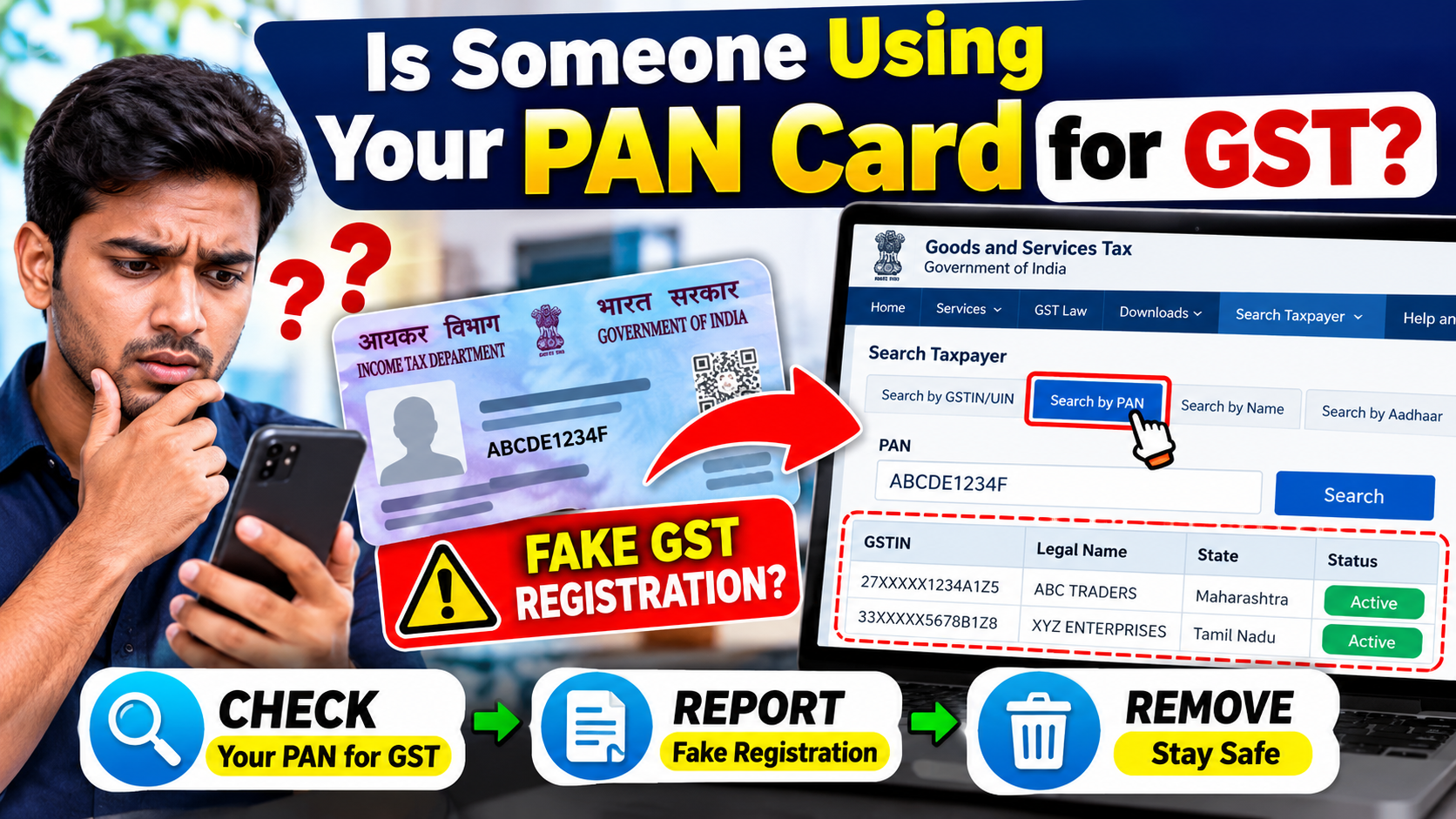
Your PAN Card is one of the most important financial identity documents in India. It is used for several tax and financial activities, including GST registration and income-tax related services.
But what happens if someone uses your PAN details without your knowledge or permission?
In some cases, a person may discover an unfamiliar GST registration linked to their PAN. In other situations, they may notice unexpected activity in their Income Tax e-Filing account or other financial records.
The good news is that there are official online facilities that can help you identify and report certain types of misuse.
In this guide, we explain how to check whether your PAN is being misused, how to identify an unknown GST registration, how to report it, what evidence you should keep, and how to protect your PAN in the future.
What Does PAN Misuse Mean?
PAN misuse generally refers to a situation where your PAN details are used for a transaction, registration, account or other activity that you did not authorize.
For example, you may discover:
- A GST registration that you never applied for
- An unfamiliar business name linked to your PAN
- A GSTIN that you do not recognize
- Unexpected tax-related information
- Suspicious activity in your e-Filing account
- Financial or business information that does not belong to you
Finding something unfamiliar does not automatically prove fraud. You should first verify the details carefully and then use the appropriate official reporting channel if the activity is genuinely unauthorized.
How to Check If Your PAN Is Being Used for GST Registration
One of the easiest checks is to search the GST Portal using your PAN.
GSTN provides a Search by PAN functionality that allows a person to see GST registrations associated with a particular PAN. If there are no registrations available, the system can display “No records found.”
Step 1: Open the Official GST Portal
Visit the official GST website:
Always check that you are using the official GST website before entering sensitive information.
Step 2: Go to Search Taxpayer
On the GST Portal, open:
Search Taxpayer
Then look for the PAN-based search facility.
Step 3: Select Search by PAN
Choose:
Search by PAN
Enter your PAN number and complete the required verification.
GSTN’s official documentation specifically describes this functionality for checking GST registrations available against a PAN.
Step 4: Check the Results Carefully
If GST registrations are linked to your PAN, review the information shown.
Pay attention to:
- GSTIN
- Legal Name
- Trade Name
- State
- Registration status
- Registration date
- Jurisdiction
Compare the information with your own businesses and GST registrations.
What If You Find a GSTIN You Don’t Recognize?
Suppose you have never registered a particular business, but your PAN search shows a GSTIN associated with an unfamiliar business name.
Do not immediately assume that the registration is fraudulent.
First, carefully check:
Is this actually my business?
Do I recognize this GSTIN?
Have I ever authorized someone to register a business using my PAN?
Does the state and business information make sense?
If you confirm that the registration was obtained without your knowledge or consent, you can report the suspected PAN misuse through the GST Portal.
GSTN states that a person affected by PAN misuse can search GSTINs using PAN and select registrations that were not taken by them for reporting to the jurisdictional officer.
How to Report Unauthorized GST Registration
If you find a GST registration that you genuinely did not obtain, follow the official reporting process.
Step 1
Open the GST Portal.
Step 2
Use the PAN search functionality under Search Taxpayer.
Step 3
Enter your PAN and review the GST registrations associated with it.
Step 4
Select the GST registration that you believe was obtained without your authorization.
Step 5
Use the available Report option.
Step 6
Complete the required verification and submit the complaint.
GSTN’s documentation says the complaint is sent to the concerned jurisdictional authority for enquiry and suitable action.
What Happens After You Report the GST Registration?
A report does not necessarily mean that the GSTIN will disappear immediately.
According to GSTN’s official guidance, the complaint is sent to the concerned jurisdictional authority, where the matter can be examined and appropriate action can be taken. The purpose of the functionality includes helping officers investigate and take action regarding registrations obtained through PAN misuse.
So, after submitting the complaint:
PAN misuse detected → GSTIN reported → Complaint forwarded → Jurisdictional authority enquiry → Further action
Keep your complaint acknowledgement or reference information safely.
Can You Track Your GST PAN Misuse Complaint?
GSTN has stated that after successfully registering a PAN-misuse complaint, a complaint/ARN is generated and sent to the jurisdictional officer for further action.
The official GST functionality documentation also states that the complaint status can be tracked through Track Application Status on the GST Portal.
Therefore, save the reference number after submitting your complaint.
What Details May Be Required During the Complaint?
The reporting process may require identity and contact verification.
GSTN’s official PAN-misuse guide states that, depending on the PAN/registration category, the complainant may need to provide information such as:
- Legal name
- Email address
- Mobile number
- Date of birth
- Address
- Other required personal details
- Aadhaar authentication in certain cases
The exact information required can depend on the type of registration involved.
Take Screenshots Before You Report
If you find an unfamiliar GST registration, preserve the information before submitting your complaint.
Take screenshots of the relevant GST search results, including:
- GSTIN
- Legal name
- Trade name
- State
- Registration status
- Registration date
- Jurisdiction
Also keep:
- Complaint acknowledgement
- ARN/reference number
- Relevant emails
- SMS notifications
- Any suspicious documents
- Any communication related to the unknown business
This documentation can be useful if you need to follow up with the concerned authority.
What If Your Income Tax Account Is Also Compromised?
GST misuse and Income Tax e-Filing account misuse are not necessarily the same issue.
If you believe that your Income Tax e-Filing account itself has been accessed or compromised without authorization, the Income Tax Department provides separate guidance.
The Income Tax Department says that suspected e-Filing account misuse may be treated as a cybercrime and advises affected users to report the incident to the concerned police or cyber-cell authorities, including through the Government of India’s National Cyber Crime Reporting Portal.
Income Tax Department – e-Filing Account Misuse Guidance
National Cyber Crime Reporting Portal
If your e-Filing account credentials may have been compromised, avoid sharing your login credentials with anyone and follow the official account-security instructions.
What Should You Do If You Suspect PAN Misuse?
Here is a simple action plan:
1. Don’t Panic
Finding an unfamiliar entry does not automatically mean that criminal activity has occurred.
First verify the information.
2. Check the GST Portal
Use Search by PAN to see whether GST registrations are associated with your PAN.
3. Identify the Unknown Registration
Check the GSTIN, business name, state and other available information.
4. Save Evidence
Take screenshots and keep all relevant documents.
5. Report Unauthorized GST Registration
Use the GST Portal’s PAN-misuse reporting facility if you confirm that the registration was not taken by you.
6. Save Your Complaint Reference
Keep the ARN or complaint reference for future tracking.
7. Take Additional Action if Necessary
If the suspected misuse extends beyond GST—for example, unauthorized access to your e-Filing account—follow the relevant Income Tax Department and cybercrime reporting process.
How to Protect Your PAN Card From Misuse
Prevention is better than dealing with misuse later.
Don’t Share Your PAN With Unknown People
Only provide your PAN when there is a genuine requirement.
Don’t Upload Your PAN Publicly
Avoid posting your PAN Card image on:
- Telegram
- WhatsApp groups
- Public websites
- Online forums
Be Careful When Sending PAN Copies
If you need to provide a PAN copy for a legitimate purpose, consider adding a purpose-specific watermark where appropriate.
For example:
“For Bank KYC Only”
or
“For GST Verification Only”
This does not guarantee prevention of misuse, but it clearly indicates the intended purpose of the copy.
Protect Your Email and Mobile Number
Your email account and mobile number can be important for financial verification and account recovery.
Use strong passwords and avoid sharing OTPs with anyone.
Never Share Your OTP
If someone asks you to provide an OTP claiming that they need it to:
- Verify your PAN
- Cancel GST
- Update GST
- Complete KYC
- Receive a refund
- Remove a GST registration
do not share the OTP unless you have independently verified the request and are completing the official process yourself.
Government departments and legitimate services should not require you to hand over your OTP to an unknown person.
Important: Don’t Use Unofficial PAN Check Websites
Your PAN is sensitive financial information.
Avoid entering your PAN number into random websites that promise:
- “Instant PAN misuse check”
- “Free GST verification”
- “PAN fraud check”
- “GST removal service”
- “Guaranteed GST cancellation”
Use official government portals whenever possible.
For GST-related checks, use the official GST Portal.
Official GST Registration Information
The GST Portal’s official registration documentation explains that PAN is mandatory for GST registration and that the portal can display GST registrations and related IDs mapped to the same PAN in the registration process.
GST Registration – Official User Guide
Frequently Asked Questions
How do I know if someone is using my PAN for GST?
Use the GST Portal’s Search Taxpayer → Search by PAN facility and check the GST registrations associated with your PAN.
What should I do if I find an unknown GSTIN?
Verify the registration details first. If you confirm that it was not taken by you or with your authorization, report it through the GST Portal’s PAN-misuse reporting functionality.
Will reporting an unknown GSTIN remove it immediately?
Not necessarily. The complaint is sent to the concerned jurisdictional authority for enquiry and appropriate action.
Can I check GST registrations linked to my PAN?
Yes. GSTN provides a Search by PAN facility for checking GST registrations associated with a PAN.
What if my Income Tax e-Filing account was also misused?
If you suspect unauthorized access to your e-Filing account, follow the Income Tax Department’s account-misuse guidance and, where appropriate, report the suspected cybercrime to the relevant law-enforcement authorities.
Final Words
Your PAN is an important financial identity document, so it is worth checking your records periodically.
If you are concerned that your PAN may have been used without your permission, start by checking the official GST Portal for registrations associated with your PAN.
If you discover an unauthorized GST registration, preserve the evidence and use the official PAN-misuse reporting facility. GSTN states that such complaints can be forwarded to the concerned jurisdictional authority for enquiry and suitable action.
For suspected unauthorized access to your Income Tax e-Filing account, follow the separate Income Tax Department account-misuse procedure.
Most importantly, never share your PAN, passwords or OTPs with unknown persons or suspicious websites.
Always use official government portals for tax-related verification and complaints.