Creating professional-quality bike riding videos no longer requires expensive cameras, drones, or advanced editing skills. Thanks to modern AI video editing tools, anyone can transform a simple photo or short video clip into a stunning cinematic reel within minutes.
Whether you’re a content creator, biker, influencer, YouTuber, or Instagram Reels enthusiast, AI-powered video generators can help you create eye-catching content that looks professionally edited.
Why AI Video Editing is Trending?
AI technology has completely changed the way creators edit videos. Instead of spending hours on complicated software, you can now generate cinematic effects, realistic camera movements, and professional color grading automatically.
With just a single image and a powerful AI prompt, you can create:
✔ Cinematic bike riding videos
✔ Drone-style camera movements
✔ Slow-motion action scenes
✔ Highway riding sequences
✔ Professional Instagram Reels
✔ YouTube Shorts content
✔ Viral social media videos
Best AI Apps for Creating Bike Reels
Several AI video generators are currently popular among creators:
1. Kling AI
Kling AI creates highly realistic motion and cinematic camera movements. It is one of the most powerful AI tools for transforming static images into dynamic videos.
2. PixVerse AI
PixVerse AI is beginner-friendly and allows users to generate professional-looking action videos with minimal effort.
3. Hailuo AI
Hailuo AI produces smooth motion effects and realistic visual transitions, making it ideal for bike riding reels.
4. CapCut AI
CapCut offers built-in AI tools that can automatically generate effects, transitions, motion tracking, and cinematic enhancements.
5. Veo AI
Google Veo AI is known for producing high-quality, realistic videos with advanced cinematic visuals.
6. Runway ML
Runway ML provides professional AI video generation and editing features suitable for content creators and filmmakers.
Step-by-Step Process
Step 1: Choose a High-Quality Image
Select a clear photo of yourself standing with your bike or sitting on the motorcycle.
Step 2: Upload to an AI Video Generator
Upload the image to any AI video creation platform.
Step 3: Enter a Cinematic Prompt
Describe the desired motion, camera angle, environment, lighting, and visual style.
Step 4: Select Vertical Format
Choose a 9:16 aspect ratio to optimize the video for Instagram Reels, YouTube Shorts, and Facebook Reels.
Step 5: Generate the Video
Allow the AI system to create realistic motion, camera tracking, and cinematic effects.
Step 6: Export in High Quality
Download the final video in Full HD or 4K resolution for the best visual quality.
IMAGE AND VIDEO PROMPT :
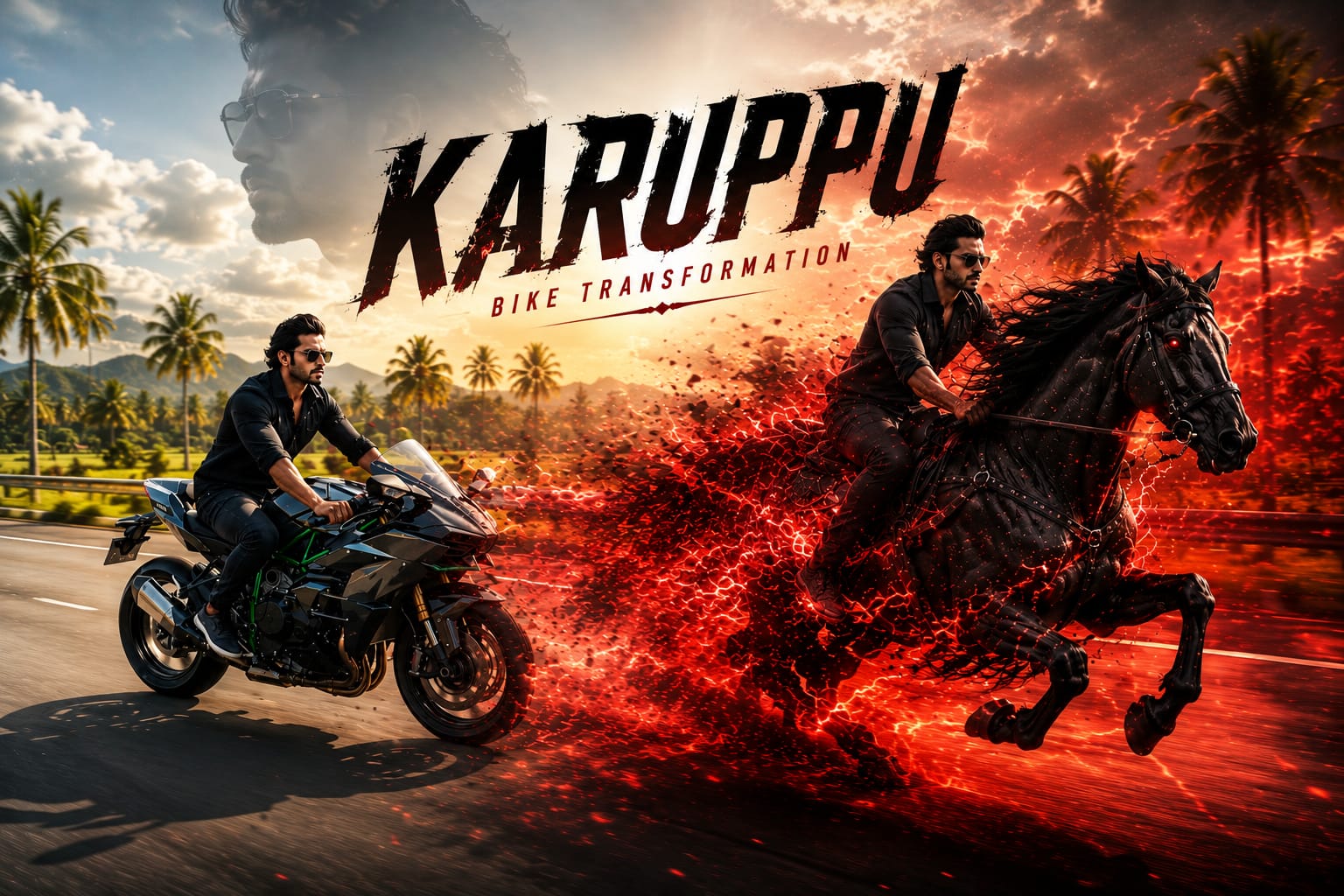
“Use the attached image as the FIRST/LAST FRAME reference. Maintain the exact same camera angle, composition, road perspective, subject position, and cinematic framing throughout the transformation. A rider is speeding on a motorcycle along a highway at night. Suddenly the environment begins to shift into a dark crimson fantasy world. The entire road, atmosphere, sky, and surroundings gradually transform into a deep red cinematic theme. Glowing red embers and fiery particles burst from the motorcycle body. The bike starts dissolving into thousands of red energy fragments and sparks while keeping the rider perfectly centered. During the transformation, a majestic ultra-realistic black war horse emerges from the motorcycle’s structure, seamlessly replacing it piece by piece. The rider naturally transitions onto the horse without changing position, maintaining realistic motion and balance. The transformation feels magical, powerful, and cinematic, with fluid VFX, particle simulations, smoke trails, glowing energy, and high-end CGI quality. The horse continues galloping forward at full speed in the same direction as the motorcycle. Keep camera movement smooth and locked to the original angle, no sudden cuts, no camera jumps, no change in perspective. Hyper-realistic black horse, detailed muscles, flowing mane, cinematic red fog, dramatic lighting, volumetric smoke, red sparks, fire particles, ultra-detailed textures, photorealistic VFX, Hollywood-level transformation sequence, epic fantasy atmosphere, motion blur, depth of field, 4K, masterpiece quality, seamless transition, realistic physics, dynamic energy explosion, powerful ending shot
Benefits of AI Reel Editing
Saves Time
Traditional editing can take hours, while AI can generate results within minutes.
Beginner Friendly
No prior editing experience is required.
Professional Results
AI automatically applies cinematic color grading, motion blur, depth effects, and realistic lighting.
Cost Effective
You don’t need expensive cameras, drones, or editing software.
Social Media Ready
Videos are optimized for Instagram Reels, YouTube Shorts, Facebook Reels, and TikTok.
Tips for Better Results
- Use high-resolution photos.
- Write detailed prompts.
- Choose realistic camera movements.
- Add dramatic weather effects.
- Include cinematic lighting descriptions.
- Export in the highest available resolution.
- Experiment with multiple AI apps for unique styles.
Who Can Use AI Bike Reel Editing?
AI video generation is perfect for:
- Bike enthusiasts
- Motorcycle vloggers
- Travel creators
- Instagram influencers
- YouTube creators
- Content marketers
- Social media managers
- Digital creators