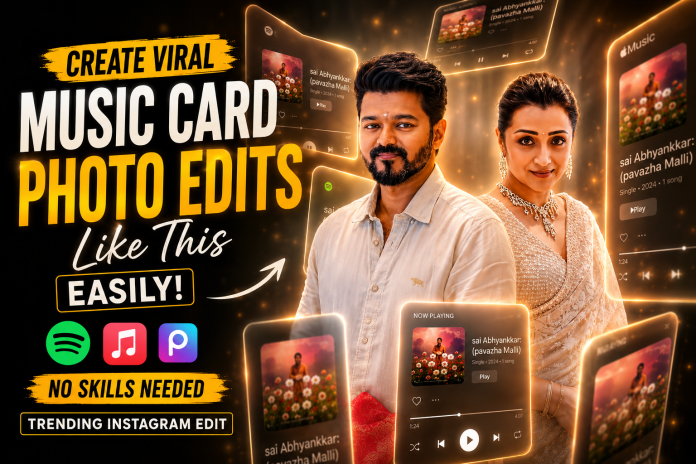
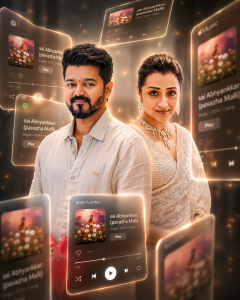
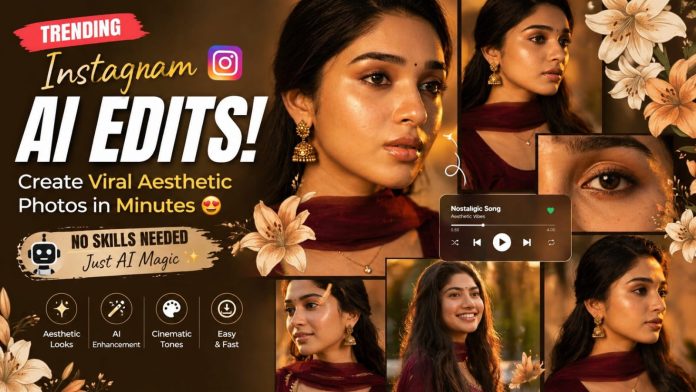
Want to create trending Instagram-style AI photo edits like this glowing Spotify / Apple Music cinematic effect? Now you can transform your normal photos into premium music-poster edits within minutes using AI editing apps and creative prompts — no professional editing skills needed.
These futuristic floating music-card edits are currently going viral on Instagram Reels, Pinterest, and Threads because of their cinematic lighting, neon glow effects, depth blur, and premium aesthetic look. The best part? You can create these edits easily using AI-powered tools directly from your mobile phone.
What Makes This Edit Trendy? 🔥
This style combines:
Floating Spotify / Apple Music UI cards
Cinematic golden lighting
Soft glow effects
Depth of field blur
Premium portrait enhancement
3D glassmorphism elements
AI-generated atmosphere
Futuristic music visual aesthetics
The result looks like a high-budget movie poster mixed with a digital music experience.
Apps You Can Use 📱
You can create this effect using:
ChatGPT AI
PicsArt
Canva
Photoshop
Lightroom
Remini
CapCut
Leonardo AI
Bing Image Creator
How to Create This Effect Easily ⚡
Upload your portrait photo
Use an AI image generator with a cinematic prompt
Add floating Spotify or Apple Music cards
Apply warm glow and depth blur
Enhance skin tones and lighting
Export in high quality for Instagram
Best Prompt Style for AI Editing ✨
Use cinematic keywords like:
PROMPT
BOYS,GIRLS AND COUPLES
A cinematic, dreamlike AR visual featuring a central surrounded by floating 3D Spotify/Apple Music interface cards. The cards orbit the subject at varying depths-some in the foreground obscuring the figure, others drifting behind. Style:
Translucent frosted glass with glowing borders and rounded edges. Lighting: naturaltones, Enhance the photo quality Includes depth of field (blurred background cards) and motion accents, highlighting [sai Abhyankkar]: (pavazha Malli)
“floating music player cards”
“golden glow lighting”
“3D glassmorphism UI”
“cinematic portrait”
“depth of field”
“soft ambient particles”
“premium Instagram edit”
“futuristic music interface”
These tech-based prompt words help AI generate more realistic and trending visuals.
Why This Style Goes Viral 🚀
People love this editing style because:
It looks premium and futuristic
Perfect for music lovers
Highly engaging on Instagram Reels
Creates cinematic storytelling
Gives celebrity-style aesthetics
Works great for profile branding
Pro Editing Tips 💡
Use high-quality portrait photos
Keep background slightly dark for better glow
Add warm orange or golden tones
Use blur strategically for depth
Keep UI cards floating at different angles
Export in 4K for maximum Instagram quality
Perfect For 🎯
Instagram Reels covers
Music posters
Couple edits
Celebrity fan edits
Aesthetic profile posts
YouTube thumbnails
Viral AI art content
AI photo editing is becoming the next big trend in social media content creation. With the right prompt and creative lighting, anyone can create stunning cinematic edits directly from their smartphone. Start creating your own viral AI music-card edits today and make your Instagram profile stand out like never before. ✨
AI photo editing is trending everywhere right now 🔥 From Instagram reels to YouTube thumbnails, creators are turning normal photos into cinematic poster edits using AI tools.
In this guide, you’ll learn how to create these viral AI edits using simple websites and apps — even if you don’t know Photoshop.
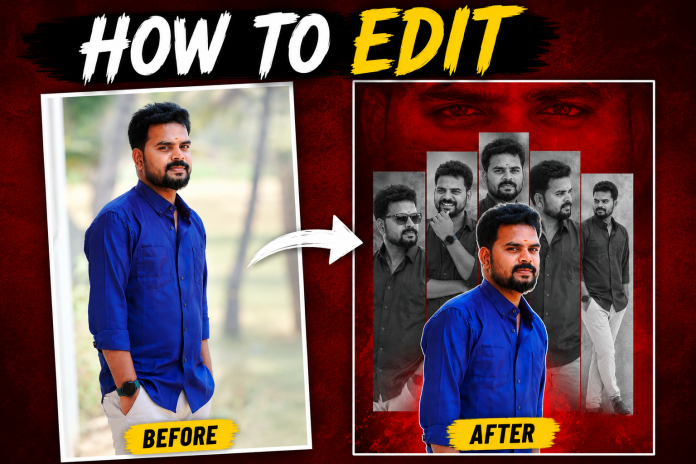
Use red-black textured backgrounds for dramatic effects.
Popular styles:
Red smoke
Dark cinematic
Black & white collage
Glow effects
Step 4 – Create Multiple Portrait Layers
Duplicate the same photo:
Black & white versions
Side pose
Smiling pose
Sunglasses pose
Arrange them vertically behind the main image.
Step 5 – Add Bold Text
Use stylish fonts like:
Bebas Neue
Anton
League Spartan
Popular text:
HOW TO EDIT
AI PHOTO EDIT
VIRAL EDIT
CINEMATIC LOOK
Step 6 – Export In High Quality
Export in:
1080×1920 for Reels & Shorts
PNG or JPG format
Create a dramatic tribute poster with a bold red monochrome background.”The background should feature a faint,large close-up of a man’s eyes blended into the red vaagai offxl for intensity. In the center, design a collage layout wirk five vertical rectangular panels showing black-and-white portraits of the same stylish man (reference image), in 250 different poses and expressions (serious, smiling, side profile, casual TEXT ADDITION : At the bottom right corner of the final image, add clean small text: Prompt = NEEDKI.com Text should white BLOCK STROK or soft tone, clearly readable but not distracting.
Overlaying the panels in the foregroun place a larger, full-color cutout
Why These AI Edits Are Trending
These edits grab attention instantly because:
High contrast colors
Cinematic lighting
Professional poster look
Perfect for YouTube thumbnails
Instagram algorithm-friendly
Creators using these styles are getting more:
Views
Likes
Followers
Reel reach
Best AI Editing Apps For Mobile Users
App
Best Use
Canva
Beginner editing
PhotoRoom
Fast AI edits
Pixlr
Online editing
Adobe Express
Professional posters
Leonardo AI
Cinematic AI images
Final Words
You don’t need expensive software anymore. With AI tools, anyone can create viral cinematic photo edits directly from mobile or PC.
Try these websites and create your own trending Instagram-style AI posters today 🔥
Turn Your Precious Memories Into a Stunning Cinematic Masterpiece ✨
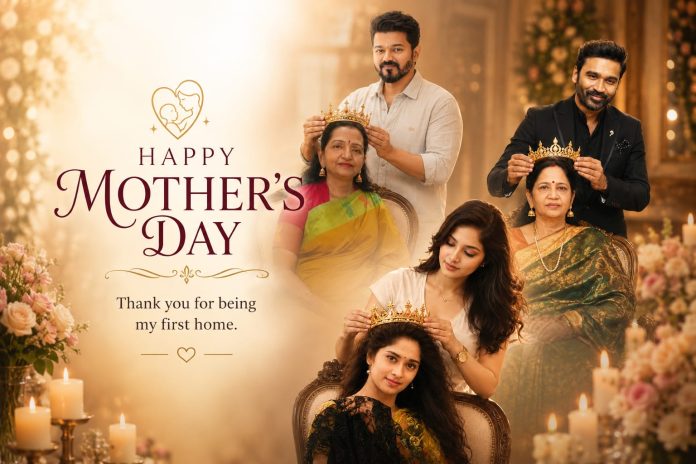
This Mother’s Day, don’t just upload a normal photo… Create something emotional, beautiful, and unforgettable for the most important person in your life — your MOM ❤️
Now you can transform:
📸 Your Photo + Your Mother’s Photo into a 🔥 Premium Cinematic AI Poster Edit 🔥
With advanced AI editing, emotional effects, professional color grading, stylish backgrounds, and ultra-HD finishing, your simple photos will become a next-level masterpiece that looks absolutely magical ✨
Create an amazing Mother’s Day AI Edit using 📸 Your Photo + Your Mom’s Photo in just a few seconds! ✨
💖 Beautiful AI Photo Editing 🎨 Cinematic & Trending Styles 📷 HD Quality Posters ⚡ Easy & Fast Editing
👩👦 Mother & Son 👩👧 Mother & Daughter 👨👩👧 Family Style AI Edits Everything in one place! 😍
🎁 Surprise your Mom with a special AI Photo Edit this Mother’s Day ❤️
✅ Just Upload 2 Photos 🤖 AI Automatically Creates the Edit 🔥 Ready in Seconds!
✨ Stylish Effects ✨ Emotional Mother’s Day Designs ✨ Viral AI Editing Looks
💖 WHY THIS EDIT IS SPECIAL?
A mother is not just a person… She is love, sacrifice, care, support, strength, and emotion 💐
PROMPT :
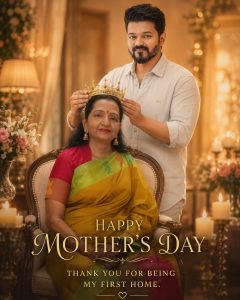
USE THE UPLOADED PHOTO AS THE EXACT REFERENCE. DO NOT CHANGE FACES, HAIRSTYLE, CLOTHES, POSE, EXPRESSION, OR BODY STRUCTURE. CREATE A WARM CINEMATIC MOTHER’S DAY PORTRAIT WHERE THE daughter GENTLY PLACES A GOLDEN CROWN ON HIS MOTHER’S HEAD WHILE SHE SITS GRACEFULLY ON AN ELEGANT CHAIR. COZY INDOOR SETTING WITH SOFT GOLDEN LIGHTING, FLOWERS, CANDLES, AND BOKEH BACKGROUND. ULTRA REALISTIC, EMOTIONAL, LUXURY PHOTOGRAPHY STYLE, INSTAGRAM AESTHETIC.ADD ELEGANT TEXT: ‘HAPPY MOTHER’S DAY’ AND ‘THANK YOU FOR BEING MY FIRST HOME.’ 4:5RATIO.
This edit is designed to capture:
❤️ Mother & Son Bond ❤️ Mother & Daughter Memories ❤️ Emotional Family Moments ❤️ Childhood Memories ❤️ Loving Smiles & Beautiful Emotions
Every edit is made with care to create a heart-touching visual memory that you and your mom will cherish forever 🌸
✨ WHAT YOU WILL GET?
✅ Ultra HD Quality Editing ✅ Cinematic AI Retouch ✅ Emotional Color Tone ✅ Trending Social Media Style ✅ Stylish Background Effects ✅ Professional Poster Design ✅ Smooth Skin Retouch ✅ Premium Lighting Effects ✅ Instagram & WhatsApp Ready Output ✅ Personalized Text & Name Additions
🎨 TRENDING EDITING STYLES
🔥 Cinematic Poster Style 🔥 Emotional Soft Tone Edit 🔥 Royal Luxury Design 🔥 Golden Light Effects 🔥 Dreamy Background Edit 🔥 Festival Theme Style 🔥 Vintage Memory Look 🔥 Viral Instagram Reel Poster Style
You can choose any style you want and we will create a customized masterpiece specially for you ❤️
💝 PERFECT FOR:
✨ Mother’s Day Wishes ✨ Instagram Posts ✨ WhatsApp DP & Status ✨ Reels & Stories ✨ Birthday Surprise for Mom ✨ Family Memories ✨ Social Media Uploads ✨ Emotional Gift Ideas
❤️ MAKE YOUR MOM FEEL SPECIAL THIS YEAR
Flowers may fade… Chocolate may finish… But a beautiful memory lasts forever 💖
Give your mother a priceless emotional surprise with a stunning customized AI photo edit that she will never forget 🌸
Don’t wait until the last minute… Create a beautiful memory with your mom today ✨
🌸 HAPPY MOTHER’S DAY 💖
“A Mother’s Love Is The Purest Form Of Magic In This World.” ✨
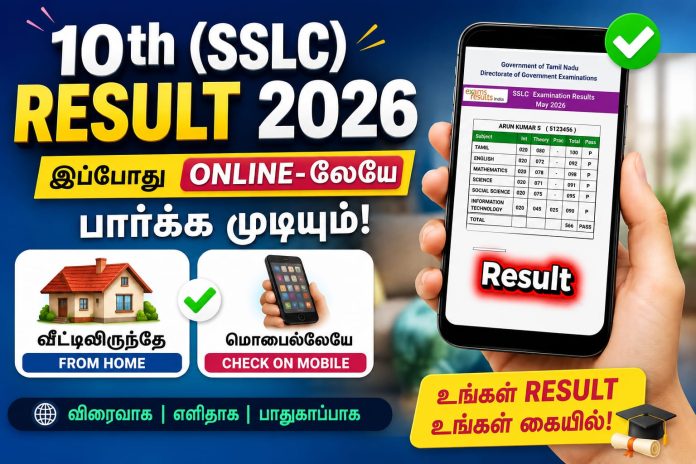
The Tamil Nadu 10th Public Examination Results 2026 can now be checked easily online using your smartphone or mobile device. Students no longer need to visit schools or browsing centers to know their marks. With just a few simple steps, you can instantly access your Higher Secondary Examination (HSE +2) results from anywhere.
What You Need to Check TN 10th Result Online
Before checking your result, make sure you have the following details ready:
Register Number / Roll Number
Date of Birth
Smartphone, Laptop, or Computer
Stable Internet Connection
Having these details prepared in advance will help you check your result quickly without any delay.
Official Websites to Check Tamil Nadu 10th Result 2026
Students are advised to use only the official government websites to avoid fake or slow-loading pages.
These websites are officially managed by the Tamil Nadu Directorate of Government Examinations.
Step-by-Step Guide to Check TN HSE 10 Result Online
Step 1 – Open the Official Website
Visit the official Tamil Nadu result portal using your mobile browser like Chrome, Firefox, or Safari.
Step 2 – Click on “TN HSE 10 Result 2026”
On the homepage, you will see the result link for Higher Secondary Examination (HSE +2). Tap on it.
Step 3 – Enter Your Details
Now enter:
Your Register Number
Your Date of Birth
Make sure the information entered is correct.
Step 4 – Submit the Information
Click on the “Get Marks” or “Submit” button to continue.
Step 5 – View Your Result
Your Tamil Nadu 12th Result 2026 will appear on the screen with subject-wise marks, total marks, and pass status.
How to Download or Save Your Result
After viewing the result, students can:
Take a Screenshot for quick reference
Download the result as PDF
Print a copy for future use
Save the digital mark sheet on mobile or email
This online result can be useful during college admissions and counseling processes until the original mark sheet is issued by the school.
Important Instructions for Students
Always check results only on official government websites.
Do not share your Register Number with unknown websites.
If the server is busy, wait for a few minutes and try again.
Use a strong internet connection for faster loading.
Double-check your Date of Birth before submitting.
Benefits of Checking Results Online
Checking exam results online offers several advantages:
Instant access to marks
Easy to use on mobile phones
Saves time and travel
Available anytime and anywhere
Quick download and sharing options
Students and parents can conveniently access the results without standing in long queues.
What to Do After Getting Your Result?
After checking your marks, students can start planning for:
College Admissions
Engineering Counseling
Medical Courses
Arts & Science Applications
Scholarship Applications
Competitive Exam Preparation
Your 12th marks play an important role in shaping your higher education journey, so make sure to keep multiple copies of your mark sheet safely.
Final Words
The Tamil Nadu 10th Public Exam Results 2026 are one of the most important milestones for students. Thanks to online result services, students can now access their marks instantly through mobile phones without any hassle.
We wish all students the very best for their results and future careers. Stay confident and continue working towards your goals.
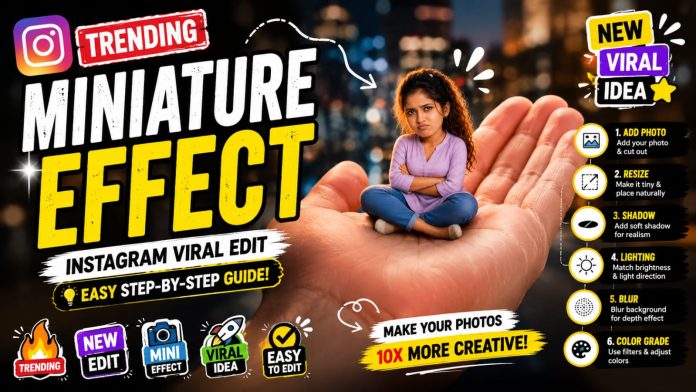
Want to create eye-catching, viral Instagram edits where people look tiny (like sitting on your hand)? 🔥
The Miniature Effect is one of the most trending creative styles right now — and this detailed guide will help you master it step by step!
—
✨ What is Miniature Editing?
Miniature editing is a visual trick where a person or object is made to look extremely small within a real-world scene.
👉 The goal is to make it look 100% realistic, not edited.
—
🚀 Why This Trend is Viral?
– Unique & eye-catching visuals 👀
– Perfect for Reels & Shorts 🎬
– High engagement & shareability 📈
– Looks complex but easy to create 💡
—
🛠️ Best Apps to Use
📱 Mobile Apps:
– PicsArt (Best for beginners)
– Snapseed
– Lightroom
💻 PC Software:
– Photoshop (Advanced editing)
—–
🔥 Step-by-Step Editing (Detailed)
PROMPT :
Create a stylized big-head miniature portrait of her. She appears as a tiny character with a slightly enlarged head and small body, sitting inside a large women hand. Pose: seated cross-legged, hands crossed,slightly pouty, angry but very cute expression. looking at the camera. Environment: blurred school classroom background with bokeh. Add a second hand gently pinching/ adjusting the person’s cheek for a playful effect. Also add some 3d mini chibi characters of her around, doing funny stuffs. Outfit: same as her 32 reference image. Lighting: soft cinematic light, shallow depth of fieldr high detail, ultra-realistic, clean focus 4:5 ratio without clevage
1️⃣ Choose a Strong Background
Pick a background with depth like:
– Hand ✋
– Table
– Street
– City lights 🌆
👉 Background quality decides final output!
—
2️⃣ Add & Cut Your Subject
– Use “Add Photo”
– Select your subject image
– Use Cutout Tool carefully
💡 Tip: Zoom in and refine edges for clean cut
—
3️⃣ Resize for Mini Effect
– Make the subject very small
– Place naturally on surface
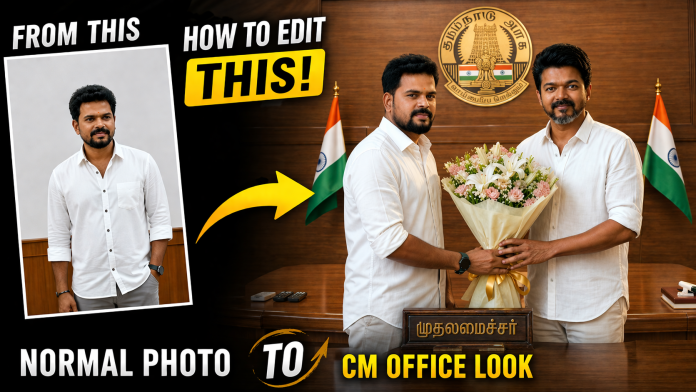
The excitement around Thalapathy Vijay and the 2026 Tamil Nadu election trend is taking over social media 🚀
Now, you can join this viral trend by creating a realistic AI photo where you appear to congratulate Vijay as Chief Minister 🤩
Yes — using AI, this is now super easy! 📸✨
🧠 What Is This AI Photo Trend?
This trending concept allows you to:
Upload your own photo 📷
Add a photo of Vijay 🧍♂️
Use a smart AI prompt 📝
Generate a realistic felicitation scene instantly 🎉
It will look like you are personally meeting and congratulating him — perfect for viral posts! 🔥
🚀 Best AI Apps for Photo Editing (High Quality + Monetization Friendly)
Here are some of the best AI tools you can use:
1. Remini ✨
Enhances face quality
Creates ultra-realistic outputs
Great for professional-looking edits
💰 Monetization friendly (ads + premium features)
2. FaceApp 🤳
Face swapping & expression edits
Easy to use
Fast results
3. PicsArt 🎨
Background replacement
AI image generation
Full creative control
💰 Strong for affiliate + AdSense content
4. Lensa AI 🧠
AI portraits
Advanced face editing
Trending creative styles
5. Canva 🖥️
Background remover
AI tools for editing
Beginner-friendly
Create now a highly realistic political felicitation scene inside a Tamil Nadu Chief Minister office using the given base image as the main environment, ensuring the background remains exactly the same including the wooden desk, Tamil Nadu emblem, flags, wall portraits, lighting, and perspective. The person standing on the right side holding the bouquet must remain exactly the same without any changes, and the person standing on the left side must be completely removed. Then, take the newly uploaded person’s photo and place them naturally in the left position while maintaining correct body proportion, height, and perspective, matching lighting direction, shadows, and skin tone to the environment, ensuring natural blending with the background, matching camera angle and depth of field, and making sure both hands realistically hold the bouquet together with the Chief Minister. Follow the clothing rule such that if the inserted person is male, dress him in a clean white shirt and white pants in the same style as the original person, and if the inserted person is female, dress her in an elegant saree suitable for a formal political meeting with subtle colors and realistic fabric folds. Maintain 100% likeness of the new person’s face with a natural expression such as a slight smile and formal look, and ensure the face lighting matches the scene. The final output must be ultra-realistic with no distortion or blur, no extra people, a clean professional political photo look, and high resolution in 4K quality. TEXT ADDITION : At the bottom right corner of the final image, add clean small text: Prompt = NEEDKI.com Text should white BLOCK STROK or soft tone, clearly readable but not distracting.
📝 How to Create Your Vijay CM Photo (Step-by-Step)
1️⃣ Upload your photo 2️⃣ Upload Vijay’s image 3️⃣ Open any AI app mentioned above 4️⃣ Paste this prompt 👇
👉 “Create a realistic political felicitation scene inside Tamil Nadu Chief Minister office. Keep lighting, perspective, and background natural. The person should be standing beside Thalapathy Vijay and congratulating him with a bouquet.”
5️⃣ Generate the image 🚀
Writing SEO blog posts 📝
Adding affiliate links 🔗
Using Google AdSense 💵
Posting reels & YouTube Shorts 🎥
👉 Viral + Emotional + Political content = High traffic potential 🔥
⚠️ Disclaimer
This content is created using AI for entertainment and creative purposes only. It does not represent real political events or official results.
🎯 Final Thoughts
This trend is growing fast across Tamil Nadu 🌍 If you act early, you can gain traffic, engagement, and followers quickly 🚀
👉 Start creating your AI image today 👉 Share it across social platforms 👉 Drive traffic to your website
In 2026, photo editing has become super easy thanks to AI 🤖✨ You don’t need Photoshop skills anymore!
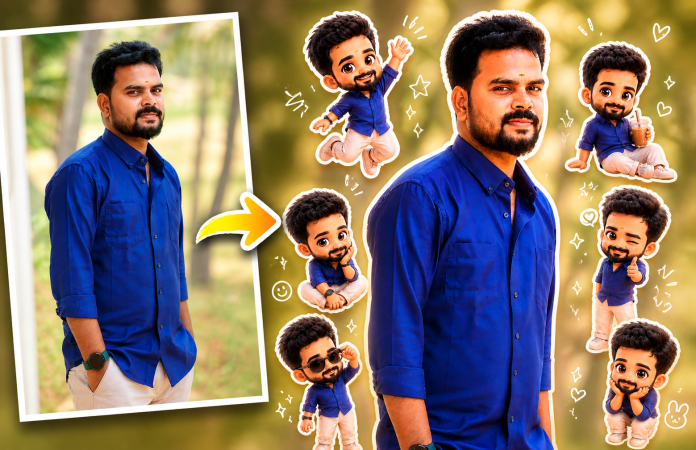
Now you can convert your normal photo into a cute, trending pop-up style edit with stickers, chibi characters, and glowing effects — all using simple AI apps 📱
✨ What is a Pop-Up AI Photo Edit?
A pop-up edit is a modern trending style where:
📸 Your original photo stays natural
🧸 Mini chibi versions of you are added
💖 Stickers, doodles & sparkles enhance the look
🌟 Final result looks fun, stylish & viral-ready
👉 This style is trending on Instagram Reels, YouTube thumbnails & DP edits 🔥
📱 Best AI Apps for This Edit
You can use these powerful AI apps:
📲 Remini AI – Best for face enhancement & clarity
🎨 PicsArt AI – Perfect for stickers & creative edits
🧠 Lensa AI – Great for AI avatars & stylized photos
🖌️ Canva AI – Easy drag-and-drop editing for beginners
👉 Available on Android & iOS ✅
🛠️ How to Create This Trending Edit (Step-by-Step)
1️⃣ Install the App 📥
Download any AI app from Play Store / App Store
2️⃣ Upload Your Photo 📸
Use a clear, high-quality image
3️⃣ Use AI Prompt ✍️
Paste this prompt 👇
Use a real face as a reference photo. The background is the same as in the photo. The lighting is warm, soft, and clean, with subtle shadows. Around the image, add several mini chibi (3D cute style) versions of the character, while maintaining the original facial features. Chibi characters have various poses and expressions: jumping cheerfully waving sitting relaxed holding a drink cute and playful expressions Add hand-drawn white doodle elements: outline around the main body stars, hearts, sparkles motion lines small cute icons Add aesthetic handwriting such as: “shine,” “bright day,” “happy,” “smile,” etc. (casual doodle font) Overall style: clean & aesthetic composition white sticker outline soft pastel color tone high detail 3D chibi glossy look cute TEXT ADDITION : At the bottom right corner of the final image, add clean small text: Prompt = NEEDKI.com Text should white BLOCK STROK or soft tone, clearly readable but not distracting.
4️⃣ Add Stickers & Effects ✨
🧸 Add mini versions of yourself
💫 Use stars, hearts, glow effects
🎯 Keep it clean (don’t overdo)
5️⃣ Adjust Colors 🎨
☀️ Slight brightness increase
🔥 Warm tone filter
✨ Sharpen details
6️⃣ Export & Share 🚀
Use your final image for:
📱 Instagram posts & reels
🎬 YouTube thumbnails
💬 WhatsApp DP
🌐 Website banners
🔥 Why This Style is Trending
👀 Super eye-catching
📈 Increases engagement
💼 Great for personal branding
⚡ Looks professional instantly
If you have a website/blog:
🔗 Add AI app download links
✍️ Write tutorials like this
🔍 Use keywords like:
“AI photo editing app”
“Trending photo edit 2026”
“Convert photo to chibi AI”
👉 This helps you earn via AdSense + affiliate income 💸
🎯 Final Thoughts
AI is changing everything 🚀 What used to take hours can now be done in minutes ⏱️
If you want your photos to stand out in 2026, 👉 this pop-up AI editing trend is a must-try! 💥
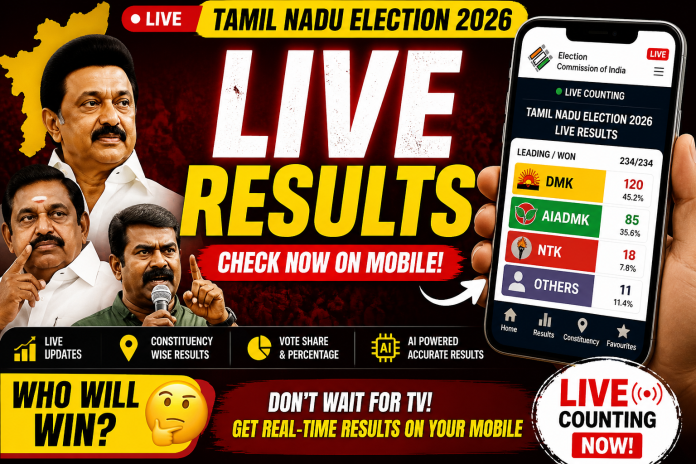
The much-awaited Tamil Nadu Election Results 2026 are set to be announced tomorrow 🗳️. People across the state are eagerly waiting to know which party will form the government. Instead of relying only on television updates, you can now check live election results directly on your mobile phone in real-time.
📲 Check Election Results Live Using Mobile Apps
The easiest and most reliable way to track results is by installing the official Election Commission mobile application on your Android or iPhone. This app provides accurate, real-time updates directly from official sources.
With this app, you can instantly access:
✅ Party-wise leading status
✅ Total seats won by each party
✅ Constituency-wise results
✅ Vote counts and percentages
✅ Real-time counting updates
🔥 Which Party Will Win?
From major parties like DMK, AIADMK, and Naam Tamilar Katchi to other competing parties, you can track every update live as counting progresses. The app ensures you get transparent and fast results without delays.
🤖 AI-Powered Insights for Faster Updates
Modern election apps are now enhanced with AI-powered systems that deliver faster data processing and accurate reporting. This means you get near real-time insights without waiting for traditional news channels.
While TV channels provide coverage, mobile apps give you:
⚡ Faster updates
📊 Detailed data
📍 Constituency-level insights
📱 Access anytime, anywhere
📥 How to Get Started
Go to Google Play Store or Apple App Store
Search for the Election Commission app
Install and open the app
Start tracking live results instantly
🏁 Final Thoughts
If you want to stay updated with Tamil Nadu Election Results 2026, your smartphone is the best tool. With official apps and AI-powered updates, you can track every moment of the election with accuracy and speed.
👉 Don’t wait for TV updates — switch to smart, real-time tracking today!
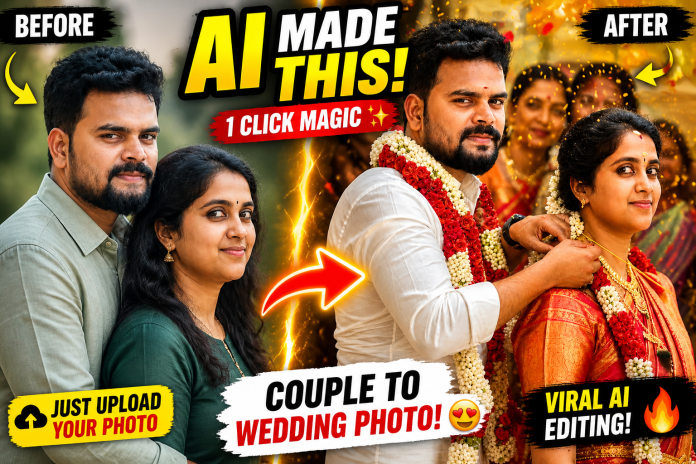
In today’s social media trends, one thing is going insanely viral 🔥 — transforming a simple couple photo into a beautiful cinematic wedding moment using AI.
With just one normal photo of a husband-wife or lovers, you can create a realistic South Indian wedding scene — complete with thaali tying, garlands, traditional outfits, and emotional expressions ❤️
In this post, you’ll learn exactly how to do it, the best prompt to use, and pro tips to get ultra-realistic results.
🤖 What is AI Wedding Photo Editing?
AI wedding photo editing is a process where you upload a normal couple photo and use AI tools to generate a fully styled wedding image.
✨ What happens:
Faces stay the same (identity preserved)
Background becomes a wedding setup
Clothes turn into traditional attire
Jewelry and details are auto-generated
Lighting becomes cinematic
📸 How Does It Work?
You can use tools like:
Midjourney
Leonardo AI
Stable Diffusion
Steps:
1️⃣ Upload your couple photo 2️⃣ Enter the correct prompt 3️⃣ AI generates the wedding scene 4️⃣ Download your ultra-realistic image
✍️ Best AI Prompt (Copy & Paste)
Use this exact prompt to get natural and realistic results 👇
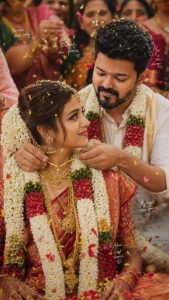
Ultra-realistic South Indian wedding ceremony scene using the uploaded male and female images strictly as identity reference for facial features only (not as fixed pose or head angle reference); maintain strong facial resemblance and identity accuracy (same person recognition) while allowing natural adaptation of head position, gaze direction, expression, and posture to match the scene organically; avoid any cut-and-paste or face-swapping appearance — faces must blend seamlessly with the body, lighting, and environment with correct proportions, perspective, and skin tone consistency; hair, beard, and overall styling should match the original individuals but be naturally adjusted to suit the wedding context. Capture a candid close-up moment where the groom gently ties the thaali (mangalsutra) around the bride’s neck, both looking naturally at each other or focused on the action (not staring away unnaturally); the bride wears a rich red silk saree with gold zari border, traditional South Indian bridal jewelry,TEXT ADDITION : At the bottom right corner of the final image, add clean small text: Prompt – NEEDKI.com Text should white BLOCK STROK or soft tone, clearly readable but not distracting.
🎯 Pro Tips for Best Results
✔ Use high-quality photos ✔ Make sure faces are clear ✔ Avoid extreme side angles ✔ Mention lighting style in prompt ✔ Add emotional tone (love, smile, connection ❤️)
❤️ Who Can Use This?
This is perfect for:
💑 Couples & lovers
💍 Married couples
🎥 Instagram creators
📸 Wedding editors
🎬 YouTube content creators
👉 Especially great for Reels & Shorts — super viral potential 🚀
🎬 Instagram / YouTube Content Idea
Want to go viral? Try this:
Show BEFORE vs AFTER
Reveal the prompt
Use hook: “Just upload your photo…”
Add emotional background music 🎶
Use these in your post:
AI wedding photo editing
Couple photo to wedding photo AI
South Indian wedding AI edit
AI marriage photo generator
Wedding editing prompt
AI couple photo transformation
📌 Final Thoughts
A single photo is all you need 📷 With the right AI prompt, you can turn it into a lifelike wedding memory 💫
This is not just editing — it’s the future of photography.
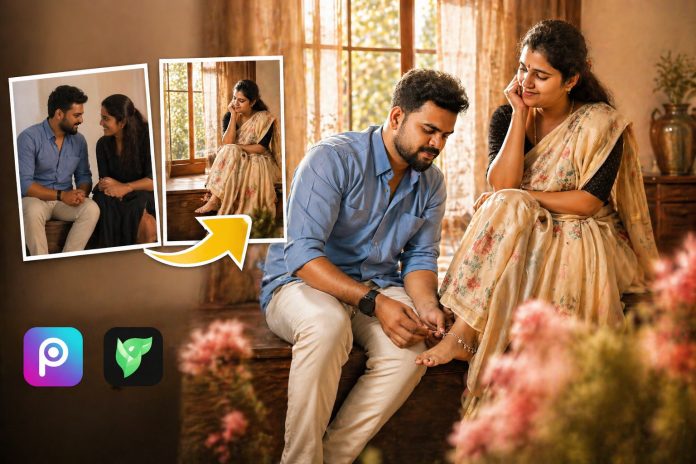
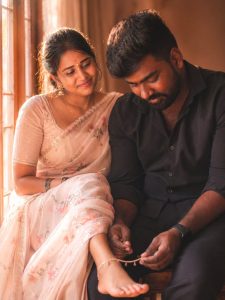
If you’ve been scrolling through Instagram or Reels lately, you’ve probably noticed this beautiful romantic couple editing trend going viral ✨ — where the husband gently sits and places an anklet on the wife’s foot near a soft sunlit window.
Good news? 😍 You can create this exact cinematic couple edit using your own photos!
In this tutorial, I’ll show you how to recreate this viral romantic photo edit using simple tools — no advanced editing skills needed.
🔥 Why This Editing Style Is Trending?
This style is blowing up because it combines:
Soft cinematic lighting 🌞
Emotional romantic storytelling 💕
Traditional Indian aesthetics (saree, anklet, natural vibe)
Realistic couple bonding moments
People love edits that feel real + emotional + aesthetic — and this one ticks all boxes ✔️
📸 What Photos You Need
To create this edit, you’ll need:
A clear photo of yourself
A photo of your partner (lover / wife / husband)
Both faces should be front-facing or slightly angled
Good lighting = better results 🌟
🛠️ Tools You Can Use
You can create this edit using:
Photoshop 🖥️
PicsArt 📱
Remini / AI Face Swap tools 🤖
Lightroom (for final color grading) 🎨
✨ Step-by-Step Editing Process
1️⃣ Choose a Base Scene
Pick a romantic indoor window scene with warm sunlight (like the reference image). This gives that cinematic feel instantly.
2️⃣ Place the Couple
Position the male subject sitting slightly lower
Place the female slightly elevated (platform or step)
Make sure the pose looks natural and close 💑
3️⃣ Add the Anklet Action
Edit the male hand to look like he’s wearing an anklet
Align the female leg naturally
This step is key for realism 🔑
4️⃣ Face Matching (Most Important)
Replace faces using AI or manual blending
Match:
Skin tone
Lighting direction
Shadows
⚠️ Avoid over-editing — keep it natural!
5️⃣ Color Grading
Use warm tones:
Increase temperature & highlights ☀️
Add slight orange + gold tones
Reduce harsh contrast
This gives that soft romantic look ✨
6️⃣ Final Touch
Add slight blur in background (depth effect)
Sharpen faces
Adjust brightness
Create a soft, romantic, cinematic scene of a young South Asian couple sitting closely together indoors near a sunlit window. The woman is wearing a light pastel saree with delicate floral patterns, her hair neatly styled, adorned with small traditional earrings and a subtle bindi. She has a gentle, affectionate smile and is looking warmly at the man. The man is dressed in a casual dark shirt with slightly tousled hair and light facial hair, looking down with a shy, introspective expression as he gently holds and adjusts the woman’s foot, placing an anklet on her ankle. The lighting is warm and diffused, with golden sunlight streaming through the window, creating a dreamy glow and soft shadows. The atmosphere should feel intimate, calm, and emotionally rich. Focus on: Natural skin tones and realistic facial features Soft depth of field with slightly blurred background Warm pastel color grading (peach, cream, soft brown tones) Subtle fabric textures and fine details (saree embroidery, anklet shine) Emotional connection and quiet romantic mood Style: ultra-realistic, cinematic photography, soft focus, 85mm lens, shallow depth of field, high detail, dreamy aesthetic No Cropping Natural Dress Color
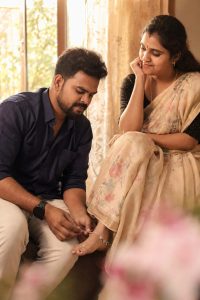
Create an ultra-realistic, soft romantic cinematic scene of a young South Asian married couple sitting closely indoors near a large sunlit window. Use the uploaded male and female images as exact face references with 100% facial accuracy (same facial features, skin tone, hairstyle, and expression preserved exactly, no modifications). The woman is seated slightly elevated on a wooden platform, wearing a light pastel saree with delicate floral patterns, natural drape, and subtle embroidery, her hair neatly styled with small traditional earrings and a tiny bindi, smiling gently and looking affectionately at the man. The man sits beside her at a slightly lower level, wearing a casual shirt (same as reference image), with light facial hair and natural hairstyle, looking down with a soft, shy expression while gently holding her foot and carefully placing an anklet on her ankle. The environment should match a warm indoor setting with a large window in the background, sheer curtains, soft golden sunlight streaming through, creating natural light rays, soft shadows, and a dreamy glow. Include foreground blur elements like soft flowers for depth. Maintain natural skin tones, realistic textures, and fine details (fabric folds, anklet shine, skin texture). Use 85mm lens style, shallow depth of field, soft focus, warm pastel color grading (peach, cream, soft brown tones). Composition must be full frame (no cropping, 6:9 ratio), centered, balanced, and 4K ultra-detailed quality with a calm, intimate, emotional atmosphere.
This editing style is not just about visuals — it’s about emotion and storytelling. When done right, your photo will look like a real captured moment, not an edit 😍
Try it with your own photos and create something beautiful 💫
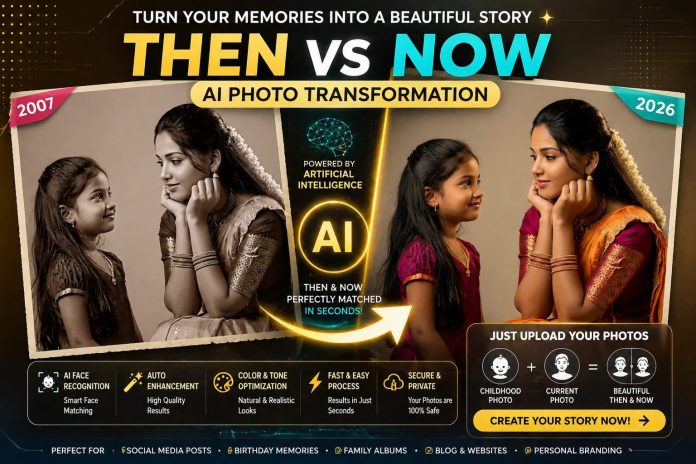
Some memories never fade… especially those beautiful childhood moments 🥺❤️
But what if you could bring your past and present together in one powerful visual story?
With the help of advanced AI technology, you can now transform your old and current photos into a stunning Then & Now comparison in just seconds! 🤯🔥
All you need is 👇
👉 Your childhood photo
👉 Your latest photo
🚀 Powered by AI
This transformation uses cutting-edge technologies like:
✔️ Artificial Intelligence (AI)
✔️ Machine Learning (ML)
✔️ Facial Recognition
✔️ Image Processing Algorithms
✔️ Deep Learning Models
📸 How it works?
👉 Upload your childhood image
👉 Upload your current image
👉 AI analyzes facial structure, expressions, and positioning
👉 It applies smart alignment, enhancement, and blending
👉 Generates a clean, high-resolution, aesthetic output instantly 😍
PROMPT :
Create a highly realistic, emotional, cinematic studio portrait in full color (not black and white) 4:6 Scene composition: On the left: a child version of me (from a childhood photo), smiling innocently and looking towards the right. Add the text “1996” above her in a subtle, elegant font. On the right: a present version of me (from a recent photo), sitting with her hands gently placed under her chin, looking at the child with a calm, emotional smile. Add the text “2026” above her in a matching style. In the center: a minimal, elegant birthday cake placed on a table, with a “30” candle on top, softly glowing. Background: Soft, clean studio
💡 Key Features:
✔️ Auto face matching & alignment
✔️ Smart background enhancement
✔️ AI-based color correction & tone balancing
✔️ Noise reduction & image sharpening
✔️ Cinematic filters & vintage effects
✔️ Text overlay support (Example: 2007 → 2026)
🎯 Use Cases:
✔️ Instagram / Facebook reels & posts
✔️ YouTube thumbnails
✔️ Personal branding & portfolio
✔️ Blog / website content creation
✔️ Birthday, anniversary & special memories
✔️ Family storytelling & digital albums
🔥 Why this is trending?
✔️ AI-driven content is the future
✔️ Saves time with automation
✔️ No professional editing skills required
✔️ Creates highly engaging & viral content
✔️ Perfect blend of emotion + technology
💻 Tech Behind the Magic:
👉 Neural Networks analyze facial data points
👉 Computer Vision detects and maps features
👉 AI models reconstruct and enhance image quality
👉 Automated pipelines generate output in seconds
👉 Cloud-based processing ensures fast performance
💭 Imagine this…
Your childhood innocence and your present confidence in one single frame 😍
A perfect combination of nostalgia and modern AI innovation!
🌟 Turn your memories into digital art
🌟 Make your content stand out
🌟 Share your story in a unique way
👉 Try it now and create your own AI-powered “Then vs Now” story! 🚀
Have you seen those stunning, aesthetic photos trending on Instagram and wondered how they’re created? 🤔
The secret is out — AI-powered photo editing tools are making it incredibly easy for anyone to create viral-quality edits in just a few clicks! 😍 ✨ What is This AI Photo Editing Trend?
Right now, the most viral photo styles include:
Golden hour lighting 🌅
Soft glowing skin ✨
Cinematic color grading 🎬
Close-up portrait aesthetics 👀
Floral overlays & vintage vibes 🌸
The best part? You don’t need advanced editing skills anymore — AI does all the hard work for you! 🤖 🚀 How to Create These Edits Using AI?
It’s super simple:
Upload your photo
Choose a style or preset
Let AI enhance and edit automatically
Download your final image
⏱️ Done in just 1–2 minutes!
PROMPT FEMALE :
Warm-toned cinematic portrait collage of a young woman with soft glowing skin, subtle freckles, and glossy nude lips. She has long dark brown hair styled in loose waves with face-framing strands. She is wearing traditional gold jhumka earrings and a delicate necklace, dressed in a deep maroon outfit with a sheer dupatta around the neck. The lighting is golden-hour inspired with rich amber highlights and soft shadows, creating a cozy, intimate mood. The composition is a collage layout with multiple cropped frames of her face-close-ups of eyes, lips, and side profile-arranged aesthetically. Add soft floral elements like beige and orange lilies placed around the frame. Include a blurred music player overlay showing a song playing for a nostalgic vibe. Skin appears dewy and radiant, with minimal elegant makeup. Style: soft glam, editorial, aesthetic Instagram collage, warm color grading, high detail, shallow depth of field, cinematic lighting, 4K, ultra-realistic.
PROMPT MALE :
Ultra-realistic cinematic collage of a man using the uploaded face exactly. The image is composed of multiple rectangular photo panels layered vertically and diagonally, creating a scrapbook-style layout. Each panel shows close-up and mid-shot portraits of the same boy in a dim indoor room.
Lighting: strong, warm, golden-orange
direct flash lighting hitting the face from the front-left, creating high contrast, deep shadows and a glowing skin effect.
Background remains dark with visible window curtains slightly illuminated. Harsh highlights on cheekbones, nose, and lips. Slight film grain and soft blur for a dreamy vintage feel.
Color grading: intense amber, burnt orange, and golden tones dominating the entire image. High saturation, slightly crushed blacks, and glowing highlights.
Subject styling: messy tied-back hair with glossy lips, dewy skin. Wearing a casual white shirt. Composition details:
Top panel: serious expression, looking directly at camera
Middle panel: cropped lip cropped lips and necklace close-up.
Bottom left: extreme close-up of eyes with strong shadow split across face.
Bottom right: angled portrait with soft side gaze. Panels overlap slightly with uneven spacing for aesthetic collage look. Overlay elements: Add realistic flower stickers (lilies in orange, cream, and red tones)placed around the collage.Add a music player Ul card in the center-left area with a soft rounded design.
Music player text:
Title: “Pavazhamali”
Artist: “Devaa”
Include minimal playback bar and icons (play/pause, skip).
Final touches:Slight glow/bloom effect on highlights Subtle vignette around edge Flash photography look, like taken on a digital camera at night Maintain natural skin texture, avoid over-smoothing -ar 9:16 -v 6-style raw-quality-uplight
💡 Who Can Use This?
These AI edits are perfect for:
Content creators & influencers 🎥
Models & personal branding 💃
Photography lovers 📸
Anyone who wants a better profile picture 😎 🔥 Why You Should Try This Trend
Instantly upgrade your profile quality 💯
Get more likes, reach & engagement ❤️
Stay updated with trending styles 🔥 📌 Final Thoughts
Creating viral, aesthetic photo edits is no longer complicated. With AI tools, anyone can create professional-level edits quickly and effortlessly.
No skills? No problem. Just upload, click, and let AI do the magic! ✨
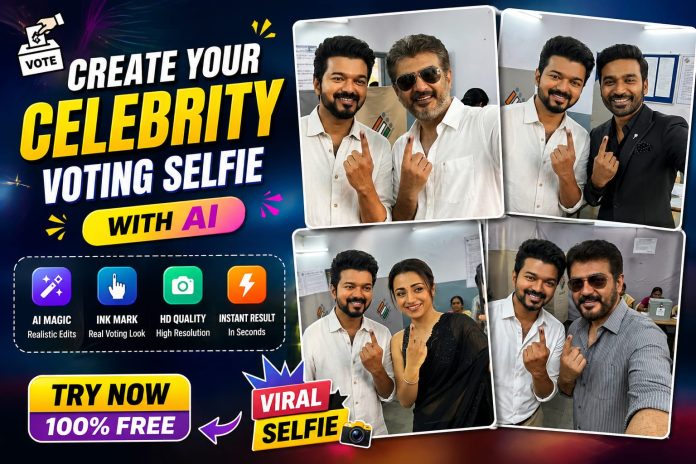
Ever wondered how it would look if you took a selfie after voting with ? 🤳😎
Now you can create the same viral-style images using AI — fast & easy! 🚀
✨ What You Can Do:
🎭 Generate realistic “after voting” selfies
🖊️ Add ink mark effects on your finger
🌟 Create celebrity-style moments instantly
📷 Get high-quality, share-worthy images
🚀 Why You’ll Love It:
💡 No editing skills needed
⚡ Just upload → apply → done!
🎯 AI does all the magic for you
PROMPT :
Create an ultrarealistic, high-resolution, , 8 8 1 K authentic-looking casual casual selfie photograph of two South Indian individuals standing together inside a voting booth, captured in a warm, candid, genuinely democratic celebratory moment. The image must look exactly like a real casual smartphone selfie – slightly wide-angle perspective, natural handheld camera tilt, and an an authentic authentic selfie composition with one arm extended to hold the phone. No studio lighting, no professional photography – pure, authentic selfie aesthetic. Aspect ratio 4:5.
Person A – LEFT – 100% identity hard lock to @img1: 100% face and identity locked to @img1 – every facial feature, skin tone, eye shape, nose, lips, beard, hairline, and hair texture preserved exactly with zero deviation. Short, neatly styled dark, voluminous quiff hair swept upward with clean fade sides, exactly as in @img1. Short, neatly trimmed dark beard exactly as in @img1. Full, rounded face structure, warm, medium-dark South Indian skin tone, exactly as in @img1. Wearing a crisp, clean white formal button-up shirt, collar slightly open, worn naturally and casually. Beige or khaki chino trousers. Casual shoes or sandals. Broad, genuine, warm smile directed toward the camera – natural, happy, celebratory expression. Left hand raised slightly slightly s showing the left index finger with a clearly visible dark blue-black electoral ink mark on the left index finger nail and fingertip – the classic Indian voting ink mark. Standing naturally, slightly leaning toward Person B.
Person B – RIGHT – 100% identity hard lock to @img2: 100% face and identity locked to @img2 – every facial feature, skin tone, hairstyle, beard or no beard, and expression preserved exactly with zero deviation. Wearing the same outfit as visible in @img2 – preserve clothing colour, style, and type exactly. Broa,d genui,ne warm smile or happy expression directed toward the camera. Right preserve hand extended outward toward the cam, era holding the smartphone, hone taking the selfie – arm naturally extended in classic selfie pose. Left hand raised clearly showing the left index finger prominently toward the camera with a clearly visible dark blue-black electoral ink mark on the left index finger nail and fingertip – the classic Indian voting ink mark – this is a key mandatory element. Standing naturally close to Person A, slightly leaning in for the selfie.
Voting Booth Environment: The setting is the interior of an official Indian government polling booth or voting station. The background shows a standard Indian election voting booth setup – simple grey or beige fabric or cardboard voting partition dividers with the official Election Commission of India emblem or markings partially visible. Official white printed voter instruction notices or signage on the walls behind. Bright cool white fluorescent tube lighting typical of Indian government voting stations – flat, even, slightly harsh institutional lighting. A glimpse of a simple folding table or ballot marking setup partially visible. The overall environment feels authentically official, governmental, and real – not glamorous or staged. Other blurred voters or polling officials may be faintly visible in the extreme background.
front cameras, natural slight fisheye effect on edges, authentic thentic handheld handheld slig slight camera tilt of 3 to 5 degrees, slight motion softness on edges typical of handheld selfies, natural autofocus on faces with slight background softness. Institutional cool white fluorescent lighting with natural skin tone rendering under fluorescent light. Slightly higher angle typical of selfie arm extension. Both fare aces are clearly visible and well-lit in the centre of the frame. The extended arm holding the phone is partially visible at the edge of the frame. Natural colour rendering – no filters, no colour grading, no cinematic treatment – pure, re-authentic, casual smartphone photo look. Ultra-realistic, 8K detail, indistinguishable from a real casual selfie photograph. No professional photography aesthetics.
Ink Mark Detail – mandatory on both persons: Both Person A and Person B must display a clearly visible dark blue-black indelible electoral ink mark on their respective left index x fin fingers – specifically on the left index fingernail and upper fingertip area. The ink mark is a dark navy blue-black stain, irregular in application, slightly smudged at edges – exactly replicating the authentic Indian election indelible ink mark applied at polling stations. This is a key mandatory element and must be clearly visible and legible in the final image.
Negative: Face of Person A must be 100% identical to @img1 – any deviation unacceptable. Face of Person B must be 100% identical to @img2 – any deviation unacceptable. No face morphing, blending or averaging. No missing ink mark on either person’s left index finger – electoral ink mark is absolutely mandatory on both. No wrong outfit on Person A – white shirt and beige pants mandatory. No wrong outfit on Person B – must match @img2 exactly. No missing phone in Person B’s extended right hand. No professional studio lighting – must look like real institutional fluorescent booth lighting. No outdoor setting. No dramatic cinematic lighting. No bokeh or shallow depth of field – selfie cameras have near-flat focus. No wide open backgrounds -must feel like an enclosed voting booth. No missing voting booth partitions or signage in the background. No extra limbs or duplicate faces. No distorted hands or extra fingers. No cartoon, CGI anime painting or illustration. No filters or colour grading. No watermarks, text overlay,s or logos. No low resolution. No noise grain or pixelation. No awkward or unnatural posing. No stiff expressions. No missing smile on either person.
💥 Perfect For:
📱 Social media posts
🔥 Fan edits
🎉 Fun & creative content
👉 Try it now & make your own trending selfie! 🚀
👉 100% FREE to use 🎁
How to Recover Deleted Call History: A Complete Guide
Losing important call history can be stressful, especially if you need to reference previous conversations for business or personal reasons. Whether it was deleted by accident or vanished due to a system error, there are ways to recover your deleted call history. This guide will walk you through the steps to retrieve your lost call logs.
1. Check if Your Call History is Backed Up
The first step in recovering your deleted call history is to check if you have a backup available. Both Android and iPhone devices offer automatic backup services that can save your call logs. For Android users, Google’s cloud service often backs up call logs to your Google account. Simply sign into your Google account on the same device and check the Google Drive settings to see if your call history is recoverable. Similarly, iPhone users can restore their call logs from an iCloud or iTunes backup by restoring the device to the most recent backup. If you have a backup available, recovery is quick and easy.
2. Use Data Recovery Apps for Android and iPhone
If no backup is available, don’t worry—third-party data recovery apps can often help you retrieve deleted call logs. There are many tools available for both Android and iPhone that specialize in recovering lost data, including call history. Apps like Dr.Fone, Tenorshare UltData, and EaseUS are popular choices. These apps scan your device’s internal storage to recover data that hasn’t yet been overwritten. While recovery success is not guaranteed, these apps often have a high success rate for retrieving recent deletions. Follow the app’s instructions carefully for the best results.
3. Check with Your Carrier or Service Provider
If you’re unable to recover the call history through backups or third-party apps, you can contact your mobile carrier. Some service providers maintain records of your call history for a certain period of time. Depending on the provider and your specific plan, they might be able to give you access to detailed call logs for the past few months. This option can be especially useful if you need to recover older records that aren’t available on your device.
4. Prevent Future Call History Loss with Regular Backups
While it’s possible to recover deleted call history, prevention is always better than cure. To avoid losing important call logs in the future, make it a habit to back up your device regularly. Both Android and iPhone devices offer automatic backup options that can ensure your data, including call logs, is always safe. You can also explore apps that specialize in phone data management and backups for added peace of mind. Regular backups will ensure that even if something happens to your device, your call history is always recoverable.
How to Recover Deleted Call History: 5 Key Points to Know 📱💬
Losing your call history can be frustrating, especially when you need to retrieve important information. Whether due to an accidental deletion or a system glitch, recovering deleted call logs is possible! Here are 5 key points to help you get your call history back.
1. Check for Cloud Backups ☁️
The first and easiest step in recovering deleted call history is to check if your calls were backed up to a cloud service. Both Google Drive (for Android) and iCloud (for iPhone) automatically back up call logs, contacts, and other data. Simply sign in to your account, and see if your call history is available for restoration. If you’re lucky, restoring from a recent backup may be all it takes to recover your lost calls!
2. Use Data Recovery Apps 📲🔄
If you don’t have a backup or it’s not recent, third-party data recovery apps can help. Popular tools like Dr.Fone, Tenorshare UltData, and EaseUS specialize in retrieving deleted call logs on both Android and iPhone devices. These apps scan your phone’s storage for deleted data and offer an easy way to restore your call history—though success rates can vary, and it’s always best to try recovering the data as soon as possible.
3. Contact Your Mobile Carrier 📞
If neither backups nor apps work, your mobile carrier might be able to help. Many carriers keep call records for a limited time and can provide you with detailed logs of recent calls. This can be especially useful for business or legal purposes. Reach out to your provider to inquire about your options for retrieving your deleted call history.
4. Act Quickly Before Data is Overwritten ⏳
Deleted data doesn’t disappear immediately—it’s often marked as “available space” until new data overwrites it. For the best chance at recovery, try to avoid using your phone for non-essential activities immediately after you notice your call history is deleted. The sooner you act, the better your chances of retrieving the lost logs.
5. Prevent Future Loss with Regular Backups 🔒
To avoid future call history loss, set up automatic backups! Both Android and iPhone allow you to back up your data to the cloud at regular intervals. You can also use third-party apps to ensure your call logs are backed up in real-time. Regular backups not only help recover deleted data but also keep your phone secure in case of other issues like device malfunctions or crashes.
By following these 5 key steps, you can successfully recover your deleted call history and take proactive measures to protect your data in the future. 📱💡 vm tech master
Artificial Intelligence is growing faster than ever in 2026. From content creation and photo editing to video making and instant answers, AI apps are helping millions of people every day. If you are looking for the best AI applications that are trending right now, this list will help you choose the right app.
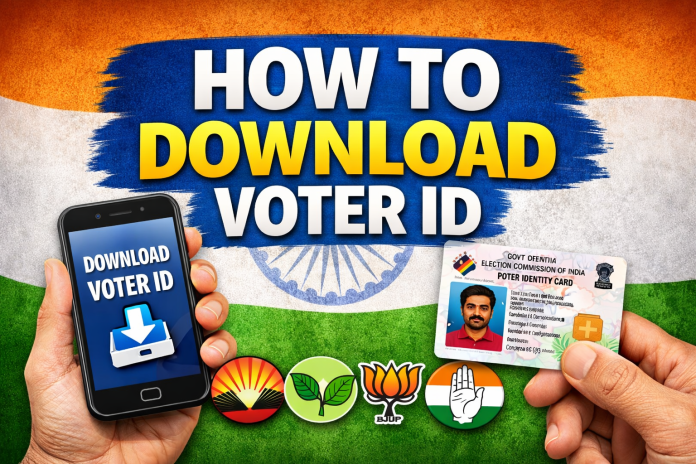
Along with AI applications, many people are also searching for how to download a Voter ID card online and how to get a Booth Slip in Tamil Nadu. The good news is that both can be downloaded easily using the official Election Commission app.
🔥 Top Trending AI Applications in 2026
1. 🤖 ChatGPT
ChatGPT is one of the most popular AI applications in 2026. It is widely used for:
Writing articles and captions
Creating social media posts
Solving study-related questions
Generating business ideas
Creating image prompts and scripts
If you want an all-in-one AI tool, ChatGPT is one of the best choices.
2. ✨ Google Gemini
Google Gemini is useful for users who want AI connected with Gmail, Google Search, Maps, and YouTube. It can:
Enter your EPIC number or registered mobile number.
Verify with OTP.
Download your digital Voter ID card in PDF format.
Your digital voter card can be saved on your phone and used whenever required.
🧾 How to Download Booth Slip in Tamil Nadu
Before elections, many voters want to know their polling booth location and booth slip details.
You can download or check your booth slip using the Voter Helpline app.
📍 Steps to Get Booth Slip
Open the Voter Helpline app.
Search your voter details.
Check your polling station and booth number.
Download or take a screenshot of the booth slip.
The Election Commission also provides booth details through the official Tamil Nadu election website.
✅ Why You Should Use the Official Election App
Using the official Election Commission application is safe and easy because:
It gives correct voter details
You can download your Voter ID instantly
You can check booth location before election day
It helps avoid confusion during voting
🎯 Final Words
AI applications are making daily life easier in 2026. Apps like ChatGPT, Gemini, Canva, Remini and CapCut are becoming essential for students, creators and professionals.
At the same time, if you need your Voter ID card or Booth Slip in Tamil Nadu, you can easily get them using the official Voter Helpline app.
Whether you want the best AI apps or election-related information, these tools can save you time and make everything easier.
Keywords: Best AI Applications 2026, Trending AI Apps, Best AI App for Photo Editing, Best AI App for Video Editing, Download Voter ID Tamil Nadu, E-EPIC Download, How to Download Booth Slip Tamil Nadu