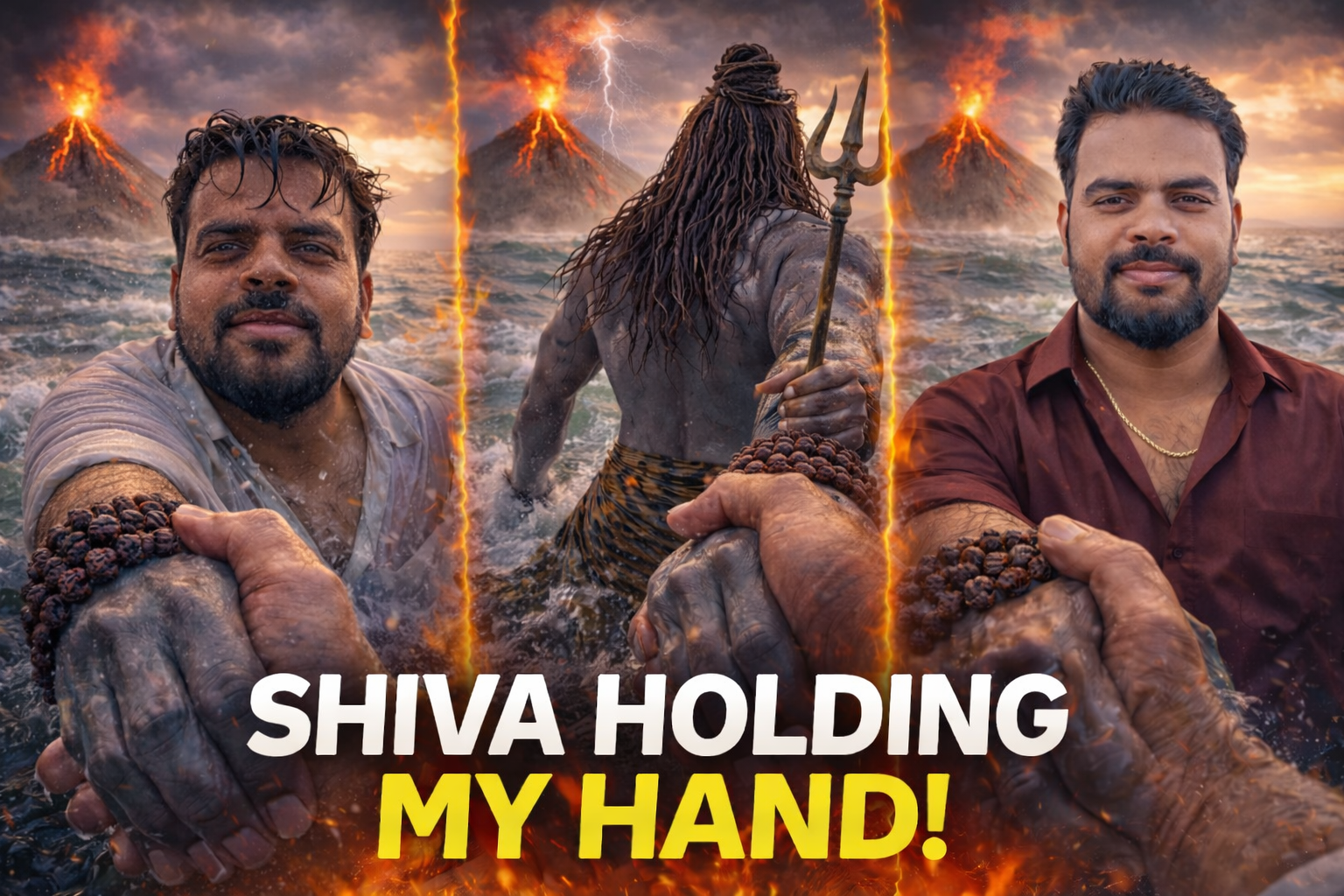
How to Create Shiva Holding Your Hand & Blessing Videos Using AI 🤖🙏
🌟 Introduction
During Mahashivratri 2026, AI-generated Lord Shiva edits are trending massively on:
-
📱 Instagram Reels
-
🎥 YouTube Shorts
-
👍 Facebook Videos
Viral concepts include:
-
🌊 Shiva holding your hand in the ocean
-
🙏 Shiva blessing you with hand on your head
-
⚡ Cinematic storm Shiva POV edits
-
🎨 Hyper-realistic AI devotional art
These videos are getting millions of views 🔥
In this detailed guide, you’ll learn how to create viral Shiva AI edits step-by-step using powerful AI tools.
🌊 1. Shiva Holding Your Hand in Ocean – AI Edit Tutorial
🎬 Concept Breakdown
To make it cinematic and viral:
-
🌊 Stormy ocean background
-
🕉 Shiva standing waist-deep in water
-
🎥 Back-view dramatic angle
-
✋ Realistic human hand holding Shiva’s hand (POV shot)
-
⚡ Lightning + rain effects
This format performs extremely well in 9:16 vertical reels 📲
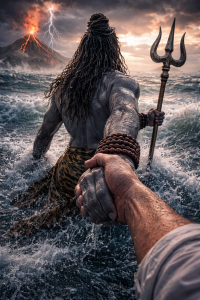
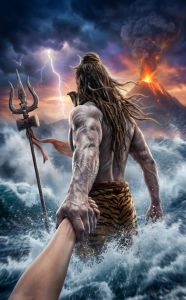


YOUR PHOTO PROMPT
Create an ultra-realistic, hyper-detailed cinematic scene in vertical 9:16 ratio. First-person(in reference image)POV perspective. In the foreground, a powerful divine masculine hand of Lord Shiva is tightly holding my hand, as if he is guiding me(reference image)forward through rough ocean water. Lord Shiva’s hand should look strong, broad, muscular, with visible veins, wet skin texture, realistic pores, water droplets dripping, and natural wrinkles.Skin tone: Natural ash-blue tone (muted greyish blue, not bright neon). He is wearing multiple dark brown rudraksha bead bracelets around his wrist. The beads are detailed, sacred, slightly wet, and highly realistic. The camera angle shows that I am standing waist-deep in turbulent ocean water. I am facing forward toward the viewer (reference image)Don’t change my face structure. My hair is wet, slightly messy, stuck to my forehead due to rain and seawater. Water droplets are visible on my face, beard (if any), neck, and collarbone. I am wearing a white shirt completely soaked with water. The fabric is thin due to wetness, slightly transparent, clinging to my body naturally. My inner chest shape is subtly visible through the wet shirt in a realistic and tasteful way (not exaggerated). The shirt shows detailed wet fabric texture, folds, transparency variation, and water dripping from sleeves. The ocean is stormy and dramatic — strong waves crashing, splashes frozen mid-motion, cinematic lighting reflecting on water surface. The water surface should have realistic foam, reflections, depth, and motion blur. In the far background, distant land is visible at the edge of the ocean, slightly foggy and atmospheric — as if I walked from that land into the middle of the sea. The land appears small and far away, with subtle mist for depth. Behind everything, a dramatic volcanic mountain is erupting. Bright orange lava flows from the peak, with glowing cracks visible on the mountain surface. Lightning strikes the top of the volcano through dark storm clouds. The sky is cinematic with sunset tones blending into dark thunderclouds — warm orange near horizon, deep grey and purple storm clouds above. Lighting style: ultra-realistic cinematic lighting, HDR, volumetric fog, high dynamic range, dramatic contrast, no color grading change from reference, natural tones, realistic skin shading
OPEN CHAT GPT CHAT GPT
VIDEO EDIT PROMPT
Create a single continuous cinematic shot using the two uploaded images as the start and end reference. The video begins in a first-person POV. The camera shows only the front person’s shoulder, arm, and hand holding the viewer’s hand. The camera moves forward naturally, as if the viewer is walking through ocean waves. Water splashes, rain falls, lightning flashes, and a volcano erupts in the background. Without any cuts or scene changes, the camera smoothly moves around the subject in one fluid motion, maintaining the hand-holding connection. The movement feels like a natural body-mounted camera (steady but realistic). As the camera completes the movement, it ends facing me, fully revealing my face and body while I continue walking forward through the water, still holding the viewer’s hand. Technical Style: Single take, one-shot camera, no cuts, no jumps, smooth cinematic motion, realistic physics, slow motion water splashes, dramatic lighting, ultra-realistic textures, epic storm atmosphere, 4K cinematic quality, natural human movement, stable focus, no flicker.
AI VIDEO EDITING LINK OPEN AI
🤖 Step 1: Generate Image Using AI
Use powerful AI image generators like:
-
Leonardo AI
-
Midjourney
-
Bing Image Creator
-
Playground AI
📝 Copy This AI Prompt
💡 Tip: Always choose vertical format for Reels & Shorts.
🎥 Step 2: Animate the Image
Upload your generated image into:
-
Runway ML
-
Pika Labs
-
Kaiber AI
Add:
-
🌧 Rain motion
-
🌊 Water waves movement
-
⚡ Lightning flash
-
🎞 Slow cinematic camera movement
Export in 9:16 ratio 📱
🎵 Step 3: Final Edit in Mobile App
Use editing apps like:
-
CapCut
-
VN Editor
-
Alight Motion
Add:
-
🎶 Devotional background music
-
🔊 “Om Namah Shivaya” chant
-
🎨 Cinematic color grading
-
🖋 Text overlay like “He is always with you 🙏”
🙏 2. Shiva Blessing You Edit – Hand on Head Scene


✨ Concept Idea
To create emotional impact:
-
🧎 Devotee kneeling
-
✋ Shiva placing right hand on head
-
🌟 Divine golden aura
-
🏔 Himalayan or temple background
This style performs very well during Mahashivratri.