AR Real Driving – Trending Android IPhone Mobile Game with Real-World Driving Experience
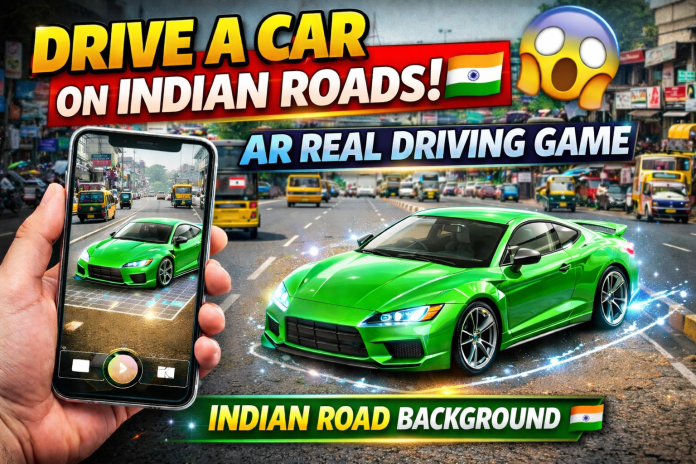
A new viral mobile game called AR Real Driving is currently trending across social media platforms. This game uses Augmented Reality (AR) technology to create a realistic driving experience directly in your real-world environment.
This creates a realistic AR driving simulation where the car looks like it is actually driving in your environment.
🚗📱 AR Real Driving – Augmented Reality Driving App
AR Real Driving is a free Android application developed by Enteriosoft that lets you drive a virtual vehicle in the real world using your smartphone camera. The app uses Augmented Reality (AR) technology to place a digital vehicle on real surfaces, creating a fun and realistic driving experience. 🌍✨
To start playing, just tap the “Start” button after placing the vehicle. You can then control the vehicle using the arrow buttons on the screen while watching it move through your real surroundings in Augmented Reality. 😍
⭐ Key Features
🚗 Augmented Reality driving experience
📱 Place virtual vehicles in the real world
🚁 Multiple vehicles like cars, helicopters, and tanks
🎮 Simple and easy on-screen controls
👀 Real-time AR camera view
⚡ Smooth gameplay on supported Android devices
📊 App Specifications
📦 App Name: AR Real Driving – Augmented Re
👨💻 Developer: Enteriosoft
🆓 License: Free
🔢 Version: 3.9
📅 Latest Update: March 31, 2023
📱 Platform: Android
⚙️ Required OS: Android 9.0 or higher
🌐 Language: English
⬇️ Downloads: 59.8K+
💾 Size: 122.14 MB
📥 Download Options
You can download the app using the following options:
📦 APK Download
🏪 Google Play Store
File Name:
📄 com.Enteriosoft.ARRealDriving.apk
Download AR Real Driving – Augmented Re APK for Android V 3.9
🌍 Available in Multiple Languages
The download page is available in several languages including:
🇪🇸 Spanish • 🇮🇩 Indonesian • 🇩🇪 German • 🇯🇵 Japanese • 🇧🇷 Portuguese • 🇷🇺 Russian • 🇫🇷 French • 🇹🇷 Turkish • 🇨🇳 Chinese • 🇮🇹 Italian • 🇵🇱 Polish • 🇻🇳 Vietnamese.
With this app, you simply scan the ground using your phone or tablet camera, and a virtual vehicle will appear on the screen. Once the vehicle is placed, you can control it using the on-screen buttons and enjoy driving it around in AR mode. 🎮📱
The app includes different types of vehicles such as 🚗 cars, 🚁 helicopters, and even a 🛡️ tank, making the experience more exciting and interactive.
🔥 Features of AR Real Driving Game
🚘 Real-world camera integration
📱 Augmented Reality (AR) technology
🎮 Realistic driving simulation
🧭 360° environment interaction
🎥 Perfect for social media videos and reels
⚡ Smooth mobile controls
You can literally drive a virtual car inside your house, street, or any open area using just your smartphone.
📥 How to Download the Game
🤖 For Android Users
-
Open Google Play Store
-
Search for AR Real Driving
-
Select the game from the results
-
Tap Install
-
Allow Camera Permission
📌 Note: Your device must support AR technology (ARCore for Android / ARKit for iPhone).
🎮 How to Play
-
Launch the app
-
The camera will open automatically
-
Point your camera at the ground or floor
You can experience real-world AR driving directly through your phone screen.
Many users are creating viral videos like “Driving a car inside my house” using this AR game.
AR Real Driving is a fun and futuristic game that blends real-world environments with virtual driving. If you enjoy trying new tech-based games, this AR driving experience is definitely worth checking out.
Tamil Nadu Government Free Laptop Scheme 2026 – How to Apply & Re-Apply Android IPhone Mobile ?
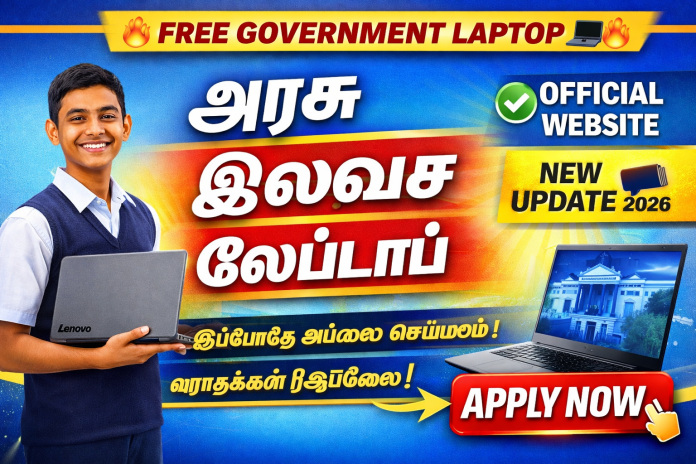
How to apply for the Tamil Nadu Government Free Laptop Scheme 2026? Step-by-step guide for new applicants and students who didn’t receive the laptop earlier. Eligibility, documents required, Lenovo & HP laptop details, re-apply link, and status check process explained.
💻 Tamil Nadu Govt Free Laptop Scheme – Complete Guide
The Tamil Nadu Government has distributed free laptops to nearly 10 lakh students under its Digital Education initiative. Popular brands like Lenovo and HP laptops were provided to eligible students.
However, many students:
-
❓ Did not receive the laptop
-
🔁 Want to re-apply
-
🆕 Want to apply newly
-
📄 Are confused about documents required
In this detailed post, we’ll explain everything step by step 👇
🎯 Objective of the Scheme
-
Support digital education
-
Help government & government-aided school students
-
Promote online learning & skill development
-
Improve access to e-learning platforms
💻 Laptop Brands Distributed
-
✅ Lenovo Government Laptop
-
✅ HP Free Laptop
-
✅ Occasionally Acer / Dell models
🔧 Common Specifications:
-
4GB / 8GB RAM
-
500GB HDD or 256GB SSD
-
Windows Operating System
-
Pre-installed Educational Software
-
MS Office (select models)
🆕 How to Apply for Free Laptop (New Applicants)
If you are applying for the first time, follow these steps:
🔹 Eligibility Criteria
-
Must be a permanent resident of Tamil Nadu
-
Studied in Government / Government-aided school
-
Completed 10th or 12th standard
-
Must meet family income criteria
📄 Documents Required
-
Aadhaar Card
-
Ration Card
-
Income Certificate
-
Community Certificate
-
10th / 12th Marksheet
-
Bonafide Certificate
-
Passport Size Photo
📝 Apply Link (New Application)
👉 Click Here to Apply for Free Laptop
(Add your official application link here)
🔁 How to Re-Apply If You Didn’t Receive the Laptop?
Many students’ names were in the list but did not receive the laptop due to:
-
Document mismatch
-
School forwarding delay
-
Technical issues
-
Verification rejection
📌 Re-Apply Process
1️⃣ Contact your school/college office
2️⃣ Keep your old application number (if available)
3️⃣ Update missing or incorrect documents
4️⃣ Submit correction or re-verification form
🔁 Re-Apply Link
👉 Click Here to Re-Apply for Government Laptop
(Add your re-application link here)
📊 How to Check Application Status?
-
Visit official portal
-
Login using Application ID
-
Click “Status Check”
-
View approval / pending / rejected status
Popular Search Terms:
Free Laptop Status Check Tamil Nadu, TN Govt Laptop Application Status, Government Laptop Scheme Update 2026
❓ Frequently Asked Questions (FAQ)
❓ Is this scheme available for all students?
👉 Only eligible government and government-aided school students.
❓ Can private school students apply?
👉 Generally not eligible unless specified in government notification.
❓ Is there any application fee?
👉 ❌ No. The scheme is completely free.
❓ Can I apply fully online?
👉 In many cases, schools collect and forward student data.
🧾 Final Words
The Tamil Nadu Free Laptop Scheme is a major initiative to empower students with digital tools 💻✨
If you are eligible and haven’t applied yet, apply immediately.
If you missed receiving your laptop earlier, use the re-apply option.
📢 Share this information with other students who may benefit.
Tamil Nadu Government ₹1000 Women Rights Scheme – Reapply Process & Ration Card Apply Guide 2026

🏛️ Tamil Nadu Government Women Rights Monthly Assistance Scheme – Complete Overview
The Tamil Nadu Government Women Rights Scheme (Magalir Urimai Thogai) provides ₹1000 per month to eligible women who are heads of their families.
This scheme was launched to:
-
✅ Support low-income families
-
✅ Improve financial stability
-
✅ Empower women economically
-
✅ Provide direct monthly assistance
Earlier financial benefits included:
-
🎉 ₹3000 Pongal Gift Package
-
💵 ₹5000 Special Relief Assistance
Now the ₹1000 monthly benefit is credited directly through Direct Benefit Transfer (DBT) into the beneficiary’s bank account.
💰 Who Is Eligible for the ₹1000 Monthly Scheme?
To receive the Women Rights Scheme benefit, you must:
✔ Be a female head of household
✔ Have a valid Tamil Nadu ration card
✔ Aadhaar card linked with mobile number
✔ Active bank account linked with Aadhaar
✔ DBT enabled bank account
📌 Important: If your Aadhaar and bank account are not linked properly, the amount may fail.
❌ Why Is ₹1000 Not Credited? Common Problems Explained
Many applicants face rejection or payment failure. Here are common reasons:
🔹 1. Aadhaar Not Linked with Bank
Your bank account must be seeded with Aadhaar.
🔹 2. Inactive Bank Account
If your account has no transactions for a long time, DBT may fail.
🔹 3. Ration Card Data Mismatch
Name mismatch between Aadhaar & ration card.
🔹 4. Duplicate Application
Multiple entries under same Aadhaar.
🔹 5. Income or Eligibility Issue
Verification failure during government review.
👉 Always check your application status before reapplying.
📱 How to Reapply for Women Rights Scheme (Step-by-Step Process)
📌 Direct Apply Link (Official Government Portal)
👉 Apply / Login & Submit Application:
🔗https://cmhelpline.tnega.org/portal/en/home
This is the official Kalaignar Magalir Urimai Thogai application site where eligible women can register and apply online using their Aadhaar-linked mobile number.
Tamil Nadu Government provides an official mobile application for:
-
Application status check
-
Reapply option
-
Document upload
-
Bank detail correction
-
Tracking approval
🔽 Step-by-Step Reapply Process
1️⃣ Download official Tamil Nadu Government scheme app
2️⃣ Login using Aadhaar OTP
3️⃣ Click “Application Status”
4️⃣ If rejected → Click “Reapply”
5️⃣ Upload corrected documents
6️⃣ Confirm bank details
7️⃣ Submit and save acknowledgement number
⏳ Processing Time: 15–30 working days (approximate)
🛒 How to Apply for New Ration Card in Tamil Nadu (2026 Updated Guide)
Without a valid ration card, you cannot receive:
-
Women Rights Scheme
-
Pongal Cash Gift
-
Government Subsidy
-
PDS Benefits
📌 Documents Required:
-
Aadhaar Card (All family members)
-
Address Proof
-
Electricity Bill
-
Income Certificate (if required)
-
Passport size photo
📝 Application Methods:
✔ Apply through official Tamil Nadu Civil Supplies portal
✔ Visit nearby e-Sevai center
✔ Track application status online
⏳ Approval Time: 15–45 days
💳 Smart Financial Planning After Receiving Government Benefits
Many families use the ₹1000 scheme amount wisely. But some may need additional financial support.
Here are safe finance options to consider:
💰 Personal Loan Options in Tamil Nadu
-
Instant Personal Loan
-
Low Interest Rate Loan
-
Government Subsidy Loan
-
Small Business Loan
-
EMI Based Loan
Before applying:
✔ Compare interest rates
✔ Check processing fees
✔ Verify RBI registered NBFC or Bank
✔ Avoid fake instant loan apps
📊 Check Your CIBIL Score Before Taking Loan
A good credit score helps you get:
-
Lower interest rates
-
Higher loan approval chance
-
Better credit card offers
You can check your CIBIL score online for free through authorized platforms.
💳 Credit Card Benefits (If Used Smartly)
-
Cashback offers
-
EMI conversion
-
Emergency funds
-
Online shopping benefits
⚠️ Always pay before due date to avoid high interest charges.
SIR Form Result Released – Over 1 Crore Voter IDs Cancelled in Tamil Nadu! Check Your Voter ID Status Online Now

The SIR (Standardisation of Electoral Roll) Form Application Result is now officially released, and shocking reports reveal that more than 1 crore Voter IDs have been cancelled in Tamil Nadu. 😮
If you’re worried about your Voter ID Status, this article will help you check your Digital ID Verification in seconds using the official NVSP Portal.
🔥 Why Are So Many Voter IDs Cancelled? (High CPC Keywords)
During SIR verification, voter IDs may be removed due to:
-
❌ Duplicate Voter ID Registration
-
🚫 Multiple Constituency Listing
-
🕒 Long-term Inactive Voters
-
📄 Document Mismatch
-
📍 Address Verification Failed
-
⚠️ Incorrect Personal Details
-
🪪 Identity Mismatch During Digital Verification
Digital ID Verification, Identity Check Online, Electoral Roll Update, Voter ID Removal, Online Verification Process
⭐ How to Check if Your Voter ID Is Cancelled 🧐 (Step-by-Step Guide)
CLICK TO CHECK VOTER ID
📲 Official Voter Helpline App Download Link 📥
👉 Google Play Store:
https://play.google.com/store/apps/details?id=com.eci.citizen
1️⃣ Step 1: Open the NVSP Portal
Go to Google and search:
👉 “NVSP Voter ID Status Check”
Or visit: nvsp.in 🌐
2️⃣ Step 2: Click “Search in Electoral Roll”
This option helps you access your Online Voter Verification.
3️⃣ Step 3: Enter Your Details
You can search using:
-
🧑💼 Name
-
🧒 Parent Name
-
📍 District
-
🔢 Age
OR
👉 Enter your EPIC Number (Fastest Method)
4️⃣ Step 4: View Your Status
The system instantly shows your Voter ID Status.
❗ What If “No Record Found” Appears? ⚠️
If the website shows:
“No Record Found”
It means your Voter ID might be:
✔ Removed from Electoral Roll
✔ Cancelled During SIR Verification
✔ Missing in the Latest Voter List
High CPC Keywords:
Voter ID Cancelled, Online Voter Search, Digital ID Removal, Voter Database Update
⭐ What To Do If Your Voter ID Is Cancelled? 🆕🪪
Don’t panic — you can reapply easily.
✔ Reapply Through Form 6
Use:
👉 NVSP Portal
👉 Voter Helpline App
✔ Required Documents 📑
-
Aadhaar Card
-
Address Proof
-
DOB Certificate
-
Passport Size Photo
This process ensures fast Digital Identity Verification ✔️
⭐ Why SIR Verification Matters 🗳️
-
Removes fake / duplicate voters
-
Ensures fair election process
-
Improves accuracy of Electoral Roll
-
Protects against identity misuse
-
Supports secure Online Voter Verification
📌 Final Summary 🎯
-
SIR Result released for Tamil Nadu
-
Over 1 crore Voter IDs cancelled 😳
-
Use the NVSP Portal to check your Voter ID Status
-
If cancelled, reapply using Form 6
-
Keep your documents ready for Digital ID Verification
Conclusion 📝
The SIR Form Application Result has created a major impact across Tamil Nadu, with more than 1 crore Voter IDs cancelled during the latest Digital ID Verification process. If you haven’t checked your Voter ID Status yet, it’s extremely important to verify it immediately on the NVSP Portal.
If your Voter ID is missing or shows “No Record Found”, don’t panic — you can easily reapply using Form 6 through the Voter Helpline App or NVSP website.
Staying updated with Electoral Roll changes, Online Identity Verification, and Government Digital Records protects you and ensures your right to vote without any issues.
👉 Check your Voter ID today and stay election-ready! 🗳️🔥
⭐ Frequently Asked Questions (FAQ) ❓💬
1️⃣ Why were so many Voter IDs cancelled in Tamil Nadu?
During the SIR verification, the Election Commission removes duplicate entries, inactive voters, mismatched identities, wrong addresses, and invalid registrations.
High CPC Keyword: Electoral Roll Update
2️⃣ How do I check if my Voter ID is cancelled?
Visit the NVSP Portal ➜ Click Search in Electoral Roll ➜ Enter your EPIC Number or Name ➜ View your Voter ID Status.
High CPC Keyword: Voter ID Status Check Online
3️⃣ What does “No Record Found” mean?
It means your Voter ID is not available in the current Digital Voter Database and may have been removed or cancelled.
High CPC Keyword: Digital ID Removal
4️⃣ Can I apply again if my Voter ID is cancelled?
Yes. You can reapply by submitting Form 6 on NVSP or using the Voter Helpline App.
High CPC Keyword: Online Identity Verification
5️⃣ Which documents are needed for reapplying?
You will need:
-
Aadhaar Card
-
Address Proof
-
Date of Birth Proof
-
A recent Photograph
High CPC Keyword: Document Verification Online
6️⃣ Is NVSP safe for checking Voter ID details?
Yes, NVSP is the official Government Voter Verification Portal, and all checks are secure.
High CPC Keyword: Government ID Verification
7️⃣ How often should I check my Voter ID status?
It’s good to verify your details at least once every year to ensure no errors in the Electoral Roll.
High CPC Keyword: Voter Record Update
Rent Any Bike for Just ₹15/ Hour Android IPhone Application – Ride Your Dream Bike Today!

Owning a bike is a dream for many. But buying one comes with a lot of responsibilities — down payment, EMI, insurance, servicing, fuel costs, and maintenance. What if you could skip all that and still enjoy riding your favorite bike whenever you want?
That’s where Bike Rental Apps come in. With just a few taps on your phone, you can rent a bike near you and start riding — sometimes starting from as low as ₹15 per hour (depending on offers and location). No long-term commitment. No ownership stress. Just pure riding experience.
📲 How Bike Rental Apps Actually Work (Step-by-Step)
The entire process is designed to be simple and beginner-friendly.
Step 1: Download & Register
Install the bike rental app from the Play Store or App Store. Sign up using your mobile number, email, or social login.
Step 2: Verify Documents
Upload basic documents like:
-
Driving License
-
ID Proof
-
Sometimes Address Proof
Verification usually happens digitally.
Step 3: Choose Your Location 📍
Select your pickup location. The app automatically shows available bikes nearby.
Step 4: Select Bike & Rental Duration
Choose:
-
Hourly rental
-
Daily rental
-
Weekly rental
Step 5: Payment & Security Deposit
Pay securely via:
-
UPI
-
Credit/Debit Card
-
Wallet
Some platforms may require a refundable security deposit.
Step 6: Pickup & Ride 🏍️
Visit the pickup point, unlock via app or key handover, and start your ride.
📲 Best Bike Rental Apps (Install & Try)
🔗 Royal Brothers – Bike Rentals
👉 Android (Google Play): Download Royal Brothers App (Google Play)
👉 iPhone (App Store): Download Royal Brothers App (App Store)
📌 One of India’s biggest and most trusted bike rental platforms with scooters, mid-range & premium bikes.
🔗 ONN Bikes – Bike Rentals
👉 Android (Google Play): Download ONN Bikes App (Google Play)
📌 Affordable bike & scooter rentals with flexible hourly, daily and long-term plans.
🔗 Bounce Daily – EV & Scooter Rental
👉 Android (Google Play): Download Bounce Daily App (Google Play)
📌 Good option if you want electric scooter rentals / daily rent bikes.
🔗 FREEDO – Rent Bikes & Scooters
👉 Android (Google Play): Download FREEDO Bike Rental App
📌 Another easy & affordable bike/scooter booking app with flexible plans.
🏍️ Types of Bikes You Can Rent
Most platforms offer multiple categories:
🔥 Sports Bikes
Perfect for speed and performance lovers. Ideal for highways and content creators.
🛣️ Cruiser Bikes
Comfortable for long-distance travel and road trips.
🛵 Scooters
Best for city travel, short commutes, and easy handling.
🏔️ Touring / Adventure Bikes
Designed for hill stations, long routes, and off-road experiences.
⚡ Electric Bikes
Eco-friendly, low-cost, and suitable for urban commuting.
🌍 When Should You Choose Bike Rental?
Bike rental is practical in many situations:
-
Traveling to a new city
-
Weekend getaway
-
Temporary transportation need
-
College or internship stay
-
Testing a bike before buying
-
YouTube / Instagram content shooting
-
Date nights or special occasions
Instead of investing lakhs, you pay only for the hours you ride.
💰 Cost Benefits – Why Renting Saves Money
Let’s compare briefly:
If You Buy:
-
Down payment required
-
Monthly EMI
-
Insurance renewal
-
Regular servicing
-
Depreciation loss
If You Rent:
-
Pay only when needed
-
No maintenance cost
-
No ownership tension
-
Flexible bike choice
-
No long-term liability
For many people, especially students and urban professionals, renting makes more financial sense.
🚗 Car Rental Option Also Available
Most bike rental platforms also provide:
-
Self Drive Car Rental
-
SUV Rental
-
Budget Hatchbacks
-
Outstation Cars
-
Luxury Cars
So whether you need a bike for solo travel or a car for family trips — everything is available through the same app.
🔐 Safety & Security Features
Reliable platforms usually offer:
-
Verified vehicles
-
Regular maintenance checks
-
Insurance coverage
-
Helmet availability
-
Digital agreements
-
24/7 customer support
Always read rental terms before booking.
📝 FAQ Section
-
Is license mandatory?
-
What is the minimum age?
-
Is helmet included?
-
What if the bike breaks down?
-
Is fuel included?
⭐ Customer Reviews Section
Add testimonials for trust building.
📍 Service Locations
List cities where rental is available.
🛠️ Maintenance Policy
Explain how vehicles are maintained.
💳 Refund & Cancellation Policy
Clear explanation builds user trust.
🎁 Offers & Discounts Section
First-time user discount
Weekend offers
Referral bonus
🎯 Final Thoughts
Bike rental services are transforming how people travel. Instead of ownership, today’s generation prefers flexibility. Whether it’s for daily commute, weekend trips, or content creation, renting gives you freedom without financial pressure.
Why buy one bike when you can ride many?
Just install the app, choose your bike, and enjoy the journey. 🏍️💨
Mahashivratri 2026 Viral AI Shiva Editing Android IPhone Ai Applications – How to Create Shiva Holding Your Hand & Blessing Video Step-by-Step Guide

How to Create Shiva Holding Your Hand & Blessing Videos Using AI 🤖🙏
🌟 Introduction
During Mahashivratri 2026, AI-generated Lord Shiva edits are trending massively on:
-
📱 Instagram Reels
-
🎥 YouTube Shorts
-
👍 Facebook Videos
Viral concepts include:
-
🌊 Shiva holding your hand in the ocean
-
🙏 Shiva blessing you with hand on your head
-
⚡ Cinematic storm Shiva POV edits
-
🎨 Hyper-realistic AI devotional art
These videos are getting millions of views 🔥
In this detailed guide, you’ll learn how to create viral Shiva AI edits step-by-step using powerful AI tools.
🌊 1. Shiva Holding Your Hand in Ocean – AI Edit Tutorial
🎬 Concept Breakdown
To make it cinematic and viral:
-
🌊 Stormy ocean background
-
🕉 Shiva standing waist-deep in water
-
🎥 Back-view dramatic angle
-
✋ Realistic human hand holding Shiva’s hand (POV shot)
-
⚡ Lightning + rain effects
This format performs extremely well in 9:16 vertical reels 📲


YOUR PHOTO PROMPT
Create an ultra-realistic, hyper-detailed cinematic scene in vertical 9:16 ratio. First-person(in reference image)POV perspective. In the foreground, a powerful divine masculine hand of Lord Shiva is tightly holding my hand, as if he is guiding me(reference image)forward through rough ocean water. Lord Shiva’s hand should look strong, broad, muscular, with visible veins, wet skin texture, realistic pores, water droplets dripping, and natural wrinkles.Skin tone: Natural ash-blue tone (muted greyish blue, not bright neon). He is wearing multiple dark brown rudraksha bead bracelets around his wrist. The beads are detailed, sacred, slightly wet, and highly realistic. The camera angle shows that I am standing waist-deep in turbulent ocean water. I am facing forward toward the viewer (reference image)Don’t change my face structure. My hair is wet, slightly messy, stuck to my forehead due to rain and seawater. Water droplets are visible on my face, beard (if any), neck, and collarbone. I am wearing a white shirt completely soaked with water. The fabric is thin due to wetness, slightly transparent, clinging to my body naturally. My inner chest shape is subtly visible through the wet shirt in a realistic and tasteful way (not exaggerated). The shirt shows detailed wet fabric texture, folds, transparency variation, and water dripping from sleeves. The ocean is stormy and dramatic — strong waves crashing, splashes frozen mid-motion, cinematic lighting reflecting on water surface. The water surface should have realistic foam, reflections, depth, and motion blur. In the far background, distant land is visible at the edge of the ocean, slightly foggy and atmospheric — as if I walked from that land into the middle of the sea. The land appears small and far away, with subtle mist for depth. Behind everything, a dramatic volcanic mountain is erupting. Bright orange lava flows from the peak, with glowing cracks visible on the mountain surface. Lightning strikes the top of the volcano through dark storm clouds. The sky is cinematic with sunset tones blending into dark thunderclouds — warm orange near horizon, deep grey and purple storm clouds above. Lighting style: ultra-realistic cinematic lighting, HDR, volumetric fog, high dynamic range, dramatic contrast, no color grading change from reference, natural tones, realistic skin shading
OPEN CHAT GPT CHAT GPT
VIDEO EDIT PROMPT
Create a single continuous cinematic shot using the two uploaded images as the start and end reference. The video begins in a first-person POV. The camera shows only the front person’s shoulder, arm, and hand holding the viewer’s hand. The camera moves forward naturally, as if the viewer is walking through ocean waves. Water splashes, rain falls, lightning flashes, and a volcano erupts in the background. Without any cuts or scene changes, the camera smoothly moves around the subject in one fluid motion, maintaining the hand-holding connection. The movement feels like a natural body-mounted camera (steady but realistic). As the camera completes the movement, it ends facing me, fully revealing my face and body while I continue walking forward through the water, still holding the viewer’s hand. Technical Style: Single take, one-shot camera, no cuts, no jumps, smooth cinematic motion, realistic physics, slow motion water splashes, dramatic lighting, ultra-realistic textures, epic storm atmosphere, 4K cinematic quality, natural human movement, stable focus, no flicker.
AI VIDEO EDITING LINK OPEN AI
🤖 Step 1: Generate Image Using AI
Use powerful AI image generators like:
-
Leonardo AI
-
Midjourney
-
Bing Image Creator
-
Playground AI
📝 Copy This AI Prompt
💡 Tip: Always choose vertical format for Reels & Shorts.
🎥 Step 2: Animate the Image
Upload your generated image into:
-
Runway ML
-
Pika Labs
-
Kaiber AI
Add:
-
🌧 Rain motion
-
🌊 Water waves movement
-
⚡ Lightning flash
-
🎞 Slow cinematic camera movement
Export in 9:16 ratio 📱
🎵 Step 3: Final Edit in Mobile App
Use editing apps like:
-
CapCut
-
VN Editor
-
Alight Motion
Add:
-
🎶 Devotional background music
-
🔊 “Om Namah Shivaya” chant
-
🎨 Cinematic color grading
-
🖋 Text overlay like “He is always with you 🙏”
🙏 2. Shiva Blessing You Edit – Hand on Head Scene

✨ Concept Idea
To create emotional impact:
-
🧎 Devotee kneeling
-
✋ Shiva placing right hand on head
-
🌟 Divine golden aura
-
🏔 Himalayan or temple background
This style performs very well during Mahashivratri.
Tamil Nadu ₹5000 Monthly Scheme for Women – How to Apply Online Android Mobile Iphone Application (Full Guide 2026)

Tamil Nadu ₹1000 Monthly Scheme for Women – How to Apply Online (2026 Guide) 💰📲
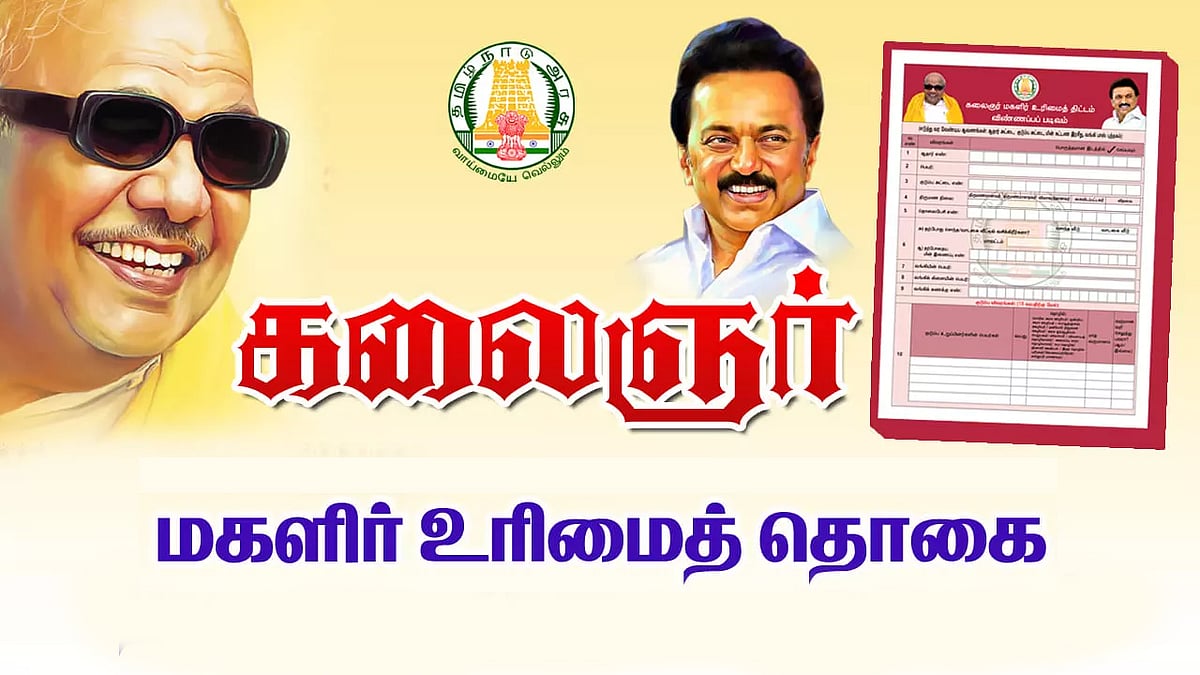
If you have a Ration Card in Tamil Nadu, you may be eligible to receive ₹1000 per month under the Kalaignar Magalir Urimai Thogai Scheme launched by the Government of Tamil Nadu.
❌ Applied but amount not credited
❌ New ration card holders unsure how to apply
❌ Application status pending
❌ Bank or Aadhaar mismatch
Many women are already receiving this monthly financial assistance. However, some applicants are still facing issues like:
In this post, I’ll explain everything clearly in a simple way 👇
💡 What is the ₹1000 Magalir Urimai Thogai Scheme?
The Kalaignar Magalir Urimai Thogai Scheme provides ₹1000 per month directly to eligible women heads of families in Tamil Nadu.
Key Benefits:
- ✅ Direct Benefit Transfer (DBT) to bank account
- ✅ One eligible woman per family
- ✅ Applicable for ration card holders
- ✅ Financial support for low-income families
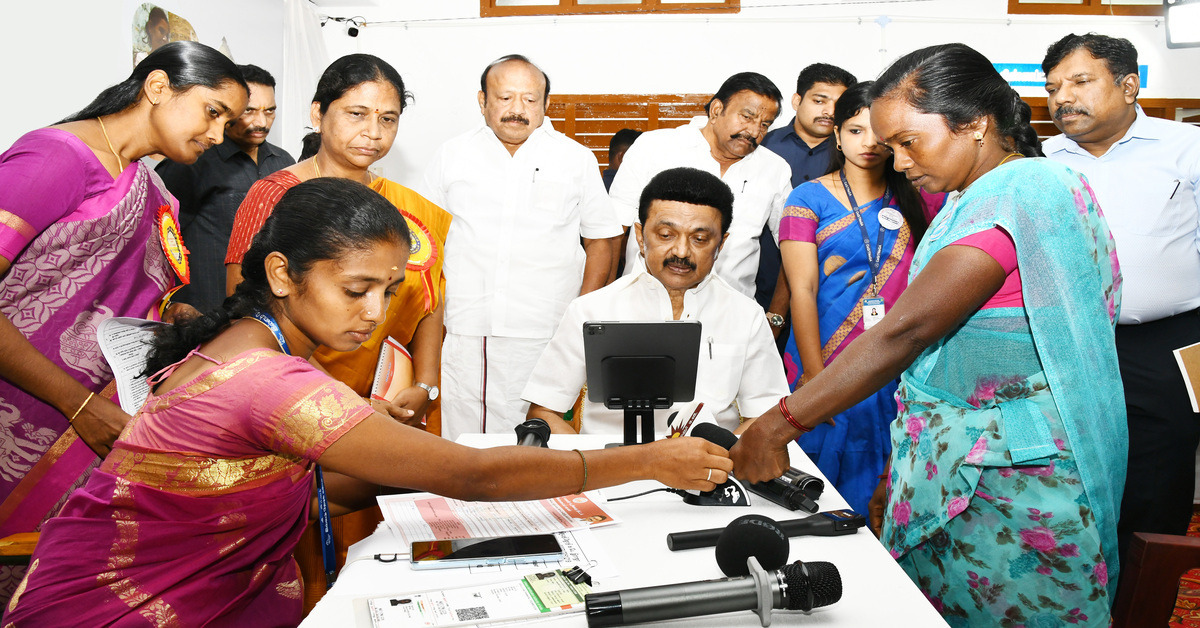
😟 Applied But Not Receiving ₹1000? Here’s What To Check
If you already applied but the money is not credited, check the following:
- 🔎 Aadhaar not linked with bank account
- 🔎 Incorrect ration card details
- 🔎 Verification still pending
- 🔎 Application rejected
What You Should Do:
- Verify Aadhaar-bank linking status
- Check ration card information carefully
- Track application status online
- Re-apply if correction option is available
🆕 How to Apply with a New Ration Card?
If you recently received a Smart Ration Card, follow these steps.
📄 Required Documents:
- Smart Ration Card
- Aadhaar Card
- Bank Passbook
- Registered Mobile Number
🌐 Method 1: Apply Online Through Official Website
- Visit the official Tamil Nadu Government portal
- Select “Magalir Urimai Thogai Scheme”
- Enter ration card & Aadhaar details
- Verify using OTP
- Submit application
📲 Method 2: Apply Using Official Government App
The Tamil Nadu Government provides an official mobile application for scheme services.
Steps:
- Download the official app from Play Store or App Store
- Login with your registered mobile number
- Enter ration card number
- Complete Aadhaar verification
- Confirm bank details
- Submit the application
⚠️ Always download only the official government application. Avoid unofficial or fake apps.
🔍 How to Check Application Status?
You can check your application status using:
- Ration Card Number
- Application Number
Visit the official website or open the government app to track status.
📌 Important Guidelines
- Do not submit duplicate applications 🚫
- Ensure your bank account is active 🏦
- Aadhaar and mobile number must be updated 📲
- Provide correct details to avoid rejection
✅ SEO Title:
Tamil Nadu ₹1000 Monthly Scheme for Women – Magalir Urimai Thogai Apply Online 2026
✅ Meta Description:
Learn how to apply for Tamil Nadu ₹1000 Magalir Urimai Thogai Scheme online. Step-by-step guide for ration card holders, status check, re-apply process, and official app details.
✅ Focus Keywords:
- Tamil Nadu 1000 Rupees Scheme
- Magalir Urimai Thogai Apply Online
- TN Government Women Scheme
- Ration Card ₹1000 Scheme Tamil Nadu
- Kalaignar Scheme Status Check
- Tamil Nadu Government App Download
✅ Suggested Slug:
tamil-nadu-1000-rupees-women-scheme-apply-online
✨ Final Words
The ₹1000 monthly assistance scheme is a valuable financial support initiative by the Government of Tamil Nadu. If you haven’t received your payment yet, verify your details and re-check your application status immediately.
If this article helped you, share it with someone who may benefit ❤️
For more updates on government schemes, mobile applications, and online application guides, stay connected! 🚀
Tamil Nadu Women’s Rights Scheme ₹1,000 – Full Details, Re-Apply Guide, Payment Status &Android Iphone Mobile App Update (2026)
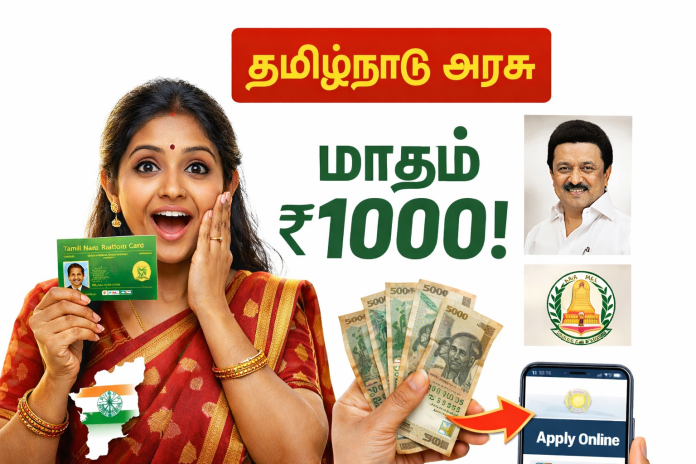
💰 Tamil Nadu Women’s Rights Scheme ₹5,000 Credit Update 2026 – Reapply, Status Check & Mobile Application Guide 📱
🔥 Latest Trending Update: ₹5,000 Credited in Women’s Bank Accounts!
உரிமை தொகை. APPLY NOW
The Tamil Nadu Women’s Rights Scheme (Magalir Urimai Thogai) is currently trending across Google and social media platforms 📈. Many beneficiaries are reporting that ₹5,000 has been credited into their bank accounts 💳, while others are still waiting or seeing ❌ “Rejected” / ⚠ “Failed” status.
If you are:
- ❌ Rejected after applying
- ❌ Application failed
- ⏳ Payment not received yet
- 🔄 Status shows “Under Verification”
This complete SEO-optimized guide explains everything in detail 👇
🏛 What Is the Tamil Nadu Women’s Rights Scheme?
The Magalir Urimai Thogai Scheme is a financial assistance program introduced by the Tamil Nadu Government to support eligible women heads of families 👩👧👦.
🎯 Main Objective:
- 💪 Financial empowerment of women
- 🏦 Direct Bank Transfer (DBT) support
- 📉 Support for economically weaker families
- 👩👧👦 Strengthening household income
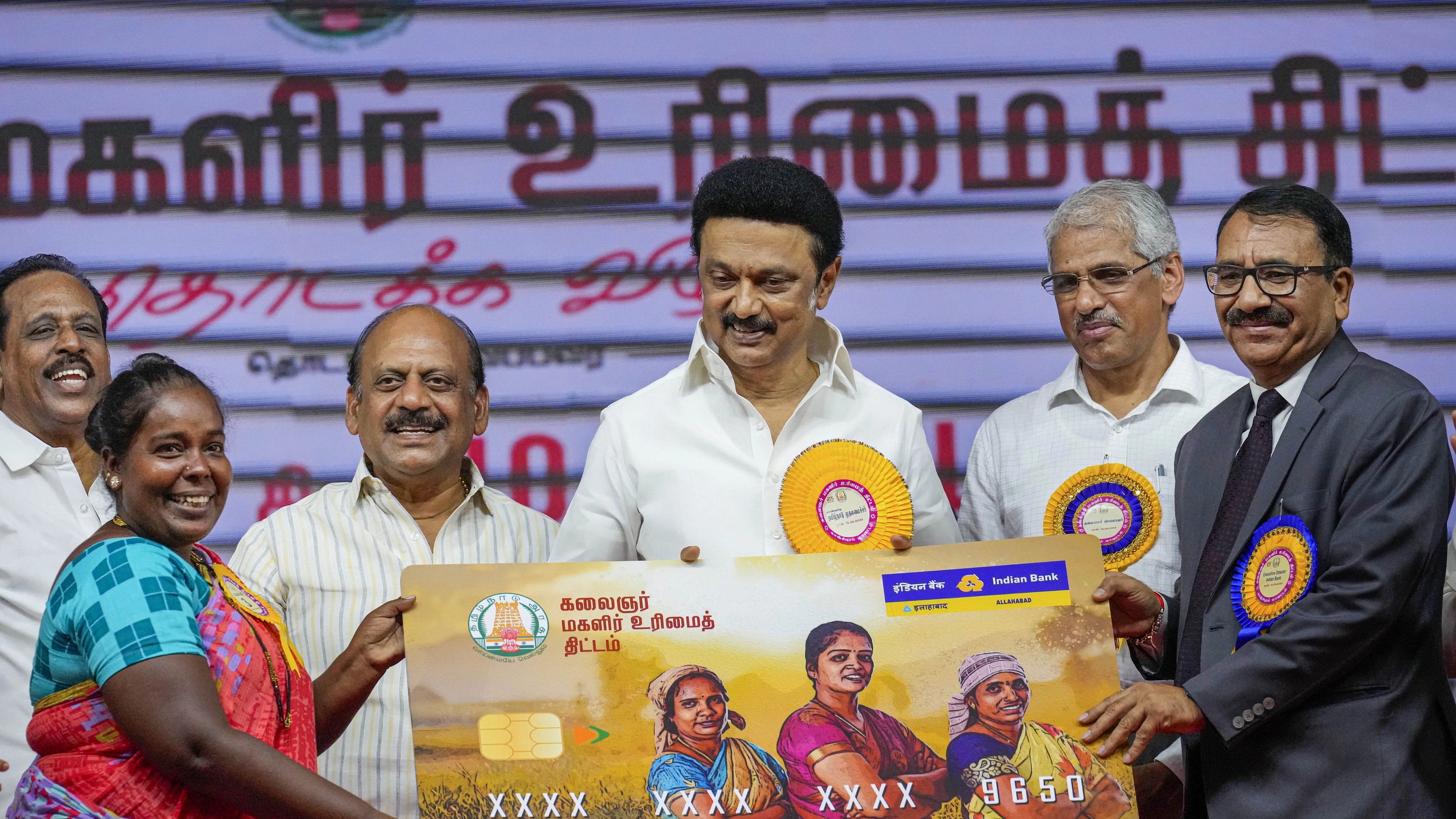
Recently, discussions are circulating about ₹5,000 being credited in selected accounts 💵.
⚠ Always verify payment updates from official government sources.
✅ Eligibility Criteria (General Guidelines)
To qualify, applicants usually must:
- 📍 Be a permanent resident of Tamil Nadu
- 👩 Be the head of the family
- 🧾 Hold a valid ration card
- 💰 Fall under income limits
- 🚫 Not be a government employee or income tax payer
- 🔗 Have Aadhaar linked to bank account
Eligibility rules may change based on government updates 📢.
💳 Why Some Women Received ₹5,000 and Others Did Not?
If your payment hasn’t arrived yet, here are common reasons:
1️⃣ Bank Account Issues
- Aadhaar not linked 🔗
- Wrong IFSC code ❌
- Bank account inactive 🏦
- Name mismatch between Aadhaar & bank ⚠
2️⃣ Verification Pending
- 📄 Documents under review
- 🏠 Field verification not completed
- 🔁 Duplicate application submitted
3️⃣ Application Rejected
Common reasons:
- Income exceeds limit 💰
- Government employee in family 👔
- Data mismatch 📊
- Invalid ration card 🧾
🔄 Can Rejected or Failed Applicants Reapply?
✅ YES, in many cases you can reapply if:
- Government opens correction window 🪟
- Re-verification is announced 📢
- You correct document errors 📝
✔ Before Reapplying:
- Update Aadhaar details
- Ensure bank account linking
- Check ration card data
- Avoid duplicate entries
⏳ Will Payments Stop for 2–3 Months?
Some reports suggest temporary delays due to:
- 📊 Budget allocation cycle
- 🧾 Verification process
- 🔍 Data correction rounds
However, only official announcements confirm payment pauses or delays ⚠.
📱 How to Apply Using Android & iPhone
You can apply directly using your smartphone 📲.
📌 Step-by-Step Mobile Application Process:
1️⃣ Install official Tamil Nadu Government scheme app
2️⃣ Register using your mobile number 📞
3️⃣ Complete OTP verification 🔐
4️⃣ Enter Aadhaar details
5️⃣ Upload required documents 📤
6️⃣ Enter bank account details 💳
7️⃣ Submit application
8️⃣ Track status anytime online 🔎
🏦 How to Check ₹5,000 Credit Status?
You can check your payment through:
- 📩 Bank SMS alert
- 💻 Net banking
- 📱 Mobile banking app
- 🏧 ATM mini statement
- 🌐 Official portal status check
🚨 Important Safety Warning
❌ Never share:
- OTP 🔐
- Aadhaar number
- ATM PIN
- Bank password
Always use official Tamil Nadu Government platforms only 🏛.
❓ Frequently Asked Questions (FAQ)
Q1: When will ₹5,000 be credited? 💵
Payment depends on verification and official schedule.
Q2: My application shows failed. What should I do? ⚠
Check the reason, correct details, and wait for reapply notification.
Q3: Can I reapply after rejection? 🔄
Yes, if correction or re-verification is allowed.
Q4: Is Aadhaar mandatory? 🔗
Yes, Aadhaar linking is usually required for DBT transfer.
Q5: How long does verification take? ⏳
Verification timelines vary district-wise.
Tamil Nadu women scheme 5000 💰
Magalir Urimai Thogai 5000 update 📢
Tamil Nadu government scheme apply online 📱
Women head of family scheme Tamil Nadu 👩👧👦
Tamil Nadu ₹5000 credited news 💳
Magalir scheme rejected reapply 🔄
Tamil Nadu government mobile app apply 📲
Women scheme bank credit check Tamil Nadu 🏦
TN government scheme latest update 2026 📅
📢 Final Conclusion
The Tamil Nadu Women’s Rights ₹5,000 credit update is one of the most searched topics right now 🔥. While some beneficiaries have received payments 💳, others may need to check verification status or correct details.
Always verify your Aadhaar-bank linking, check official updates, and stay informed 📲.
👉 Share this article with other women beneficiaries who are searching for the latest ₹5,000 update 💬
How to Apply for e-Shram Card Online Using Mobile (Android & iPhone) – Complete Guide 2026 💳📱
The e-Shram Card is one of the most important government initiatives launched by the Government of India for workers in the unorganised sector.
If you are a daily wage worker, delivery partner, driver, shop staff, construction worker, helper, or doing any private job without PF, this card can give you huge long-term benefits.
The best part?
👉 You can apply for the e-Shram Card online using your mobile phone – no computer required.
👉 Works on Android and iPhone.
👉 100% FREE registration.
This detailed guide explains everything step by step 👇
🔹 What is an e-Shram Card? 🤔
The e-Shram Card is a national labour identification card issued by the Ministry of Labour & Employment, Government of India.
It creates a centralised database of unorganised workers, helping the government provide:
-
Social security benefits
-
Insurance coverage
-
Future pension schemes
-
Emergency financial assistance
Each registered worker gets a unique Universal Account Number (UAN).
👥 Who Can Apply for an e-Shram Card?
You can apply if you work in the unorganised sector and fall under any of the categories below:
✅ Construction workers
✅ Auto / Cab / Lorry Drivers
✅ Delivery partners (Swiggy, Zomato, Amazon, etc.)
✅ Hotel, tea shop, and restaurant workers
✅ Shop employees
✅ Agricultural labourers
✅ Domestic workers
✅ Private job employees (without PF/ESI)
📌 Age Limit: 16 to 59 years
📌 Must not be an income tax payer
📄 Documents Required to Apply for e-Shram Card
Before applying, keep these details ready 👇
✔️ Aadhaar Card
✔️ Mobile number linked with Aadhaar
✔️ Bank account details
✔️ Address details
📌 No physical documents or uploads required.
📱 How to Apply for e-Shram Card Online Using Mobile (Android & iPhone)
You can apply directly using:
-
Android mobile (Chrome browser)
-
iPhone (Safari or Chrome browser)
🟢 Step 1: Open Official Website
Open your mobile browser and visit the official e-Shram registration portal.
🟢 Step 2: Register on e-Shram
Click on “Register on e-Shram” option.
🟢 Step 3: Aadhaar Verification
-
Enter your Aadhaar number
-
Accept the consent
-
Verify using OTP sent to Aadhaar-linked mobile number
🟢 Step 4: Fill Personal Details
Your name, date of birth, and gender will auto-fill.
Now enter:
-
Address details
-
Educational qualification
🟢 Step 5: Enter Occupation Details
Select:
-
Your work category
-
Skill type
-
Working experience
🟢 Step 6: Bank Account Details
Enter:
-
Account number
-
IFSC code
Submit the form.
🎉 That’s it!
Your e-Shram Card PDF will be generated instantly.
🎁 Benefits of e-Shram Card 💡
Having an e-Shram Card gives you multiple benefits:
✨ Accident insurance cover up to ₹2,00,000
✨ Death insurance cover up to ₹1,00,000
✨ Priority access to government welfare schemes
✨ Future pension and social security schemes
✨ Emergency assistance during disasters
✨ Direct benefit transfer (DBT) eligibility
📌 More benefits will be added by the government in the future.
⚠️ Common Problems & Solutions
❌ OTP not received?
👉 Check if your Aadhaar-linked mobile number is active.
❌ Name mismatch error?
👉 Aadhaar details must match exactly.
❌ Bank details error?
👉 Re-check IFSC code and account number.
❓ Frequently Asked Questions (FAQ)
🔹 Is e-Shram Card free?
Yes ✅ e-Shram registration is completely free.
🔹 Can I apply without a smartphone?
No ❌ OTP verification requires a mobile phone.
🔹 Is e-Shram Card valid for lifetime?
Yes ✅ It does not expire.
🔹 Can iPhone users apply?
Yes ✅ Works perfectly on iPhone and Android.
📌 Why You Should Apply for e-Shram Card Today
✔️ Government schemes are increasing every year
✔️ e-Shram may become mandatory for future benefits
✔️ Early registration avoids last-minute issues
✔️ Helps in financial security and emergencies
e-shram card apply online
e-shram card benefits
e-shram card apply using mobile
e-shram card android phone
e-shram card iphone apply
unorganised workers government card
free labour card india
government worker insurance scheme
🙌 Final Words
If you or your family members work in the unorganised sector, applying for an e-Shram Card is a smart and necessary step.
👉 Share this information
👉 Help others apply
👉 Stay connected for more government scheme updates ❤️
How to Convert a Normal TV into a Smart TV Using Mobile Android IPhone Application & USB Cable

If you are using a normal LED or LCD TV and don’t want to spend money on a new Smart TV, this method is for you 👍
With the help of an Android mobile phone, a USB cable, and a screen mirroring application, you can easily enjoy YouTube, Movies, Web Series, Live TV Channels, Social Media, and Websites on your TV screen.
This post is written in a 100% website-ready format.
You can directly copy & paste it into your blog or website.
The content is SEO-optimized, human-written, and beginner-friendly, with emojis for better engagement 😊
🔍 What Does “Converting Normal TV to Smart TV” Mean?
Converting a normal TV into a Smart TV does NOT mean installing Android OS inside the TV.
SMART TV APP INSTALL
🔹 USB Screen Mirroring
👉 It means using your Android mobile as the brain
👉 Your TV becomes a big display screen
👉 Whatever runs on your mobile appears on the TV
This gives you a Smart TV–like experience without buying new hardware.
🔌 Requirements (Things You Must Have)
Before starting, make sure you have the following 👇
✔️ Normal LED / LCD TV (with USB port)
✔️ Android Smartphone (Android 7 or above recommended)
✔️ USB Cable (original or good-quality cable)
✔️ Internet connection (WiFi or Mobile Data) 🌐
✔️ Screen Mirroring / USB Display App
📱 Best Type of Applications to Use
Go to Google Play Store and search using these keywords:
🔹 Screen Mirroring for TV
🔹 Mobile to TV USB Connector
🔹 USB Display Android
These apps allow your phone to share its screen through USB, even if your TV is not a Smart TV.
🔧 What These Apps Do:
✔️ Mirror mobile screen to TV
✔️ Support YouTube, Movies & Apps
✔️ Work with most TV brands
✔️ No technical setup required
🔗 Step-by-Step: How to Connect Mobile to TV Using USB Cable
Follow these steps carefully 👇
Step 1️⃣ – Connect USB Cable
Plug one end of the USB cable into your mobile
Plug the other end into your TV’s USB port 🔌
Step 2️⃣ – Change TV Input Source
Using your TV remote:
👉 Press Source / Input
👉 Select USB Mode or Media Mode
Step 3️⃣ – Open the App on Mobile
Open the USB Screen Mirroring / Display App on your Android phone 📲
Step 4️⃣ – Select TV Brand
Inside the app:
👉 Choose your TV Brand (Samsung, LG, Sony, Panasonic, Mi, etc.)
This helps the app optimize compatibility.
Step 5️⃣ – Enable USB Debugging (If Asked)
Some apps may ask you to:
👉 Enable USB Debugging
👉 Allow screen access permission
Don’t worry — just allow it once ✅
Step 6️⃣ – Start Screen Mirroring
Tap on:
👉 Start Mirroring / Connect TV / Start Cast
🎉 Done!
Your mobile screen will instantly appear on your TV.
▶️ What Can You Do After Connecting?
Once mirroring starts, your TV behaves like a Smart TV 👇
🎥 Entertainment
✔️ Watch YouTube videos
✔️ Stream Movies & Web Series
✔️ Play downloaded videos
📡 Live TV Channels
✔️ News Channels
✔️ Tamil TV Channels
✔️ Sports Channels (Cricket, Football 🏏⚽)
✔️ Entertainment Channels
Just install Live TV apps on mobile and mirror them.
🌐 Internet & Social Media
✔️ Browse websites using Google Chrome
✔️ Watch Facebook & Instagram Reels
✔️ Open educational websites
🎓 Education & Work
✔️ Online classes
✔️ Zoom / Google Meet
✔️ PDF, PPT & Documents
Perfect for students and office use 🧑🎓💼
⭐ Major Advantages of This Method
✅ No need to buy Smart TV
✅ Very low cost solution 💰
✅ Easy setup (no technician needed)
✅ Works with old TVs
✅ Portable & flexible
⚠️ Limitations You Should Know
🔸 USB mirroring support depends on TV model
🔸 Video quality depends on mobile performance
🔸 Slight delay may occur in games
🔸 Free apps may show ads
🔸 Long-term use → HDMI cable or Android TV box is better
🔐 Is This Method Safe?
✔️ Yes, it is safe if you install apps from Google Play Store
✔️ Avoid unknown APK files
✔️ Give only required permissions
convert normal tv to smart tv
normal tv to smart tv using mobile
mobile to tv usb connection
usb screen mirroring android
watch youtube on normal tv
live tv channels on smart tv
android phone connect tv
🎯 Final Conclusion
If you are looking for a budget-friendly and simple way to enjoy Smart TV features, this Mobile + USB Cable method is a great option.
✔️ Easy for beginners
✔️ No extra device needed
✔️ Perfect for videos, movies & live TV
AI Bike to Transformer Editing – Trending AI Video Editing App Android And Iphone (2026)
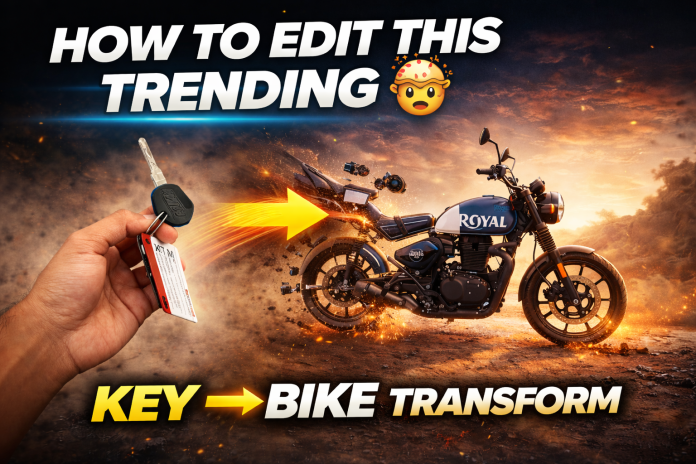
AI video editing is taking over social media 🚀
Right now, AI Bike to Transformer videos are going viral on Instagram Reels, YouTube Shorts, and Facebook.
Just upload a bike photo with a key in hand, and AI automatically transforms the bike into a Transformer-style cinematic video 🤯
No professional editing skills required!
In this article, you’ll learn 👇
✅ What AI Bike Transformer Editing is
✅ How to create viral AI videos step by step
✅ Best AI editing app method
✅ SEO + High CPC strategy for maximum earnings
🚀 What Is AI Bike Transformer Editing?
AI Bike Transformer Editing uses Artificial Intelligence to convert a simple bike photo into a high-quality animated Transformer video.
With AI technology, you can:
✔️ Convert photo to video
✔️ Apply Transformer animation
✔️ Add cinematic motion effects
✔️ Generate viral reels automatically
All this can be done using a mobile AI editing app 📱✨
📸 How to Create AI Bike to Transformer Video (Step-by-Step)
🔹 Step 1: Choose the Right Bike Photo
-
Use a clear bike image
-
Front or side angle works best
-
Holding a bike key increases realism 🔑
-
Avoid blurry or dark photos
🔹 Step 2: Install an AI Video Editing App
Search for these keywords on Play Store or App Store:
-
AI Bike Transformer App
-
AI Photo to Video Editor
-
AI Animation Video Maker
-
AI Reels Editing App
👉 These apps are currently trending and high CPC 💰
🔹 Step 3: Apply Transformer AI Effect
-
Select “Bike to Transformer” template
-
AI will auto-generate animation
-
Add cinematic background music 🎶
-
Preview before exporting
AI handles everything automatically ⚡
🔹 Step 4: Export & Upload
-
Aspect ratio: 9:16
-
Quality: 1080p / 4K
-
Upload on:
-
Instagram Reels
-
YouTube Shorts
-
Facebook Reels
-
Use trending hashtags for maximum reach 🚀
🔥 Why AI Transformer Editing Is Trending Now?
✔️ Easy to create
✔️ High engagement rate
✔️ Perfect for short-form videos
✔️ AI content demand is exploding
✔️ App install ads pay high CPC 💸
This makes it one of the best niches for bloggers & creators right now.
PROMPT
Use first frame as starting reference and second frame as ending reference. Transform the key into the motorcycle smoothly with realistic materialization effect. Maintain exact camera angle and background.Add subtle dust and cinematic motion. Keep the subject position stable. Avoid glitches, avoid stretching, keep realistic lighting and shadows. Ultra realistic.
💰 How This Topic Helps You Earn More Money
This niche attracts high-paying ads, especially:
-
AI Apps Install Ads
-
Video Editing Software Ads
-
Mobile Apps Promotions
-
Tech & AI Tool Ads
AI APP LINK
👉 Google Adsense CPC is very high for AI + App keywords.
AI video editing app
AI bike transformer editing
AI photo to transformer video
AI reels editing app
Best AI animation app
AI editing for Instagram reels
AI video maker app
Photo to video AI tool
Trending AI editing app
AI transformer effect video
AI Bike to Transformer editing is one of the hottest AI video trends right now 🚀 where a simple bike photo—especially with a key in hand—can be transformed into a cinematic Transformer-style animation using an AI video editing app 🤖. With the help of advanced artificial intelligence, users can convert photos into high-quality videos, apply automatic motion effects, add background music, and create viral Instagram Reels, YouTube Shorts, and Facebook videos without any professional editing skills 📱✨. This trend is growing rapidly because AI editing apps are easy to use, generate high engagement, and attract high-paying ads such as AI tools, mobile app installs, and video editing software 💰. Due to strong search demand for keywords like AI video editing app, photo to video AI, and transformer AI effect,
🎯 Final Thoughts
AI Bike to Transformer Editing is one of the hottest AI trends right now 🔥
It’s beginner-friendly, viral, and perfect for earning through ads & app installs.
If you’re serious about making money online with AI content,
👉 This is the right time to start! 🚀💰
MyJio Call History App 2025 Full Details – Recharge, 5G, Fiber & UPI Explained Android Mobile App

🌟 What is MyJio App?
MyJio App is an all-in-one digital platform by Reliance Jio that allows you to manage your Jio SIM, Fiber, UPI, OTT, Cloud, 5G, recharges, bills, offers, and account settings in one single app.
MyJio = Recharge + Payments + Fiber + Cloud + OTT + Support 🚀
🔥 Complete MyJio App Features (2025 Fully Updated)
1️⃣ 📡 Jio SIM Management
-
SIM details
-
Mobile number, plan validity
-
Daily data usage
-
Data balance checker
-
Data top-up packs
-
International roaming activation
-
Network selection (4G/5G)
-
eSIM activation
2️⃣ ⚡ Recharge Section
-
All Jio recharge plans
-
Unlimited packs
-
5G unlimited welcome offer
-
Data add-ons
-
Annual plans
-
International roaming packs
-
Auto-pay setup
-
Recharge history tracking
3️⃣ 📶 Jio Call History App
CALL HISTORY – KEY POINTS (2025)
-
-
📱 Incoming, Outgoing & Missed Calls Tracking
-
🔢 Shows Number, Time & Call Duration
-
📂 View Complete Call Log on Android & iPhone
-
🧾 Download Call History Statement (Jio, Airtel, Vi, BSNL)
-
☁️ Recover Deleted Call Logs via Google/iCloud Backup
-
🔍 Identify Unknown Numbers & Call Patterns
-
📅 Check Past Call Records (Up to 6 Months Depending on Network)
-
⚙️ Available Inside Phone Dialer or Network Apps
-
🔒 Helps in Verification, Safety & Analysis
-
📡 Syncs Automatically with Cloud Backups
-
4️⃣ 🏠 JioFiber Section (Broadband)
-
New Fiber connection booking
-
Installation tracking
-
WiFi password change
-
Router settings
-
Monthly bill payment
-
OTT subscription bundle (JioTV+, Sony Liv, Zee5 etc.)
-
Fiber speed booster add-ons
he MyJio App 2025 is one of India’s most advanced telecom applications, offering a complete digital control center for Jio users. It provides fast mobile recharge, real-time data tracking, a dedicated 5G dashboard, and smooth JioFiber management. With MyJio, users can easily handle broadband settings, bill payments, WiFi controls, and OTT entertainment access. The built-in Jio UPI system allows instant money transfers, bill payments, and cashback offers. JioCloud ensures your photos, videos, and contacts are securely backed up. MyJio also includes caller tunes, language settings, and smart account options to simplify your digital life. Whether it’s SIM, Fiber, Payments, or Entertainment—MyJio App covers everything in one place. 🚀📱
5️⃣ 💰 UPI & Payments
-
Jio UPI creation
-
Send / Receive money
-
Scan & Pay QR
-
FASTag recharge
-
Electricity bill
-
Gas bill
-
Water bill
-
DTH recharge
-
Credit card bill
-
Cashback offers
-
Rewards & coupons
6️⃣ ☁️ JioCloud (Backup & Storage)
-
Auto photo backup
-
Video cloud storage
-
Contacts sync
-
File sharing
-
Secure vault
-
Multi-device access
7️⃣ 🎥 OTT Services in MyJio
-
JioCinema
-
JioTV
-
JioSaavn
-
JioGames
-
JioNews
-
Kids section
-
Movies, Live TV & Sports streaming
-
Data saver mode
📞 Customer Support
-
24/7 AI chatbot support
-
Live chat
-
Raise complaint
-
SIM replacement help
-
Fiber engineer request
-
Service center locator
The MyJio App 2025 is India’s No.1 telecom and digital service hub that gives complete control over your Jio SIM, Fiber, UPI payments, OTT apps, 5G features, cashback offers and more! 📱✨
With the latest update, the app includes:
✔ Faster dashboard
✔ New 5G coverage map
✔ Updated recharge section
✔ Secure UPI payments
✔ Exclusive Jio rewards
If you are a Jio user, this app is a MUST-HAVE digital companion.
#MyJio #JioApp #JioRecharge #JioUPI #JioFiber #Jio5G #RelianceJio #TechNews #UPIPayment #JioCloud #OTT #JioCinema #OnlineRecharge #IndiaTech #JioOffers
Tailoring Machine Scheme for Women (2026) – Full Application Guide, Eligibility & Online Registration

Many women in India dream of starting their own tailoring business from home. To support this and empower women financially, the Central and State Governments have introduced the Free Tailoring Machine Scheme. Under this program, eligible women can receive
This article provides complete details including eligibility, required documents, online/offline application method, benefits, and state-wise availability.
🌸 What is the Tailoring Machine Scheme?
The Tailoring Machine Scheme is a women empowerment program aimed at helping women start or expand their sewing and tailoring work. The scheme supports:
- Women with no income
- Women already sewing but needing a machine
- Women who want training and certification
- Widows, single mothers, and differently-abled women
- Women from rural and economically weaker sections
The government provides either a fully free machine or a subsidized sewing machine depending on the region and eligibility.
⭐ Key Benefits of the Scheme
| Benefit Type | Details |
|---|---|
| Free Tailoring Machine | No cost for eligible women |
| Subsidy Machine | 50–90% subsidy based on income and region |
| Skill Development Training | Free government-approved sewing training |
| Certification | Certificate valid for bank loans & business |
| Business Support | Access to bank loan and PM Vishwakarma support |
Some beneficiaries may also receive:
- Monthly stipend during training
- Tools and accessories kit
- Market connection support after training
👩💼 Who Can Apply?
Women must meet the following conditions:
- Must be Indian citizen
- Must be 18 years or older
- Should belong to EWS/BPL/Middle income group
- Must have a bank account in her name
- Applicants may be:
- Housewives
- Students above 18
- Widows or divorced women
- Differently-abled women
- SHG Members
- Rural entrepreneurs
🧾 Required Documents
INSTALL
Below are the documents needed for online or offline registration:
- Aadhaar Card
- Voter ID / Ration Card
- Bank Passbook Copy
- Mobile number linked to Aadhaar
- Passport-size photo
- Income Certificate
- Domicile Certificate (State-wise requirement)
- Caste Certificate (if applicable)
- Widow Certificate / Disability Certificate (if applicable)
- SHG Membership ID (Optional but helpful)
- Udyam Registration (Optional but gives priority)
🖥 How to Apply Online (Step-by-Step)
The main online portal for this scheme is the PM Vishwakarma Yojana Portal.
CLICK HERE : FREE TAILORING MACHINE ONLINE APPLY
🔗 Official Website APPLY : https://pmvishwakarma.gov.in
✔ Follow the registration steps below:
Step 1: Visit the Portal
Go to the official portal and click “Apply Now.”
Step 2: Aadhaar Authentication
Enter your Aadhaar number and verify using OTP.
Step 3: Fill Personal Information
Add details such as:
- Name
- Address
- Age
- Qualification
- Income details
Step 4: Select “Tailor” Category
Under skills list, choose:
👉 Tailor (Sewing Work / Darji Category)
Step 5: Upload Documents
Upload scanned PDF/JPG copies.
Step 6: Submit Application
After submitting, download your Application Reference Slip.
Step 7: Training Schedule
You may receive a message or email to attend training at a certified center.
Step 8: Machine Allotment
After successful verification and training, the machine will be provided free or at a subsidized rate.
🏛 Offline Application Method
Women who cannot apply online can submit the form offline through:
- District Collector Office
- Municipal Office
- Gram Panchayat
- Women and Child Development Office
- Rural Development Office
- NRLM / SHG Cluster Office
- CSC (Common Service Centers)
📍 State-Wise Availability
The program is currently offered through both central and state governments including:
- Tamil Nadu
- Karnataka
- Telangana
- Andhra Pradesh
- Maharashtra
- Uttar Pradesh
- Gujarat
- Madhya Pradesh
- Rajasthan
- Bihar
- Haryana
- Odisha
- West Bengal
Some states provide electric sewing machine based on availability.
💡 Important Tips for Faster Approval
✔ Keep your bank account active
✔ Join SHG if not already – SHG members get faster approval
✔ Attend training sessions without absence
✔ Keep all documents ready in original
📌 Conclusion
The Tailoring Machine Scheme is a great opportunity for women who want to earn from home or start a small business. With zero investment, women can become financially independent and build their own tailoring brand.
If you meet the eligibility criteria, apply as soon as possible and share this information with women who may benefit.
Trending AI Photo Editing – Husband & Wife Baby Best Android Iphone Mobile AI Application Transformation 👶✨
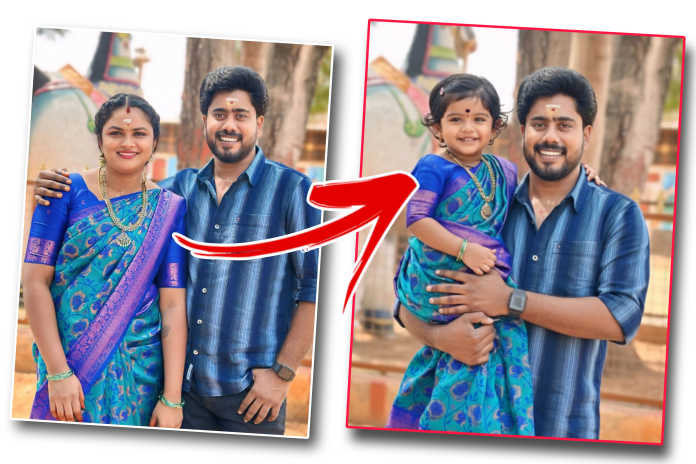
Right now, a new AI Photo Editing trend is going viral on Instagram, Facebook, and YouTube 🚀
In this trend 👇
📸 Upload a Husband & Wife / Lover Couple photo
🤖 AI magically converts one person into a baby
💖 The other person remains the same
This edit is cute, emotional, and highly viral 😍🔥
✨ What’s Special About This AI Edit?
There are 2 trending edit styles 👇
👨➡️👧 Edit Type 1
-
Upload a couple photo
-
Wife transforms into a 3-year-old baby girl 👶🎀
-
Husband stays the same 🤵
-
Baby wears the same dress style (AI matched)
-
Cute hand-holding pose 🥰
👩➡️👦 Edit Type 2
-
Upload a couple photo
-
Husband transforms into a baby boy 👶💙
-
Wife stays the same 👩
-
Realistic baby face + natural skin tone ✨
🤖 How Is This Editing Possible?
This edit is created using AI Image Generation and Google Gemini AI 🤯✨
AI automatically handles 👇
✔ Face structure
✔ Skin tone matching
✔ Dress continuity
✔ Hand-holding pose
✔ Natural lighting
No manual editing needed 🙌
🖼️ Best Photo Tips for Perfect Results
For best output 👇
✅ Clear face visibility
✅ No blur or heavy filters
✅ Front-facing couple photo
✅ Avoid extreme makeup
Better input = Better AI output 🎯

WIFE BABY PROMPT
Convert this image into dad and dauahter combo. The bov has to be a dad and the girl has to be a daughter and daughter should be in same dress. The boy should hold her in his handS the age of the daughter should be 3 years baby girl

DAD BABY PROMPT
Convert this image into a mother and Sun combo. The woman should remain the mother, and the man should be transformed into a 3-year-old baby boy. The baby boy should look realistic, with soft facial features suitable for a 3-year-old child. The mother should be holding the baby boy in her hands, showing a natural and emotional mother-child bond. The baby boy must wear the same dress style and color as the original adult person, adjusted appropriately for a toddler. Maintain natural skin tones, realistic lighting, and proper proportions. The final image should look like a real mother holding her 3-year-old daughter, not an edited or artificial image. High quality, photorealistic output.
📱 Where Can You Do This Editing?
You can create this trending edit using Google Gemini AI 📸🤖
✔ Works on Mobile
✔ Android & iPhone supported
✔ No extra app needed
Simple & fast ⚡
🚀 Why Is This Trend Going Viral?
Because it has 👇
😍 Cute baby transformation
❤️ Emotional family vibe
😲 AI surprise effect
🎥 Perfect for Reels & Shorts
That’s why it’s trending on
Instagram Reels | Facebook Reels | YouTube Shorts 🔥🔥
🎥 What You’ll See in This Video?
In this video, you’ll learn 👇
✅ How to upload photos in Gemini AI
✅ Exact AI prompt usage 📝
✅ How to convert Husband/Wife into a baby
✅ How to keep the same dress & pose
✅ Tips to get viral-looking results 🚀
🔔 Final Words
If you love AI Photo Editing, Trending Reels, and Viral Content 📈
This Husband & Wife → Baby AI Edit is a must-try 💯
👉 Watch the full video 🎥
👉 Copy the AI prompt 📋
👉 Create your own cute baby edit 👶✨
