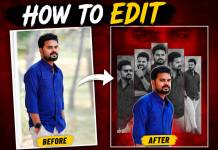
Short-form videos are everywhere now. Instagram Reels, Facebook Reels, and even YouTube Shorts are growing rapidly — and the competition is increasing every day.
But the good news is:
👉 You don’t need expensive software or advanced skills to make a viral reel.
In this tutorial, you’ll learn the complete process — from finding a trend to editing and uploading like a pro.
🔥 Step 1: Discover What’s Trending
Before editing, your first task is to check trending audio, templates, and reels.
Where to find trending content?
-
Instagram → Open Reels → Look for the trending arrow icon
-
Facebook → Browse Reels Sound Library
-
TikTok → Great for finding early trends
💡 Pro Tip: Short audio under 10 seconds usually performs better.
🎵 Step 2: Save or Download Trending Audio
You can save audio directly inside Instagram or Facebook.
But if you need the file for editing, use these tools:
| Tool | Use Case |
|---|---|
| Snapinsta | Download reel audio |
| SaveInsta | Extract music or original sound |
| Kapwing Audio Extractor | Download audio from any video |
🎥 Step 3: Choose the Right Editing App
You don’t need a laptop — mobile apps are enough.
| App | Why it’s useful |
|---|---|
| CapCut | Thousands of ready-made templates |
| VN Video Editor | Clean interface + advanced timeline |
| InShot | Perfect for beginners |
| Alight Motion | Motion graphics & smooth transitions |
💡 If you’re just starting: CapCut is the easiest and fastest option.
✨ Step 4: Edit for Maximum Engagement
To make your reel attention-grabbing:
✔ Keep videos short (6–12 seconds)
✔ Add big readable text
✔ Use captions/subtitles
✔ Sync clips with beats
Hook ideas for the first second:
-
“Stop scrolling!”
-
“This will blow your mind!”
-
“You should try this trick!”
📤 Step 5: Upload the Reel the Right Way
Uploading correctly increases reach.
-
Choose a catchy thumbnail
-
Enable Location
-
Use 8–12 niche hashtags
-
Add a short but meaningful caption
#️⃣ Hashtags You Can Use
⭐ Bonus Websites for Templates
| Platform | Link |
|---|---|
| VPN | https://play.google.com/store/apps/details?id=org.furyweb.linkvpn&hl=en_IN |
| CAPCUT | https://capcut.com.in/ |
| CapCut Templates | https://www.cahttps://www.capcut.com/tv2/ZSPJdxggJ/ |
| Website | Purpose |
|---|---|
| CapCut Template Hub | Ready-to-use reel formats |
| Canva Reel Layouts | Editable social media templates |
| Motionleap | Professional visual effects |
🏁 Final Thoughts
Making trending reels isn’t complicated.
If you use trending audio, simple editing techniques, and a smart upload strategy — your reel can easily get more views and engagement.
Keep experimenting and stay consistent — success will follow.
❓ FAQ Section
| Question | Answer |
|---|---|
| Can beginners make viral reels? | Yes — templates make it super easy. |
| Best posting time? | Evening — 6 PM to 11 PM works best. |
| Do reels need subtitles? | Yes — they increase watch time and retention. |