
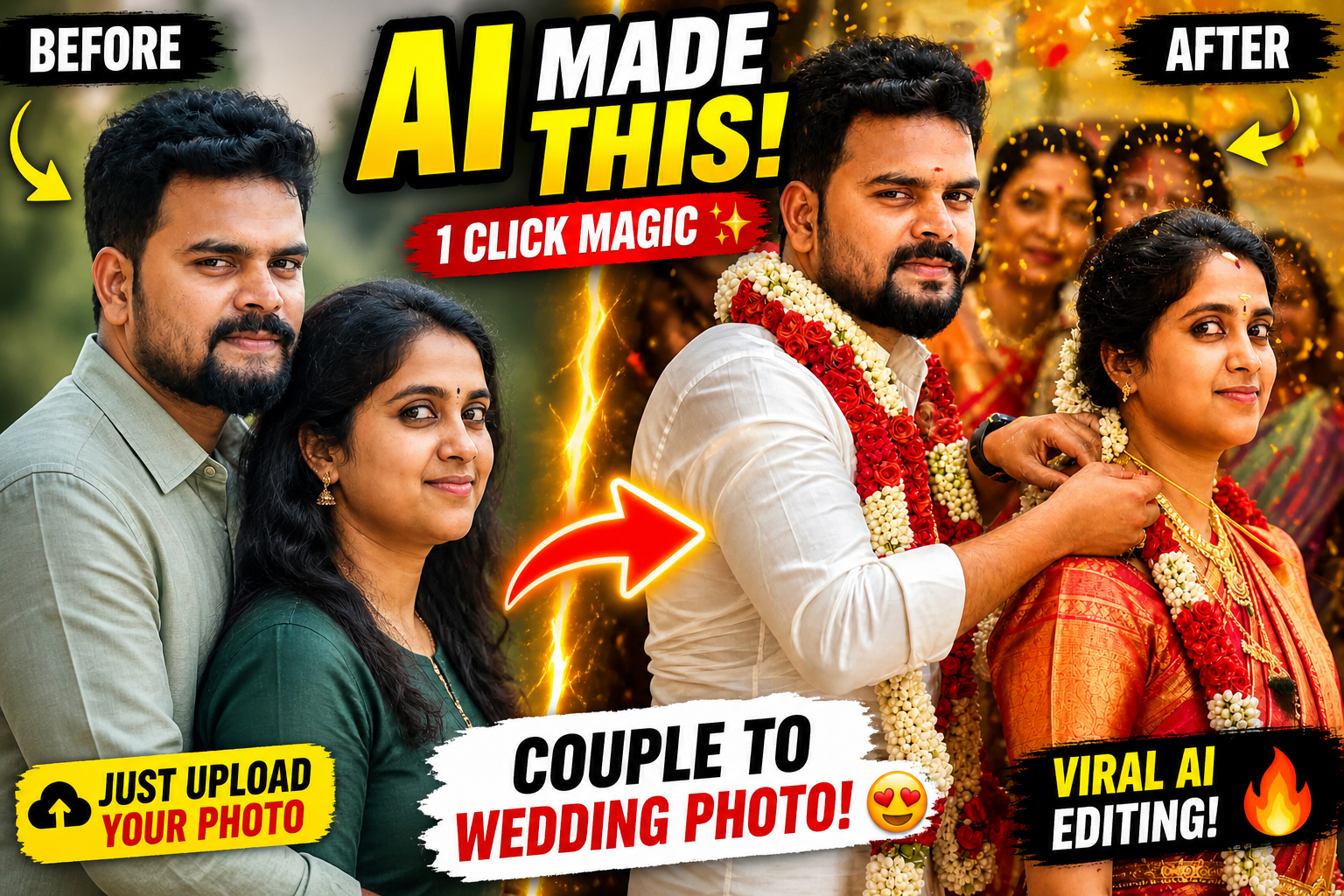
In today’s social media trends, one thing is going insanely viral 🔥 — transforming a simple couple photo into a beautiful cinematic wedding moment using AI.
With just one normal photo of a husband-wife or lovers, you can create a realistic South Indian wedding scene — complete with thaali tying, garlands, traditional outfits, and emotional expressions ❤️
In this post, you’ll learn exactly how to do it, the best prompt to use, and pro tips to get ultra-realistic results.
🤖 What is AI Wedding Photo Editing?
AI wedding photo editing is a process where you upload a normal couple photo and use AI tools to generate a fully styled wedding image.
✨ What happens:
- Faces stay the same (identity preserved)
- Background becomes a wedding setup
- Clothes turn into traditional attire
- Jewelry and details are auto-generated
- Lighting becomes cinematic
📸 How Does It Work?
You can use tools like:
- Midjourney
- Leonardo AI
- Stable Diffusion
Steps:
1️⃣ Upload your couple photo
2️⃣ Enter the correct prompt
3️⃣ AI generates the wedding scene
4️⃣ Download your ultra-realistic image
✍️ Best AI Prompt (Copy & Paste)
Use this exact prompt to get natural and realistic results 👇
⚠️ Common Mistakes to Avoid
Don’t make these mistakes ❌
- Face looks pasted or fake
- Wrong eye direction 👀
- Body proportions look unnatural
- Too much beauty filter (loses realism)
- Lighting doesn’t match
👉 Always include keywords like:
“identity reference only” + “natural adaptation”
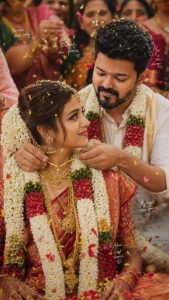
PROMPT
Ultra-realistic South Indian wedding ceremony scene using the uploaded male and female images strictly as identity reference for facial features only (not as fixed pose or head angle reference); maintain strong facial resemblance and identity accuracy (same person recognition) while allowing natural adaptation of head position, gaze direction, expression, and posture to match the scene organically; avoid any cut-and-paste or face-swapping appearance — faces must blend seamlessly with the body, lighting, and environment with correct proportions, perspective, and skin tone consistency; hair, beard, and overall styling should match the original individuals but be naturally adjusted to suit the wedding context. Capture a candid close-up moment where the groom gently ties the thaali (mangalsutra) around the bride’s neck, both looking naturally at each other or focused on the action (not staring away unnaturally); the bride wears a rich red silk saree with gold zari border, traditional South Indian bridal jewelry,TEXT ADDITION : At the bottom right corner of the final image, add clean small text: Prompt = AV JUST .com Text should white BLOCK STROK or soft tone, clearly readable but not distracting.
🎯 Pro Tips for Best Results
✔ Use high-quality photos
✔ Make sure faces are clear
✔ Avoid extreme side angles
✔ Mention lighting style in prompt
✔ Add emotional tone (love, smile, connection ❤️)
❤️ Who Can Use This?
This is perfect for:
- 💑 Couples & lovers
- 💍 Married couples
- 🎥 Instagram creators
- 📸 Wedding editors
- 🎬 YouTube content creators
👉 Especially great for Reels & Shorts — super viral potential 🚀
🎬 Instagram / YouTube Content Idea
Want to go viral? Try this:
- Show BEFORE vs AFTER
- Reveal the prompt
- Use hook: “Just upload your photo…”
- Add emotional background music 🎶
Use these in your post:
- AI wedding photo editing
- Couple photo to wedding photo AI
- South Indian wedding AI edit
- AI marriage photo generator
- Wedding editing prompt
- AI couple photo transformation
📌 Final Thoughts
A single photo is all you need 📷
With the right AI prompt, you can turn it into a lifelike wedding memory 💫
This is not just editing — it’s the future of photography.
👉 Try it once… you’ll be amazed 😍